


What tells you a how-to guide worked? Most content teams answer with a ranking. I'd answer with a finished task.
Rankings and word counts measure the start of the journey. A guide can hold position three, read cleanly, cover every subtopic a brief asked for, and still leave someone stranded at step two with a stripped screw and no next move. Nothing in the page's analytics reports that as a failure, because the tools count arrivals, not completions.
The method below plans for the finish line first, proves it with a clean test run, and then measures whether readers got there. It's the process I'd hand a writer on day one, because it kills the two failures behind most instructional pages: a task that was never defined and a procedure that was never run.
Table of Contents
- Pin Down the Task Before You Write
- How to Define the Task and Reader First
- How to Write, Test and Verify Each Step
- Mistakes That Stall a Guide and the Fixes
- Measuring Whether Readers Finish the Task
- Confirm Your First Task and Draft Step One
Pin Down the Task Before You Write
Guide how to is an unfinished search. Someone typed four words and stopped, and the next decision belongs to whoever owns the page. Three different searchers produce that query, and each one needs a different page.
Three readings of one unfinished query
Read the table before you outline. The reading you choose changes the structure, not just the angle.
| Searcher reading | What they usually want | What the page must deliver |
|---|---|---|
| Write a how-to guide | A method to produce instructions for readers | A defined task, numbered steps and verification checks |
| Create a guide for customers | Explain a product or process they sell or run | A feature-by-feature walkthrough with prerequisites |
| Find an existing guide | Someone else's instructions they can follow | A quick answer and a comparison of sources |
This piece serves the first reading: a writer who needs a method for producing instructions someone else can follow. The other two are legitimate jobs, but mixing them produces a page that half-explains a process and half-sells a product.
The scale behind the query is settled. Google reported in 2017 that searches beginning with "how to" had increased by 140% over the previous 13 years, with demand grouped around practical problem solving such as fixing household items, cooking, relationships, technical problems and health, as Search Engine Journal reported from Google's data. The same analysis found the practical problems shift by place, with North Americans searching hardest for toilet repairs, warm-climate users for refrigerator repairs and users in Northern and Eastern Europe for light bulbs.
The consequence matters more than the trend. A guide only works when its topic is one specific task rather than a broad subject, because the reader arrives with one problem and leaves when the page addresses a category.
If the task won't fit in one verb-led sentence, you have a subject, not a guide.
Run that test before you open a document. "Replace a worn faucet cartridge without flooding the sink" passes. "Faucet maintenance" fails, and it will keep failing through every draft you write on top of it. Once the sentence holds, sketch the page on one sheet: starting condition, numbered outcome, the check at the end. The Expert Author Community book canvas is built for planning a longer manuscript, and the same one-page discipline keeps a nine-step repair guide from sprawling into a subject overview.
How to Define the Task and Reader First
Two decisions get locked before you write a numbered step, and both are expensive to change later because every heading, screenshot and check inherits them.
Write the outcome as one sentence
Start with a verb and name the finish line. "Replace a worn faucet cartridge without flooding the sink" sets the scope, the safety constraint and the success test in one line. A vague outcome such as "a guide to faucet maintenance" makes every later step feel optional, and optional steps are where writers start padding with background nobody searched for.
This is desk work, and it looks like this long before it looks like plumbing.
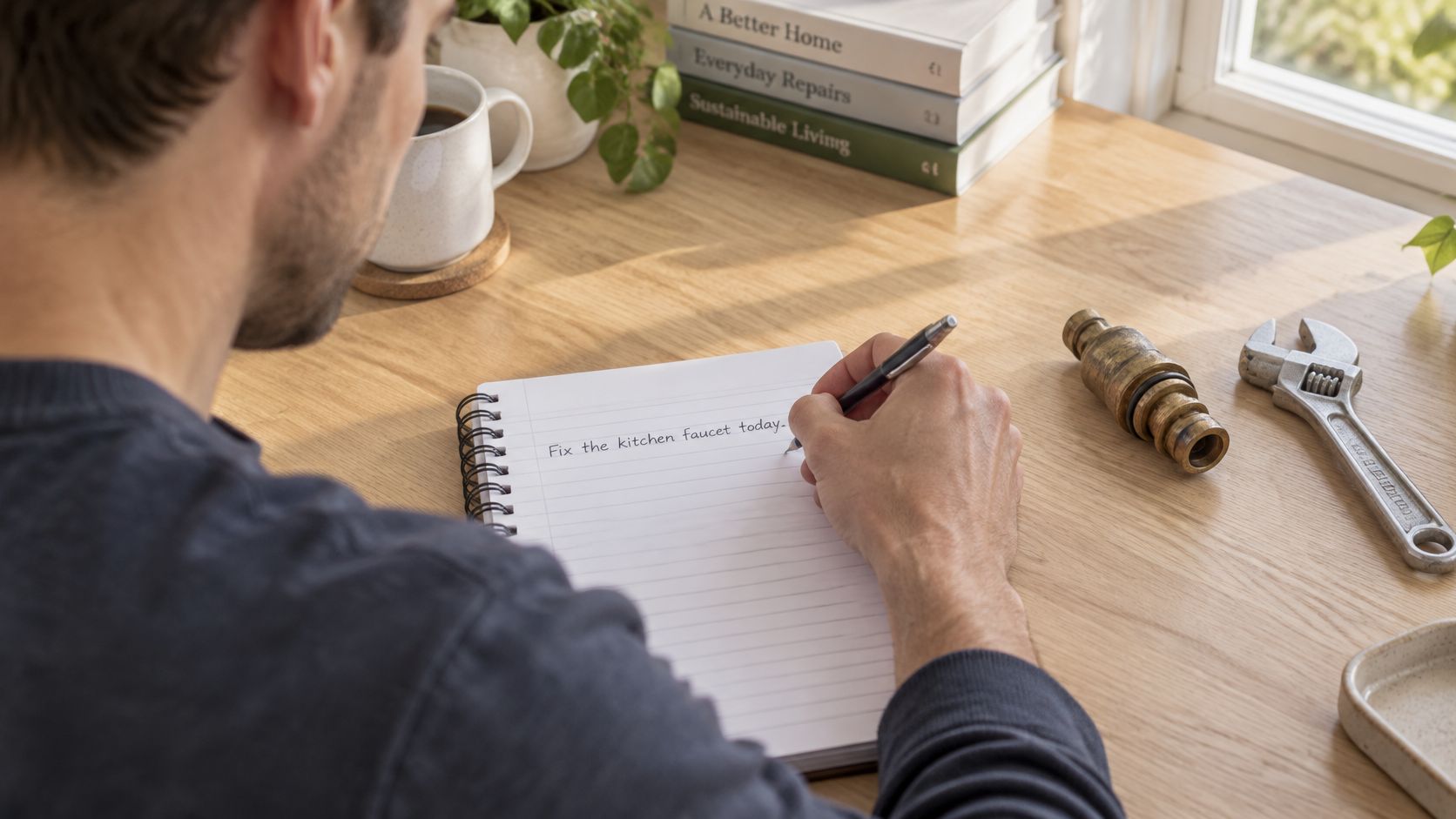
List the reader and the prerequisites
When I wrote a guide on replacing a faucet cartridge, the reader needed a flathead screwdriver, a bucket and the shutoff valve located and closed before anything came apart. My first draft skipped the shutoff. That is exactly where readers ended up soaked, and the complaint that followed was fair.
Writers skip prerequisites because they forget what they already know. The tool that lives in your kitchen drawer isn't obvious to someone in a rented flat with a folding hex key set. Cover five things: experience level, tools, time, skills, and any safety or cost limit that changes whether the job is worth starting at all.
One research check before drafting. Open the live results for the query. If the top pages are product listings, the searcher wants to buy rather than read, and a tutorial will fight for a click it can't earn. That intent read is the same discipline behind structuring an SEO blog post around one query instead of around a subject area.
The planning stage is done when you have:
- One outcome sentence that starts with a verb and names the finished state.
- A prerequisites list of three to six items, ordered by when the reader needs them.
- A named reader with a stated skill level, so a beginner knows whether this page is for them.
Anything longer than that is a wish list, and you'll be renegotiating it at draft four.
How to Write, Test and Verify Each Step
The drafting stage is where guides fall apart, usually because the writer knows the task too well to notice the joins any more. These four moves carry the rest of the work.
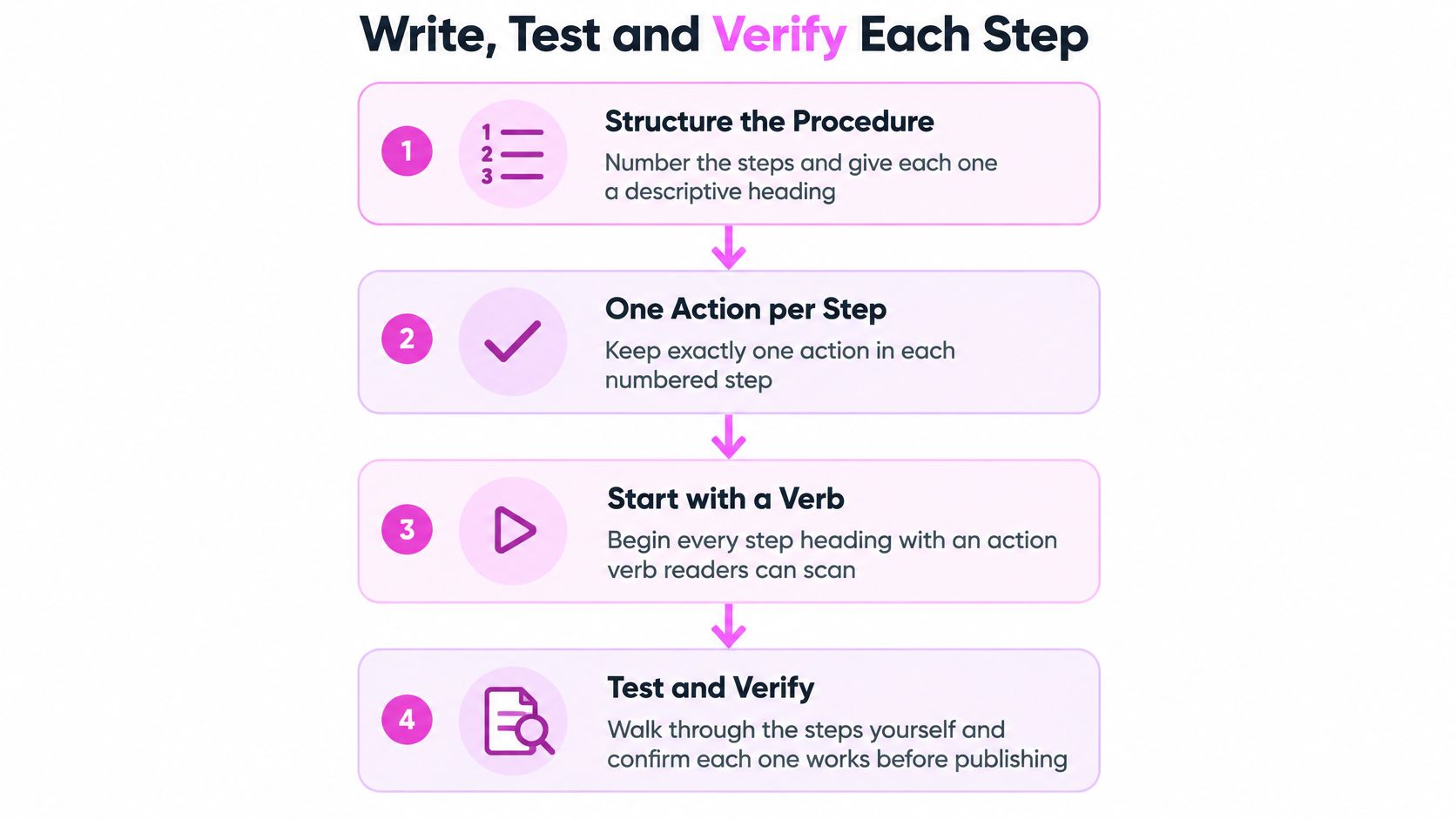
Structure the steps and plan for failure
Number the steps and give each one a descriptive heading that starts with a verb. "Remove the retaining nut", not "Removal". One action per step. Readers scan for their place, and a step that bundles three actions makes them lose it. The heading is what they scroll back to when they look up mid-task with wet hands.
The same discipline applies when a step is really a prompt. If you write instructions that gate a quiz, a form or a checklist, quiz instruction examples for course creators shows how quickly thin wording produces wrong answers and support tickets.
After each step, add three short lines: what the reader should see, what to do if they don't see it, and when to stop. For a glue repair that reads as follows. The bond should hold under light pressure. If it hasn't set after 10 minutes, press again for 30 seconds. If it still slides, stop and check the surface. Write only the happy path and the reader who hits a snag has nowhere to go but back to the search results, which is where you lose them.
If watching the sequence beats reading it, this walkthrough covers the same ground. Video earns its place here for a reason: learning and how-to videos generated more than 5.5 billion U.S. views in June 2025, according to data reported by Yum Yum Videos.
Test the run and date the page
Say what you tested, with which tools, and what failed the first time. A line like "the second cartridge brand seated better with a 4-in-1 screwdriver" tells the reader which parts of the page were checked and which came from a manual. It's also what Google's documentation on creating helpful content asks for: first-hand expertise, a satisfied user goal, and enough detail for the reader to complete the task rather than content assembled to rank.
Then run the whole procedure yourself on a clean setup, time each step and write the actual duration next to the heading. Ten minutes becomes fifteen once you count finding the shutoff. Set a review date, because a guide that was correct two years ago fails the moment a part number or an interface changes.
The trap that catches experienced writers is the refresh. Reordering an existing article, adding a new intro and calling it updated produces a page that reads tested and isn't. Readers notice when step four references a screen that no longer exists, and the trust you lose costs more than the rewrite saved.
Practical rule: End every numbered step with the line a reader would use to check it.
After each step, the reader should be able to say how they know it worked. If they can't, that step is a description, not an instruction.
Mistakes That Stall a Guide and the Fixes
The failure that costs the most readers isn't bad prose. It's a guide that starts at step one without saying what the reader needs in hand, so people leave before they begin and no amount of tightening the paragraphs gets them back.
| Symptom | Likely cause | Fix |
|---|---|---|
| Readers quit before step one | Prerequisites were never stated | Add a three-to-six item prerequisites list before step one |
| Readers finish but ask what success looks like | No expected output after steps | Add one line describing what the reader should see |
| Beginners get lost, experts skip ahead | One assumed reader | Add a beginner branch and an expert shortcut at the split point |
| Readers try a step and it fails | Happy path only | Add a failure line with the next action to take |
The same failure mode shows up outside tutorials. Baymard's review of mobile checkout forms found 94% of studied sites failed to consistently identify required and optional fields, and 60% lacked formatting examples or input masks where multiple formats existed. Those figures describe checkout forms rather than guides, but the mechanism transfers exactly: a reader who can't tell what's required either guesses or leaves.
One assumed reader loses both ends of the audience
Most guides are written for a single imagined reader with the right tools, the right units and the right experience level. Beginners stall at the first unexplained term. Experts wade through three paragraphs of setup to reach the one line they came for. The fix isn't a longer introduction. Put a beginner branch and an expert shortcut at the exact point where the paths split, so the expert jumps to step five and the beginner gets the two sentences they were missing.
Unit mismatches end tasks. A guide written entirely in metric measurements loses the reader holding an imperial tape measure, and they don't email to tell you. One conversion line inside the step, not in a footnote, prevents the abandonment.
Safety belongs in the step too. If the job involves electricity, gas or anything load-bearing, say so in the sentence where the reader is about to act, and name the point at which a professional takes over. A warning six screens below the action is a legal formality, not protection.
Sort the fixes by effort before you start. A prerequisites list, a conversion line or an expected output takes minutes. Splitting one assumed reader into two paths touches every step, so treat it as a rewrite and plan a full pass instead of patching headings.
Fix the prerequisites before you touch the prose. A list above step one recovers more readers than a rewrite of the body.
Measuring Whether Readers Finish the Task
A ranking is not proof the guide works. A page can hold position three, pull steady clicks and still leave most readers unable to finish, and no dashboard reports that as a problem.
Build the evidence into the page. End the guide with a check the reader can answer, such as "Did the cartridge stop the drip?", and count how many people reach it. Whether that's a form, a feedback widget or a scroll event depends on your stack. What matters is that completion, not readership, becomes the number you watch.
| Metric | What it tells you | Act when it moves |
|---|---|---|
| Task completion | Readers reach the final check | Under half reach it: find the step where most readers drop |
| Clicks and click-through rate | The snippet earns visits | Low rate at a good position: rewrite the title and description |
| Impressions | Demand and visibility for the query | Falling across related queries: widen coverage in the guide |
| Average position | Topmost result per query, not a simple average | Stuck below page two: add examples and internal links |
| Assisted conversions | The guide helps a later sign-up or purchase | Zero after several months: add a clear next step |
Read the metrics as a set
Each number answers a different diagnostic question. Google defines clicks as visits from a Google result and impressions as appearances in Search, and its Search Console documentation explains that average position is calculated from the topmost result the page occupied for each query. That mechanism breaks a lot of reporting. A page ranking third for one query and twenty-fifth for another doesn't produce a tidy average of the two, and reports built on that assumption send writers to rewrite pages that were performing fine.
When impressions climb and clicks stay flat, the page is being seen and rejected at the snippet. I'd rewrite the title and description before touching the body, then check whether the results page carries features that absorb the click.
Clicks are a shrinking signal on their own. Pew found that 58% of U.S. adults in its March 2025 browsing panel encountered at least one Google AI summary, and users clicked a traditional result in only 8% of visits with an AI summary against 15% without one, per Pew Research Center. A guide that earns a mention but no visit still moves the reader, so assisted conversions and branded searches belong next to sessions.
Zero assisted conversions after several months usually means the guide ends without a next step, not that the topic is dead. Set the review cadence at 90 days, then again whenever the tool, interface or part the guide describes changes. Read the page on a phone with the checklist open, which is how most readers will meet it, and the overlap between UX and SEO stops being abstract.
Confirm Your First Task and Draft Step One
One decision gets you moving: pick a task you already do well and that a reader could finish in under an hour.
- The outcome sentence. Write it with a verb first and the finish line named, then read it aloud to check that it can't be mistaken for a category.
- The prerequisites list. Three to six items, in the order the reader needs them, with the shutoff valve style step included.
- Step one with its check. Expected output, one failure line, and the thing the reader should see if it worked.
That's the whole first sitting. The rest of the guide gets easier once step one is honest, because every later step copies its shape.
Draft before testing and you've documented your memory of the task, not the task.
So run the procedure on a clean setup, time each step, and publish only after the run matches what the page says. Skip the run and your first reader becomes the tester, and they won't tell you where it broke. Before drafting, confirm the live results for your query are informational; if the top pages sell, pick a different task rather than fighting the intent.
Once the run matches, publish and link the guide from the pages that already cover adjacent tasks. Google's ranking systems guide states that its systems use how pages link to one another to understand what pages are about and which may be useful for a query, so a link from a related article is the cheapest distribution you'll get. If you'd rather learn the format by watching, SemDash's SEO Academy runs video tutorials on SEO strategy and on using the platform's tools, and if you're filming the steps yourself, LunaBloom's cinematic video tutorials cover the production side.
Two commitments close the loop. This week, write the outcome sentence and the prerequisites list for one task you already know cold. At 90 days after publishing, check task completion on the final check, and if fewer than half of readers reach it, find the step where they drop before you change a single word of the intro.
SemDash is where the research behind a guide like this lives: keyword and SERP data, AI Overview citation tracking, and URL-level mapping so you know which page already owns a task before you write another one about it. If you want to see which queries your competitors' how-to pages win, SemDash puts the keyword, backlink and SERP reports in one workspace. Pick one task, run it once, and let the completion number tell you what to fix next.