%20(1)-B86R08ZzwhPzS6UZbG3mSxRWPCwGwn.png)


Best Keyword Research Tools for SEO in 2026

Which keyword research tools actually deliver in 2026?
The best keyword research tool for SEO right now depends on what you’re trying to accomplish. Semrush leads for professionals who need an integrated platform covering keyword discovery, SERP analysis, and backlink tracking in one place. Google Keyword Planner is the right starting point if you’re running paid campaigns or working with a tight budget. KWFinder wins on simplicity for long-tail research. AnswerThePublic is unmatched for content ideation. Allintitle KW Explorer fills a specific niche for competition analysis.
| Tool | Best For | Pricing | Data Sources | Feature Set | Ease of Use | Free Option |
|---|---|---|---|---|---|---|
| Google Keyword Planner | Beginners, paid search | Free | Google Ads data | Search volume, bid estimates, keyword suggestions | Very easy | Free (requires Google Ads account) |
| Semrush | SEO professionals, agencies | Paid (tiered plans) | Proprietary + Google | Keyword research, SERP analysis, backlinks, AI clustering | Moderate | Limited free account |
| KWFinder | Marketers, small teams | Paid (tiered plans) | Proprietary | Long-tail keywords, difficulty scores, SERP overview | Very easy | Free trial |
| AnswerThePublic | Content creators, ideation | Free + paid plans | Google, Bing autocomplete | Question-based queries, topic visualization | Easy | Free (limited searches) |
| Allintitle KW Explorer | Competitive analysis | Free + paid | Google allintitle data | Competition intensity, keyword difficulty | Easy | Free tier available |
A few things stand out from this comparison. Google Keyword Planner is the only tool with direct access to Google Ads data, which makes its search volume figures particularly reliable for paid campaigns. Semrush is the only platform that combines keyword research with AI-driven content clustering and backlink tracking at scale. AnswerThePublic and Allintitle KW Explorer both offer free tiers, making them accessible entry points before you commit to a paid subscription.
- Google Keyword Planner: Free and reliable for foundational keyword data; limited for organic SEO depth.
- Semrush: Most feature-complete platform; higher cost reflects the breadth of capabilities.
- KWFinder: Clean interface with solid long-tail keyword metrics; less suited for enterprise-scale research.
- AnswerThePublic: Exceptional for uncovering question-based queries; not a replacement for volume-based tools.
- Allintitle KW Explorer: Niche but powerful for gauging true competition; works best alongside a broader platform.
Detailed reviews: what each tool does well and where it falls short
Google Keyword Planner
Google Keyword Planner is the default starting point for anyone new to keyword research, and for good reason. It’s completely free with a Google Ads account, and it pulls data directly from Google’s own advertising infrastructure, giving you search volume insights alongside bid estimates and keyword suggestions. The catch is that volume data is shown in ranges rather than exact figures unless you’re running an active campaign. For organic SEO, that imprecision can be frustrating when you’re trying to prioritize between two closely matched keywords.
Where Keyword Planner genuinely earns its place is in the early stages of a project. You can seed it with a URL or a handful of topics and get back hundreds of related terms grouped by theme. It also shows historical trend data, which helps you spot seasonal patterns before you build a content calendar around them.
Semrush
Semrush is the tool most SEO professionals reach for when they need everything in one place. Its keyword database covers organic and paid search, and the Keyword Magic Tool alone can generate thousands of variations from a single seed term, segmented by intent, question type, and difficulty. The platform also integrates backlink tracking, site auditing, and AI-driven content clustering, so you can move from keyword discovery to content brief to rank tracking without switching tools.

The free account on Semrush is genuinely limited. You get a handful of daily searches, which is enough to evaluate the interface but not enough to do real work. Paid plans start at a price point that suits agencies and in-house teams more than solo practitioners. That said, for professionals who need competitor gap analysis alongside keyword data, the depth of Semrush’s SERP analysis is hard to match.
Pro Tip: Use Semrush’s Keyword Gap tool to compare your domain against two or three competitors simultaneously. The keywords your rivals rank for but you don’t are often your fastest path to incremental traffic.
KWFinder
KWFinder, built by Mangools, is the tool you reach for when you want reliable keyword difficulty scores without a steep learning curve. The interface is clean and fast. You enter a seed keyword, pick a location and language, and within seconds you have a list of long-tail variations with difficulty scores, search volume, and a SERP preview showing the current top-ranking pages. That SERP preview is particularly useful because it lets you assess whether the existing results are from authoritative domains or weaker sites you can realistically outrank.

KWFinder does not try to be an all-in-one platform. It focuses on what it does well: surfacing low-competition, high-relevance keywords for content-focused SEO. If you also need backlink analysis or site auditing, you’d need to pair it with another tool or upgrade to the full Mangools suite.
AnswerThePublic
AnswerThePublic takes a fundamentally different approach to keyword discovery. Instead of starting from search volume, it maps out the questions, prepositions, and comparisons people use when searching around a topic. Type in “content marketing” and you get a visual web of queries like “what is content marketing for,” “content marketing vs social media,” and “content marketing without a blog.” These are the exact phrases that appear in Google’s “People Also Ask” boxes and featured snippets.
For content creators building topic clusters or planning FAQ sections, AnswerThePublic surfaces intent patterns that volume-based tools miss entirely. The free version limits you to a small number of daily searches, and the paid plan unlocks unlimited searches, historical data, and CSV exports. It works best as a complement to a volume-focused tool rather than a standalone research platform.
Allintitle KW Explorer
Allintitle KW Explorer focuses on a metric most tools underplay: how many pages have your target keyword in their title tag. That “allintitle” count is a direct proxy for how many pages are actively optimized for a term, which gives you a cleaner read on true competition than raw domain authority scores. A keyword with decent search volume but a low allintitle count is often a genuine opportunity that broader tools would flag as competitive.
The free tier covers a meaningful number of searches per day, making it accessible for professionals who want to add competition-intensity analysis to their workflow without adding another monthly subscription. It works particularly well for content gap analysis when you’re trying to find terms where your competitors have thin or no coverage.
Pro Tip: Cross-reference Allintitle KW Explorer’s competition data with KWFinder’s difficulty scores. When both signal low competition, you’ve found a keyword worth prioritizing.
How to choose the right keyword research tool for your SEO strategy
The tool that works best for you depends on three things: the scale of your research, your existing tech stack, and your budget. Here’s how to think through each.
Data accuracy and update frequency matter more than feature count. A tool that refreshes its keyword database monthly will give you stale trend data during fast-moving news cycles or product launches. Before committing to any paid plan, check how often the tool updates its index and whether it draws from multiple data sources or a single proprietary database. Tools that pull from both Google and Bing autocomplete data, for example, tend to surface a wider range of long-tail variations.
Free trials are the right way to evaluate any paid tool. Most professional-grade platforms offer either a free tier or a time-limited trial. Use that window to run your actual research workflows, not demo queries. Pull keywords for a real project, check the difficulty scores against your domain’s current authority, and see whether the interface slows you down or speeds you up. If a tool feels clunky during a free trial, it will feel worse at 11 PM before a deadline.
Integration with your existing stack reduces friction. The best SEO tools connect to Google Analytics, Google Search Console, and your content management system. That connection lets you cross-reference keyword rankings with actual traffic data, which is far more useful than keyword metrics in isolation. Check whether the tool you’re evaluating offers native integrations or requires a third-party connector like Zapier.
Customer support quality affects your long-term satisfaction. Responsive support matters most during onboarding and when you hit an unexpected data discrepancy. Look for tools that offer live chat or email support with documented response times, not just a community forum.
Here are the questions worth asking before you sign up for any plan:
- Does the tool cover both organic and paid keyword data, or only one?
- How granular is the geographic targeting? Can you filter by city, state, or country?
- Does it offer mobile app access for on-the-go research?
- What happens to your data and saved projects if you cancel?
- Are there usage limits (credits, searches per day) that would constrain your workflow?
Pro Tip: Don’t evaluate a keyword research tool by its feature list. Run the same five seed keywords through every tool you’re testing and compare the results side by side. Discrepancies in volume estimates and difficulty scores will tell you more about data reliability than any marketing page.
The trade-off between free and paid tools is real but often overstated. Google Keyword Planner and AnswerThePublic’s free tiers are genuinely useful for early-stage research and content ideation. The moment you need precise difficulty scoring, competitor gap analysis, or historical SERP tracking, a paid tool pays for itself quickly in time saved. For teams managing more than a handful of clients or content properties, the math on a professional platform almost always works out.
Staying current with SEO trends in 2026 also shapes which features matter most right now. AI Overview tracking and semantic clustering have moved from nice-to-have to table stakes for competitive research this year.
What keyword research tools actually do in your SEO workflow
A keyword research tool is software that helps you identify which search terms your audience uses, how often they search for them, and how hard it would be to rank for those terms. That sounds simple, but the underlying mechanics vary considerably between tools.
The core data points every tool should provide:
- Search volume: How many times a term is searched per month, usually averaged over 12 months.
- Keyword difficulty (KD): A score estimating how hard it would be to rank on page one, typically based on the authority of current top-ranking pages.
- Cost-per-click (CPC): The average advertiser bid for a term, which signals commercial intent even when you’re doing organic research.
- SERP features: Whether the results page includes featured snippets, People Also Ask boxes, image packs, or local results, each of which affects how much organic traffic the top-ranking pages actually receive.
The distinction between ad-focused tools and full SEO platforms matters in practice. Google Keyword Planner was built for paid campaign planning. Its volume data is calibrated for advertisers, which means it tends to group keywords into broad ranges and deprioritizes terms with low commercial intent. Platforms like Semrush and KWFinder were built for organic SEO from the ground up, so their difficulty scores and SERP analysis are more relevant to content strategy.
Semantic keyword clustering is one of the more powerful features available in advanced platforms. Instead of treating each keyword as an isolated target, clustering groups related terms by topic and intent, so you can build a single piece of content that ranks for dozens of variations rather than writing separate pages for each one. Paired with content gap analysis, which identifies topics your competitors cover but you don’t, this approach is how professional SEO teams build topical authority efficiently.
Integrations with tools like Google Search Console let you overlay real ranking data on top of your keyword research, so you can see which terms you’re already ranking for on page two and prioritize those for quick wins. For a deeper look at how to structure this kind of research from the ground up, the semantic keyword research guide on Semdash’s blog walks through the full process step by step.
Semdash gives you a different path to the same goal
The tools compared above are all strong options, each built around a specific workflow or user type. If you’re looking for a platform that combines keyword research, competitor analysis, backlink tracking, and AI Overview monitoring in a single interface at a lower cost than the major players, Semdash is worth a close look.
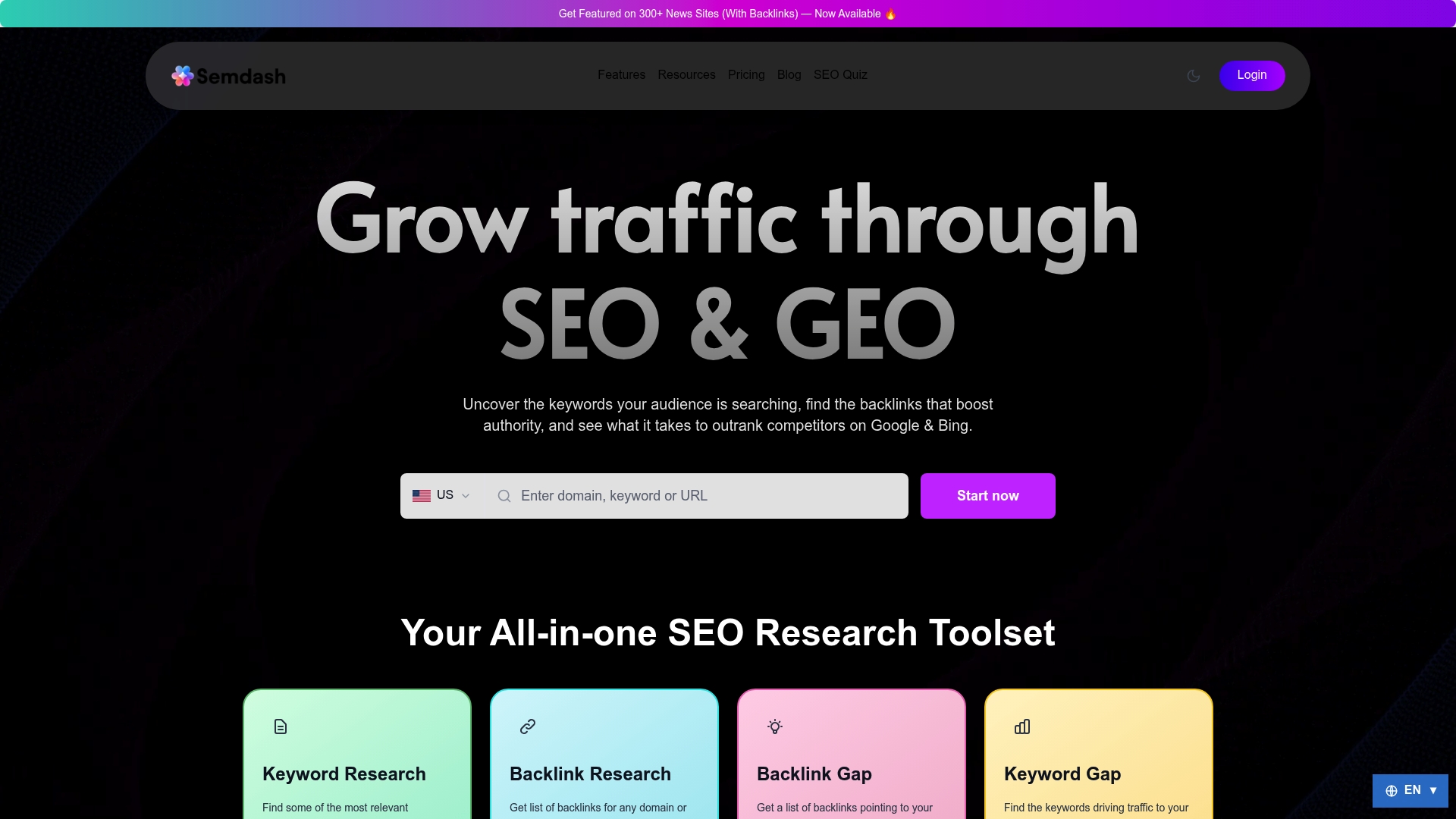
Semdash was built for bloggers, solopreneurs, agencies, and in-house teams who need the depth of an enterprise SEO platform without the enterprise price tag. Its credit-based subscription model means you pay for what you actually use, not a flat monthly fee that assumes you’re running hundreds of projects simultaneously. Core features include semantic keyword clustering, SERP tracking with historical data, content gap analysis, featured snippet and People Also Ask tracking, and automated link recovery. It covers both Google and Bing, which matters if your audience skews toward markets where Bing has meaningful share.
Where Semdash stands apart from the tools in this comparison is the combination of AI Overview monitoring and press release distribution for news site backlinks, two capabilities that most keyword-focused platforms don’t offer at all. For teams playing the long game on organic authority, that combination of research and link-building infrastructure in one place reduces the number of tools you need to manage. Explore Semdash’s full feature set to see whether it fits your current workflow.
FAQ
What is the best keyword research tool for SEO?
Semrush is the most feature-complete option for SEO professionals who need keyword research, SERP analysis, and competitor tracking in one platform. For budget-conscious teams or beginners, Google Keyword Planner provides a reliable free starting point with direct access to Google’s search data.
How do you do keyword research for SEO?
Start with a seed topic, then use a keyword research tool to expand it into related terms filtered by search volume, keyword difficulty, and intent. Cross-reference your shortlist against competitor rankings and SERP features to prioritize terms where you can realistically compete.
Does Google have a free keyword research tool?
Yes. Google Keyword Planner is free with a Google Ads account and provides search volume ranges, keyword suggestions, and bid estimates. Its data is most reliable for paid campaign planning, though it works for initial organic research as well.
What is the most accurate SEO keyword tool?
Accuracy depends on the use case. Semrush and KWFinder both draw from large proprietary databases and are widely regarded as reliable for organic difficulty scoring and volume estimates. No tool is perfectly accurate, so cross-referencing two platforms before finalizing a keyword list is standard practice among experienced SEO professionals.
Can Semdash replace a dedicated keyword research tool?
Semdash covers keyword research, SERP analysis, semantic clustering, and competitor gap analysis within a single platform, so for many teams it functions as a full replacement rather than a supplement. Its AI Overview tracking and backlink tools add capabilities that standalone keyword tools don’t offer.
Key Takeaways
The right keyword research tool for SEO combines data accuracy, intent-based filtering, and integration with your existing analytics stack to turn raw search data into a content strategy that compounds over time.
| Point | Details |
|---|---|
| Match the tool to your workflow | Semrush suits agencies and professionals; KWFinder fits small teams; Google Keyword Planner works for beginners. |
| Free tiers have real limits | Free versions of AnswerThePublic and Allintitle KW Explorer are useful for ideation but not for full-scale research. |
| Data sources determine reliability | Tools pulling from multiple sources, including Google and Bing, surface a wider range of long-tail keyword variations. |
| Integrations reduce friction | Connecting your keyword tool to Google Search Console lets you prioritize page-two rankings for faster traffic gains. |
| Semdash as an alternative | Semdash combines keyword research, semantic clustering, backlink tracking, and AI Overview monitoring in one credit-based platform. |