%20(1)-B86R08ZzwhPzS6UZbG3mSxRWPCwGwn.png)



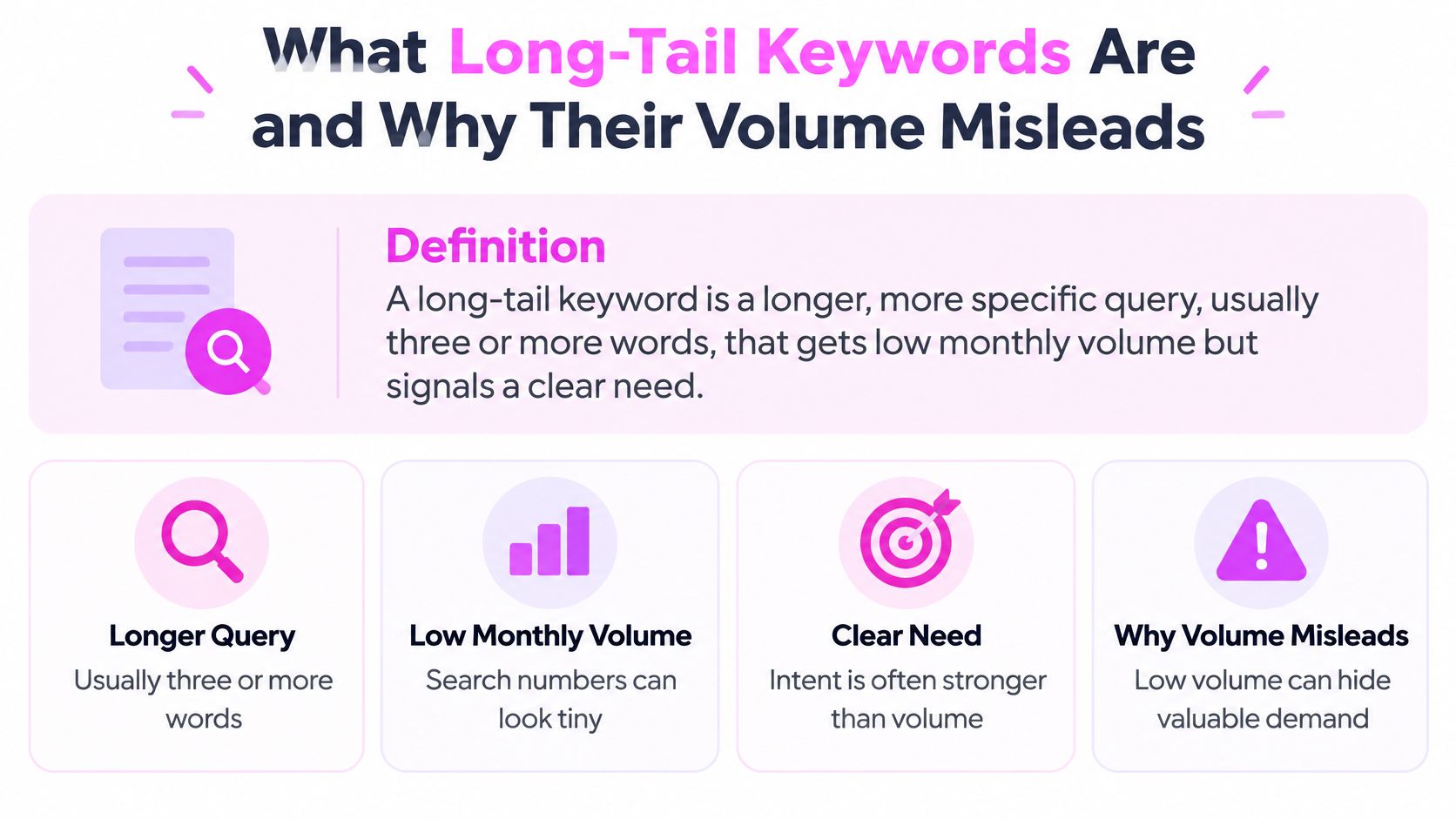
A long-tail keyword is a specific query that usually gets low monthly volume but signals a clear need. Long-tail terms can dominate a keyword database while accounting for only a small share of its total search volume. A large-scale analysis of U.S. keywords found that 91.8% were long-tail, while the median keyword received 10 searches a month.
A low difficulty score and three-word phrase are not enough reason to publish a page. That shortcut creates thin URLs and cannibalization, while inflating keyword reports without generating traffic. Plan long-tail content around clusters of queries that share a problem. Check the live search results to decide whether similar queries belong on one page or separate pages, then prioritize topics where a results-page summary cannot satisfy the searcher.
Table of Contents
- What Long-Tail Keywords Are and Why Their Volume Misleads
- Finding Long-Tail Queries Beyond Keyword Tool Suggestions
- Classifying Intent Before You Pick a Format
- Deciding Which Long-Tail Queries AI Overviews Leave for Clicks
- Clustering Variants and Mapping Each Cluster to One URL
- Diagnosing Long-Tail Pages That Move the Wrong Way
- Build One Cluster First and Measure It Before You Scale
What Long-Tail Keywords Are and Why Their Volume Misleads
A long-tail keyword is a longer, more specific query, usually three or more words, that gets low monthly volume but signals a clear need. The trade-off is the whole point of the category. Individual phrases look weak in a keyword tool. The set of distinct queries is where the coverage lives.
A large-scale analysis of 306 million U.S. keywords found that 91.8% were long-tail terms, while those terms generated only 3.3% of total search volume, and the median keyword volume was just 10 searches a month. Those two percentages are not interchangeable. One is the share of keywords in the database. The other is their aggregate search volume. Chasing the count of phrases will not produce the count of visits. The figures are U.S. keyword data, so I don't copy the percentages onto every market, but the shape is why I plan a portfolio instead of one head term.
How I read the demand bands
Ahrefs' U.S. keyword database puts fewer than 10 monthly searches on 2.3 billion keywords, almost 93% of that database, while just under 18,000 keywords exceed 100,000 monthly searches. I don't throw out the under-10 band. I refuse to build a URL for one row of it.
| Monthly searches | Share of keywords | Practical use |
|---|---|---|
| Under 10 | About 93% (2.3 billion keywords) | Group by intent into page-level clusters; do not discard |
| 100,000 and above | Just under 18,000 keywords | Head term; expect heavy competition and broad intent |
Word count is only a rough signal. A three-word query can be a head term in a narrow niche. A six-word query can be one rare question that never repeats. I judge a query by the cluster it belongs to, not by its own volume.
Finding Long-Tail Queries Beyond Keyword Tool Suggestions
Long-tail research fails when it treats a keyword tool's export as the full market. Build a candidate list from several sources, then record what each source can and cannot show. Start with queries already tied to a URL, rather than a blank keyword box.
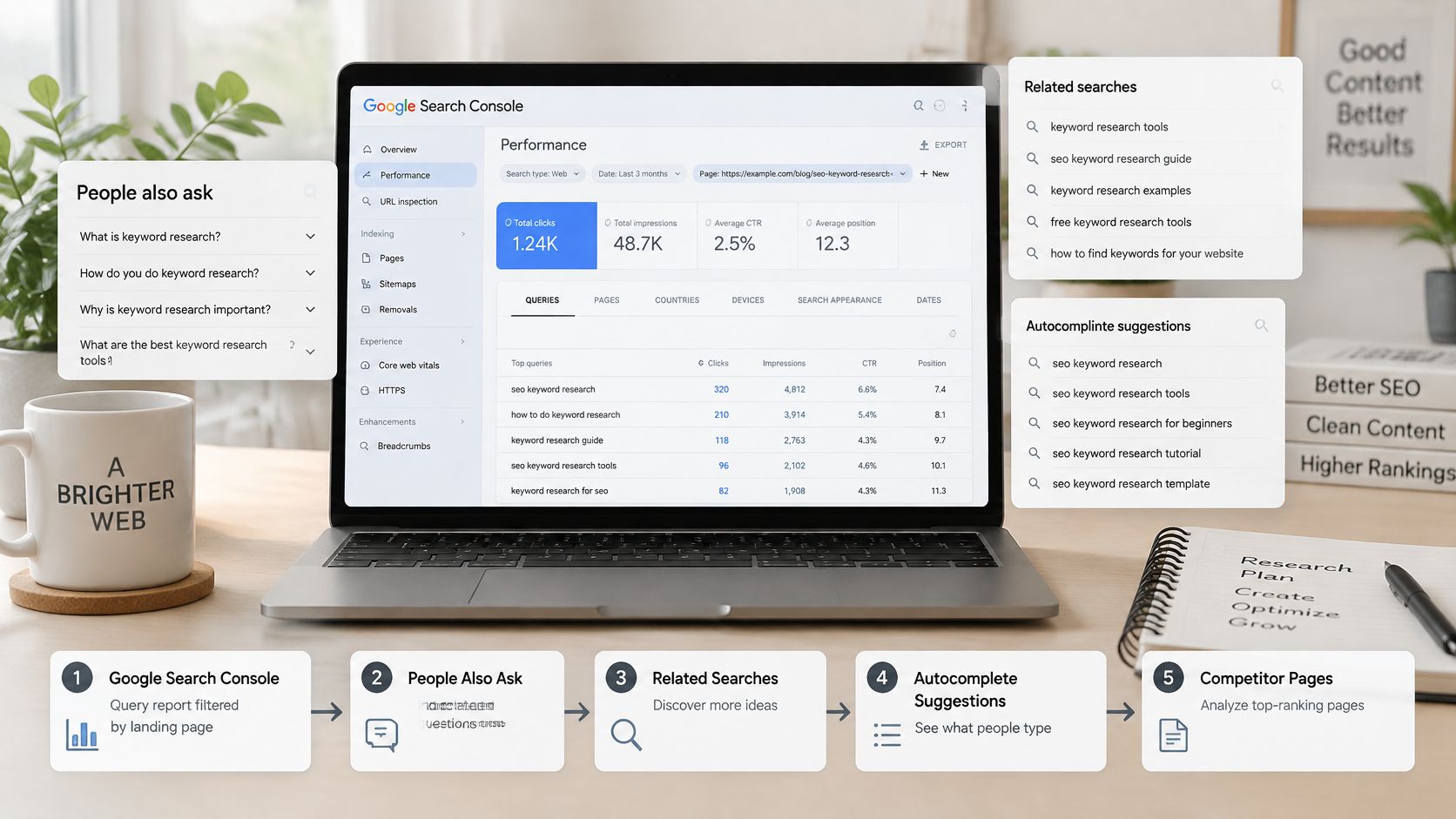
The five sources, in the order I use them
- Google Search Console, filtered by landing page. Begin here because these queries already earn impressions. Google's Search Console documentation explains that the report can show up to 1,000 top queries. Rare queries may be omitted to protect user privacy, and filtering or grouping by query can hide long-tail rows. A missing query does not prove there is no demand.
- People Also Ask and related-search panels. Check the target results page and note the questions and related searches it surfaces. These panels reflect the current SERP, not every way customers describe the problem.
- Keyword-tool expansions from a seed. Use long-tail and “people also search” suggestions to find gaps in Search Console. Treat volume estimates cautiously, especially for less common queries.
- Site search logs and support tickets. These can reveal the language people use when looking for an answer. The sample is limited to people who reached your site or chose to contact you.
- Forum and community threads. These expose questions in people's own words, alongside plenty of irrelevant discussion. Keep only phrases that match a task your page can answer.
Google sees new queries every day, so a static export cannot represent the entire opportunity. Keep customer-language sources in the research mix even when keyword tools appear to cover the topic.
Update rule: A page ranking in positions 8 to 20 for several related, specific queries is often a better update candidate than a new URL targeting one isolated phrase.
Export the available Search Console data and segment it by landing page. Group related queries before deciding which subtopics the page needs. Add those topics in natural language; forcing every exact query string into the copy makes it less useful. Search Console records queries people typed, while the page should answer the underlying questions clearly.
The video below walks through this sourcing process. Use it to check whether your exports capture clusters, rather than treating each phrase as a separate publishing opportunity.
Before grouping, put each candidate on one sheet with its query, source, landing page, impressions, and provisional cluster label. Those fields make the research usable for the next decision: which queries belong together, and which deserve their own page.
Classifying Intent Before You Pick a Format
Intent picks the format. The words only hint at it. I sort every cluster into one of these classes before I outline anything.
| Intent | Modifiers that signal it | SERP format that wins | Page to build |
|---|---|---|---|
| Informational | how to, why, what is, guide, without losing | Guides, featured snippets, People Also Ask | Step-by-step guide with a direct answer near the top |
| Commercial investigation | best, vs, review, for [audience] | Comparison lists, review sites | Comparison page with criteria, a verdict and a use-case breakdown |
| Transactional | buy, price, near me, coupon, order | Product or category pages, local listings | Product or category page with specs, pricing and a clear buy path |
| Mixed or unclear | Modifiers from two classes at once | Results split across formats | Test two formats and keep the one that holds rankings across the cluster |
Why a specific query can convert on small traffic
Research summarized in the Journal of Interactive Marketing treats specific searches as signs of a more advanced decision and higher purchase intent. Those searchers name constraints: product type, location, compatibility, use case, or urgency. If the title, headings, comparison, eligibility notes, and conversion path mirror those constraints, you cut the mismatch even when the visit count is small.
Length is only a proxy. "How to migrate a small store without losing rankings" is long and still informational. It needs a sequence, not a pricing table. I don't let word count promote a query into a commercial page.
The check I run before I choose a template
I run the query and count what dominates the top 10: guides, comparison lists, product or category pages, or local listings. I build the dominant format. If the top 10 is split, I don't average the formats into one awkward page. I test the two real formats and keep the URL that holds rankings across the cluster.
I also pick the metric to match the intent. Transactional clusters get qualified organic conversions. Informational clusters get assisted conversions. Every cluster gets ranking coverage across its queries. Sessions alone hide a page that ranks and never helps a sale.
Deciding Which Long-Tail Queries AI Overviews Leave for Clicks
A long query is not automatically a click opportunity. AI Overviews can summarize informational searches, leaving a page visible in results without earning a visit. Google's documentation on AI features explains that these summaries include links for people who want to explore further, but visibility alone does not show whether a query can attract clicks.
Specificity can increase exposure to an overview. A 2025 SERP analysis found them on 57.9% of question queries and 46.4% of queries with seven or more words, compared with 20.5% across analyzed desktop results. Treat these figures as a reason to check the live SERP, not as a forecast for every long-tail query. A summary that fully answers a definition or simple fact may satisfy the searcher before they visit any page.
The filter I run on each cluster
- Check the live SERP. Confirm whether an AI Overview appears for the cluster's queries, and note what it answers.
- Separate visibility from click potential. If the overview resolves a definition or single fact, treat the cluster as a visibility opportunity. A citation may help brand presence, but do not build a traffic forecast around it.
- Prioritize unresolved decisions. Comparisons, calculators, local choices, and queries without an overview give a page more room to earn a click. The trade-off is production effort: prioritize these only when the content can answer the decision better than the summary.
- Add value when an overview is present. For an informational query, include useful steps and trade-offs the summary cannot cover, such as a migration sequence with redirect checks and a recovery path.
Spend the production budget where the summary cannot satisfy the query.
A comparison that helps readers choose has a clearer click reason than a definition page that repeats the overview.
Clustering Variants and Mapping Each Cluster to One URL
One thin page per wording is the habit I break first. It splits links, authority, and engagement across near-duplicates, and it understates the demand sitting on one problem.
The same demand pattern that makes single phrases look tiny also shows extreme skew: an analysis of 306 million Google queries reported a median of 10 monthly searches against an average of 989. Optimizing one low-volume phrase at a time hides the page-level opportunity. I cluster by results overlap and intent, not by shared words. Putting a guide, a comparison, and a buy query on one URL creates weak satisfaction signals and cannibalization.
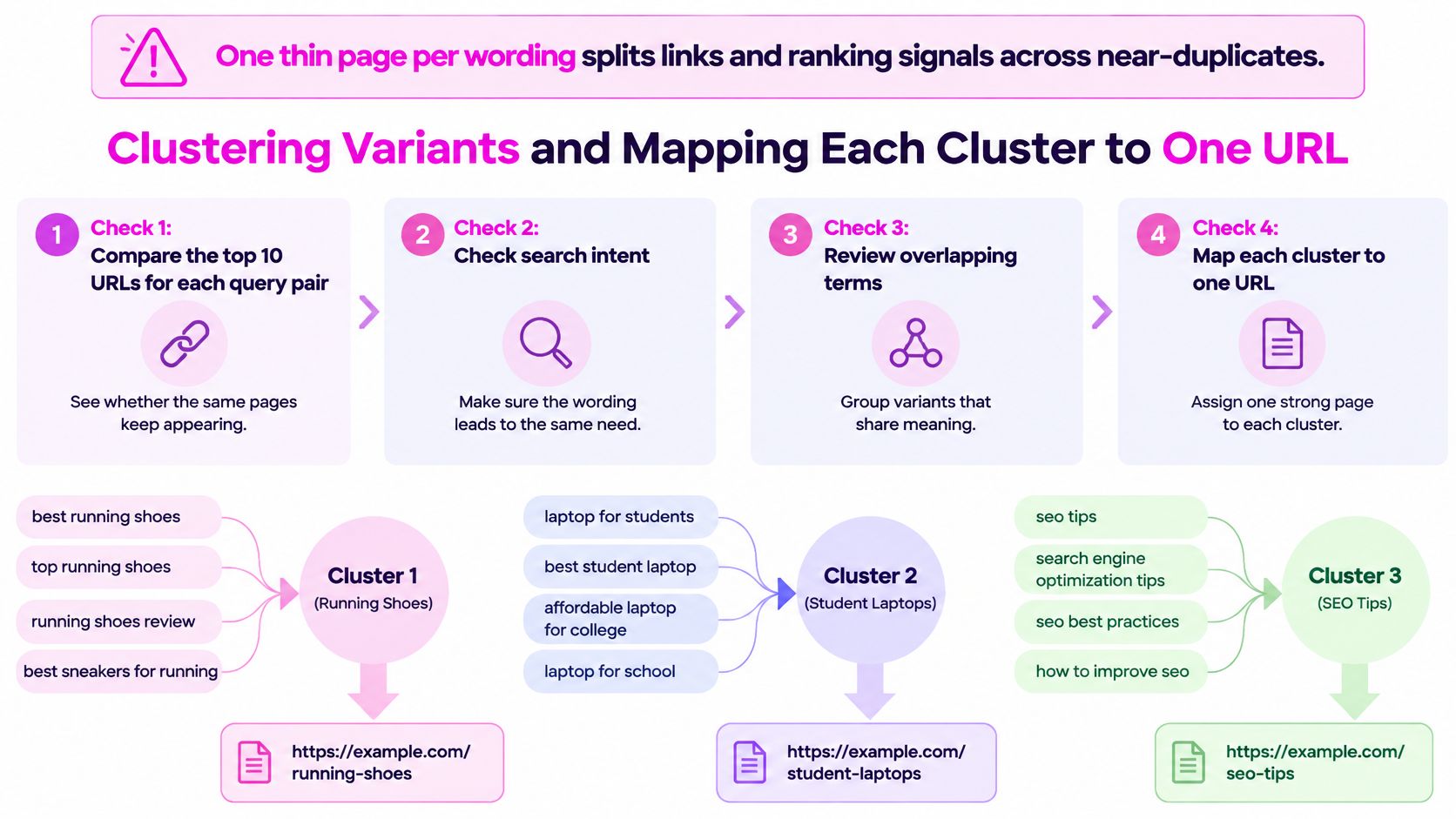
Four checks before I split or merge
- Top 10 overlap. I compare the ranking URLs for each pair. If most URLs repeat, they share a page.
- SERP features. A local pack against a comparison list is different intent, even if the nouns match.
- Modifier meaning. Audience or buying stage has to change the required answer before it earns a new URL.
- Conversion action. A signup and a download usually need separate pages.
Say the candidates are "best CRM for a three-person nonprofit," "CRM for small nonprofit teams," and "nonprofit CRM with donor tracking." I put them on one comparison page, with sections for team size and donor tracking, unless one query's results are tutorials and another's are pricing pages.
Mapping a group to one URL
Google's Search Console starting guide treats the query as the text the user entered and breaks performance down by query and page. That is the feedback loop, not a density target like "use the phrase five times."
- Group candidates by the problem each query is trying to solve.
- Record the dominant format and the top 10 URLs.
- Assign one primary URL and list the variants as sections.
- Score expected value as monthly demand × estimated click share × conversion rate × business value, then adjust for difficulty and production cost.
- Write the brief with the format, the sections, and a direct answer early. A page for "how to migrate a small Shopify store without losing SEO" needs the migration sequence, redirect checks, indexing checks, and failure recovery, not a generic Shopify SEO article.
- After launch, confirm that URL gets the impressions. If two URLs alternate, consolidate, redirect, or fix internal links.
For a worked score, take a cluster with 1,200 combined monthly searches and a 25% click share. That is 300 clicks. At a 2% conversion rate, that is 6 conversions. At 150 each, about 900 a month before you discount for difficulty and the cost to produce the page.
I prefer groups one page can fully satisfy, and groups where we already sit in positions 8 to 20. I split only when the results stay divergent.
Diagnosing Long-Tail Pages That Move the Wrong Way
I don't read "traffic" as one number. Impressions, clicks, click-through rate, and position move for different reasons, and a long-tail page often moves only one of them.
| Symptom | Likely cause | First fix |
|---|---|---|
| Impressions rise, clicks stay flat | Intent mismatch or weak title and snippet | Match the dominant SERP format and rewrite the title to answer the query |
| Clicks rise, average position barely moves | Page now matches more specific variants or earns a better snippet | Keep the page and add subtopics for the variants that gained |
| Impressions stay low for relevant terms | Topic too narrow, weak internal links, or grouped with another URL | Widen cluster coverage and link to the page from a cluster hub |
| Two URLs alternate for one cluster | Cannibalization across near-duplicate pages | Consolidate, redirect or reassign the cluster to one primary URL |
Google's performance-report documentation defines an impression as a user seeing a link to your page, and CTR as clicks divided by impressions. A result on page two is not an impression if the user only views page one. That mechanic changes how I read a quiet long-tail URL. It may be ranking and still be invisible.
Read the four metrics apart
If impressions rise and clicks stay flat, I check intent and the title and snippet before I add keywords. If clicks rise while average position barely moves, the page is matching more specific variants or winning a better presentation, so I keep the URL and add the subtopics that gained. If impressions stay low on relevant terms, I look for a topic that is too narrow, weak internal links, or another URL absorbing the cluster.
Compare the page with its own prior period and with its similar-query cluster. Sitewide averages hide these gains. I don't set a fixed CTR bar. CTR shifts with device, brand demand, result features, and intent. I also wait several weeks. Long-tail queries arrive sparsely, and one week of data will lie.
Relevance first, then ranking, then the snippet. Pull one lever at a time so you know which change moved the numbers.
Relevance means the page matches the dominant format. Ranking means the URL is in positions 8 to 20 for the cluster, where an update can still move it. Snippet appeal means the title earns the click you already qualified for.
Build One Cluster First and Measure It Before You Scale
Pick one cluster of five to ten related queries that already have impressions. Pull the live results, build one page in the dominant format, and set a review window of several weeks before you choose the next cluster. Fifty untested targets teach less than one page you can judge.
The pass test before you scale
- The intended URL receives impressions for most of the cluster.
- CTR holds steady against that page's own prior period.
- No competing URL alternates for the same queries.
When I check that mapping, I don't rebuild the candidate sheet by hand. SemDash's Keyword Clustering and Longtail keywords features, on a database of 6.6 billion keywords, group the queries and show the ranking URL for each one. Verify the feature names in your account, then use the pass test above before you add another cluster. The cluster, not the phrase, is the unit of planning.
SemDash brings keyword discovery, clustering, and live SERP checks into one workspace so you can group long-tail queries, see which URL ranks, and spot where AI Overviews cite a page. If you want to plan the next cluster from real query coverage instead of a single volume number, start with SemDash.