%20(1)-B86R08ZzwhPzS6UZbG3mSxRWPCwGwn.png)


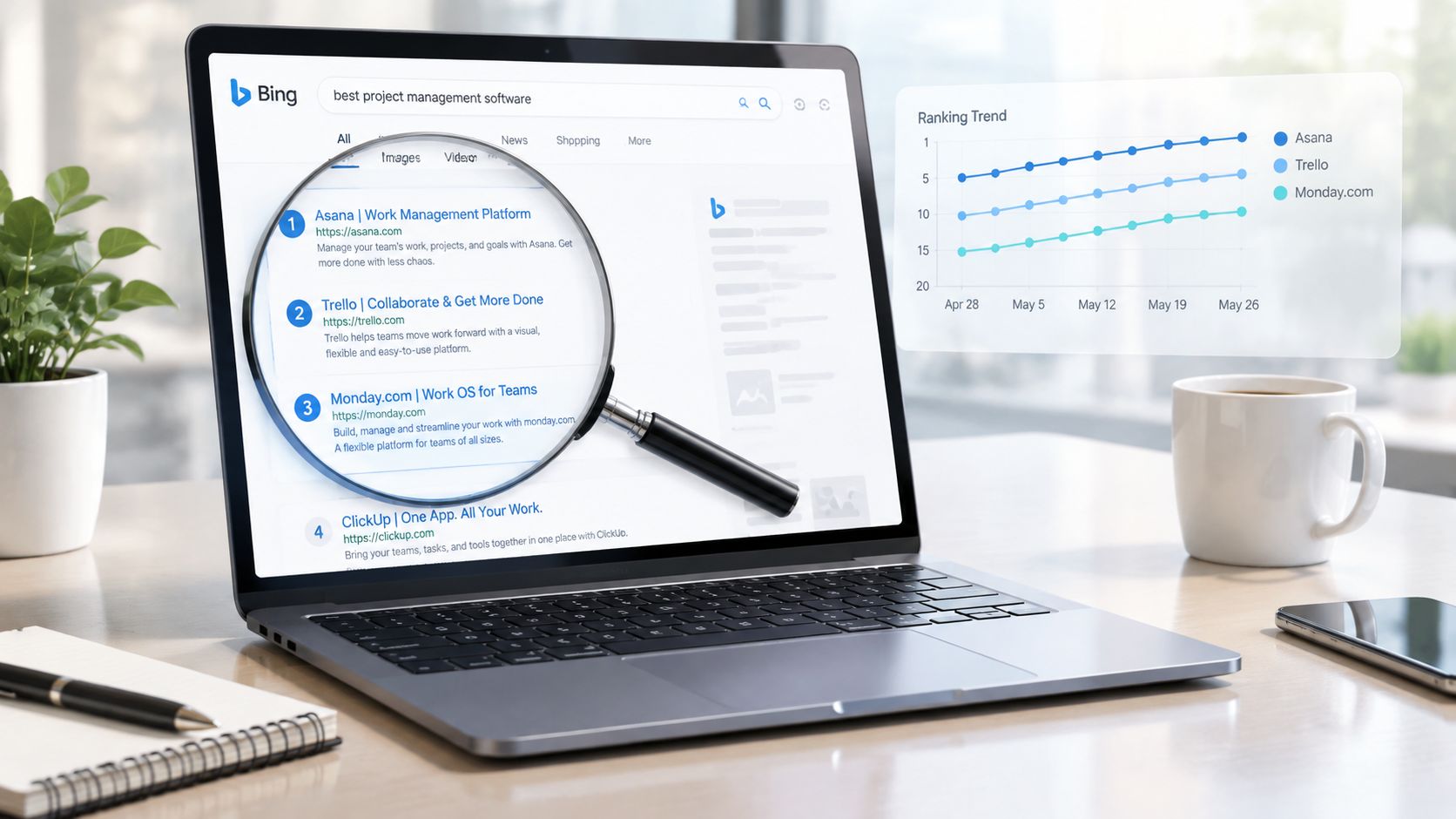
The most popular advice about a Bing SERP checker is also the least useful: enter a keyword, record the position, and move on. That workflow produces tidy numbers, but it often hides the reason a page moved, disappeared, or never qualified for the result set in the first place.
Bing rankings change with device, country, language, location, SERP features, and time. A single position is only a snapshot of that combination. I use Bing rank checks as an investigative surface, not as a smaller copy of Google tracking. The difference matters because Bing remains a durable search market player, held the second-largest search-engine position in the United States by 2015, and represented 4.5% of worldwide search traffic in August 2026, with a much stronger 8.84% desktop share during that period, according to StatCounter's search-engine market data.
Table of Contents
- Why I Started Taking Bing SERP Checks Seriously
- What a Bing SERP Checker Actually Does
- Inputs That Change a Bing SERP Snapshot
- How Rank Tracking and SERP History Work
- Reading Bing SERP Features the Right Way
- Interpreting Volatility and Intent Signals
- Bing SERP Checker vs Bing Webmaster Tools
- A Practical Workflow for Bing Rank Tracking
Why I Started Taking Bing SERP Checks Seriously
I started treating Bing as its own SEO environment after a client campaign exposed a gap our main dashboard had hidden. The client ranked in Google's top three for a valuable B2B query, so the team increased paid spend around that topic and expected organic visibility to reinforce the campaign. When I checked the same query on Bing, the client's page was absent from the visible results.
The first reaction was to assume the check was wrong. It wasn't. The query had been run from the wrong country and on a different device than the client's audience, but even after I matched those inputs, Bing still returned a different competitive set. A page that looked authoritative in Google did not automatically satisfy Bing's interpretation of the query.
Practical rule: A Google position can tell you how one search engine evaluates a page. It can't certify the page's visibility on Bing.
Bing launched officially on June 3, 2009, after Microsoft's earlier products, including MSN Search, Windows Live Search, and Live Search, according to the Bing history reference. It later established a lasting position in the United States search market rather than disappearing as a short-lived alternative. That makes Bing relevant for any account whose customers use Microsoft devices, desktop search, or Bing-connected experiences.
The operational mistake I see most often is treating Bing as a validation checkbox. Teams export Google rankings, add a Bing column, and interpret the difference as a simple signal of domain strength. I get better results when I ask four separate questions: Where did the page rank, under which context, what else occupied the SERP, and did the page qualify for Bing's index at all?
A Bing SERP checker answers the exposure question. Bing Webmaster Tools helps answer the eligibility question. Combining both prevents a ranking decline from being misdiagnosed as an algorithmic problem when the issue is discovery, crawling, canonicalization, or a page that Bing has not included.
What a Bing SERP Checker Actually Does
A useful Bing SERP checker pulls the result page a searcher could encounter, rather than presenting a generic “visibility score.” I define the minimum dataset as keyword, device, country, location, language, organic position, ranking URL, SERP features, and timestamp.
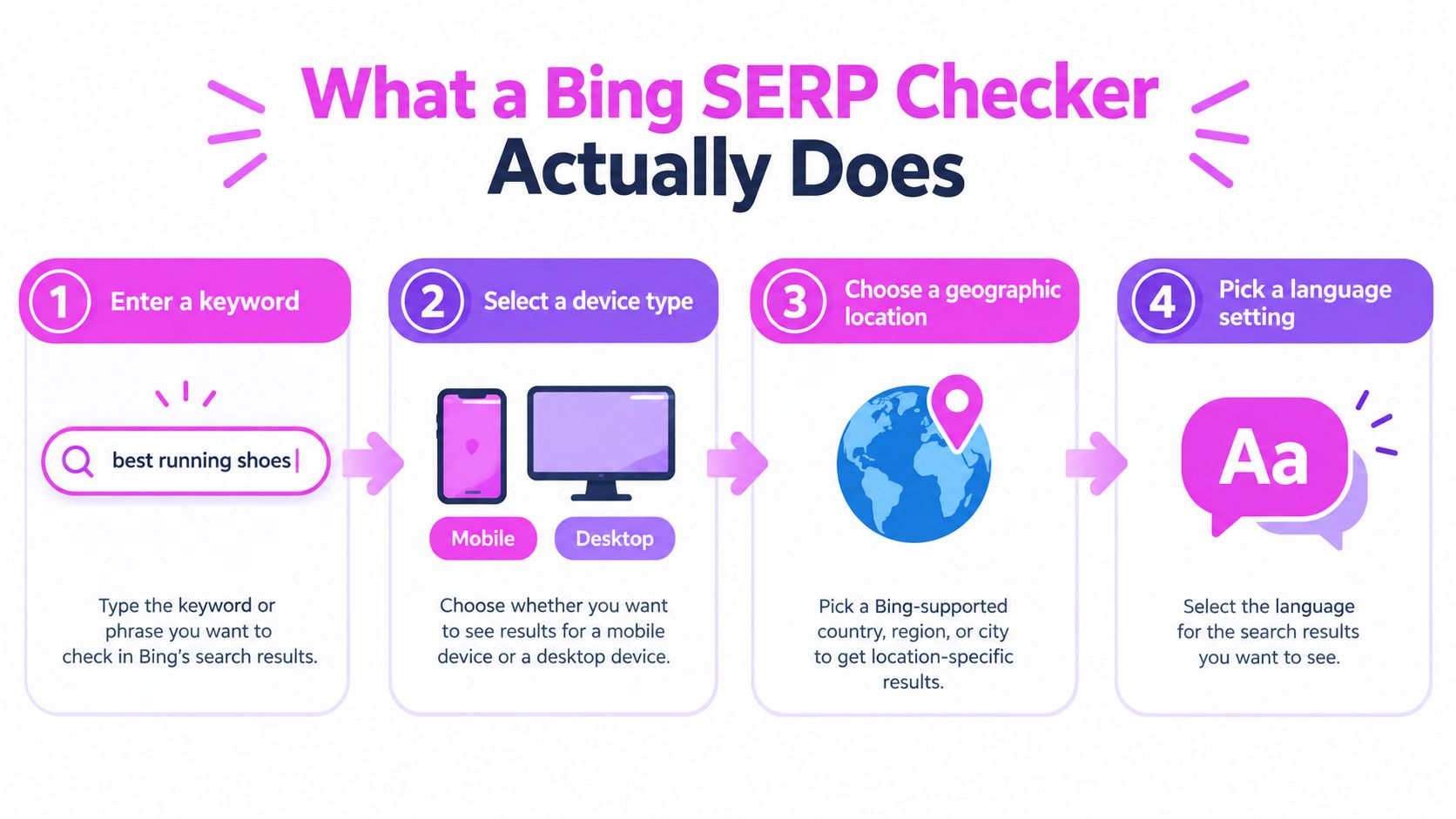
The four outputs I inspect first
Organic position and URL. The tool identifies where the target domain appears and which page ranks. The URL matters as much as the position because Bing may rank a different page than the one your content team intended.
SERP features. I record image thumbnails, FAQ elements, carousels, and other non-organic components. A page can retain its organic position while losing practical visibility because additional features occupy attention above or around it.
Context settings. Device, country, precise location, and language make the result reproducible. Without them, two checks can look contradictory even though both accurately reflect their own search context.
Timestamp. A rank without a collection time has limited diagnostic value. I need to know whether the result preceded a release, followed a technical incident, or came from a period when the SERP was already changing.
That scope differs from Bing Webmaster Tools URL Inspection, which focuses on one URL at a time. It can show whether Bing can crawl the page, whether it's indexed, details from the HTML and HTTP response, and messages explaining why the URL isn't appearing in results.
I use the checker for discovery and competitive observation, then URL Inspection for confirmation. Bing's documentation also distinguishes the index view from a live URL test. The index view can show when Bing first discovered and last crawled a URL, while the live test checks whether Bing can access it now, as explained in Microsoft's URL Inspection announcement.
Modern tracking tools store each pull. That history turns a position lookup into an evidence trail, provided I keep the settings consistent and annotate meaningful site changes.
Inputs That Change a Bing SERP Snapshot
I treat every input as part of the keyword definition. “B2B software” isn't one trackable SERP if I'm checking it across different devices, countries, languages, and locations. It's a group of related SERPs that may reveal different competitors and different intent signals.
The keyword itself is the first variable. A changed modifier can move the query from research to comparison, local purchase, or brand navigation. Device changes the available space and presentation, while country and language influence which domains and interpretations Bing considers relevant. Precise location can alter local results even when the country and language remain unchanged.
Bing tool documentation and product examples also emphasize that rankings can differ by country, language, and device, with monitoring often separated into mobile, desktop, and universal results. I use that distinction when a client says, “Bing shows us at number four,” because the next question is always, “Where and on what device?”
| Input | What changes in the SERP | Example impact |
|---|---|---|
| Keyword phrasing | Query interpretation, competitors, and feature mix | A product query may show commercial pages, while an explanatory variant favors guides |
| Device | Layout, visible result density, and image, video, or local presentation | A desktop result can expose more surrounding context than a mobile result |
| Country | Market relevance, domains, and regional competitors | The same English query can return different national businesses |
| Language | Query interpretation and language-matched pages | Matching country alone doesn't guarantee matching results |
| Precise location | Local intent and nearby result selection | London and Dublin can return different results for the same English query |
A practical mental model is to treat the five inputs as parallel checks, not optional filters. I keep a primary configuration for reporting, then run secondary configurations when the business serves multiple markets or when searchers behave differently on desktop and mobile.
This is also where manual browser checks fail. A personalized or location-influenced browser session can be useful for qualitative review, but it's a poor replacement for repeatable tracking. If I can't reproduce the settings, I can't confidently connect a ranking movement to a page change.
How Rank Tracking and SERP History Work
A rank tracker becomes useful when it captures the result set, not just the winning URL. For each pull, I want the target position, ranking page, competing URLs, visible features, device, location, language, and collection time. That lets me distinguish a page losing positions from a page remaining stable while the SERP grows more crowded.
What “fresh” data means
Fresh data means the tool recently re-pulled the query. It doesn't mean every keyword has been checked at the same moment or that the result is immune to later change. A scheduled daily pull across a focused priority set can reveal movement more clearly than an infrequent sweep across a much larger list.
I usually separate monitoring into three layers:
- Priority terms: Checked frequently enough to catch meaningful movement around launches, migrations, and high-value pages.
- Strategic terms: Checked on a regular schedule for trend and competitor analysis.
- Exploratory terms: Checked less often while I'm validating whether a topic deserves a dedicated page.
A 12-month history is valuable because it shows recurring drift, feature churn, and competitor movement across a longer operating window. I don't treat the full history as an excuse to ignore recent performance. The latest comparable period is usually more actionable for deciding what to investigate today.
| Field | What it captures |
|---|---|
| Keyword | The exact query submitted to Bing |
| Position | Where the target result appeared |
| Ranking URL | Which page Bing selected |
| Device | The device context used for the pull |
| Country and location | The geographic context |
| Language | The language setting applied |
| SERP features | Non-organic result elements visible in the snapshot |
| Timestamp | When the result was collected |
| Competitor URLs | Pages occupying nearby positions |
| Historical record | Previous snapshots for comparison |
There's often a lag between a page change shipping and Bing reflecting it. I avoid declaring success immediately after publication, especially when the change affects internal links, canonical signals, or crawlability. The tracker tells me when visibility changed. It doesn't automatically tell me when Bing processed the underlying change.
Reading Bing SERP Features the Right Way
Position is only one layer of visibility. When I review a Bing result page, I first identify the dominant feature pattern, then ask what that pattern says about the searcher's intent.
An FAQ accordion usually supports an informational interpretation. It suggests that concise, directly extractable answers matter alongside the main page narrative. People Also Ask expansions reveal related questions, which can help me find subtopics the current page hasn't addressed clearly.
Image thumbnails shift the opportunity toward visual relevance. I check image filenames, alternative text, surrounding copy, and whether the page delivers useful visual material. A carousel often points to comparison, products, entities, or brands that Bing can organize into a richer result type. In that situation, a generic article may be less suitable than a page with clear entity relationships and structured product or organization information.
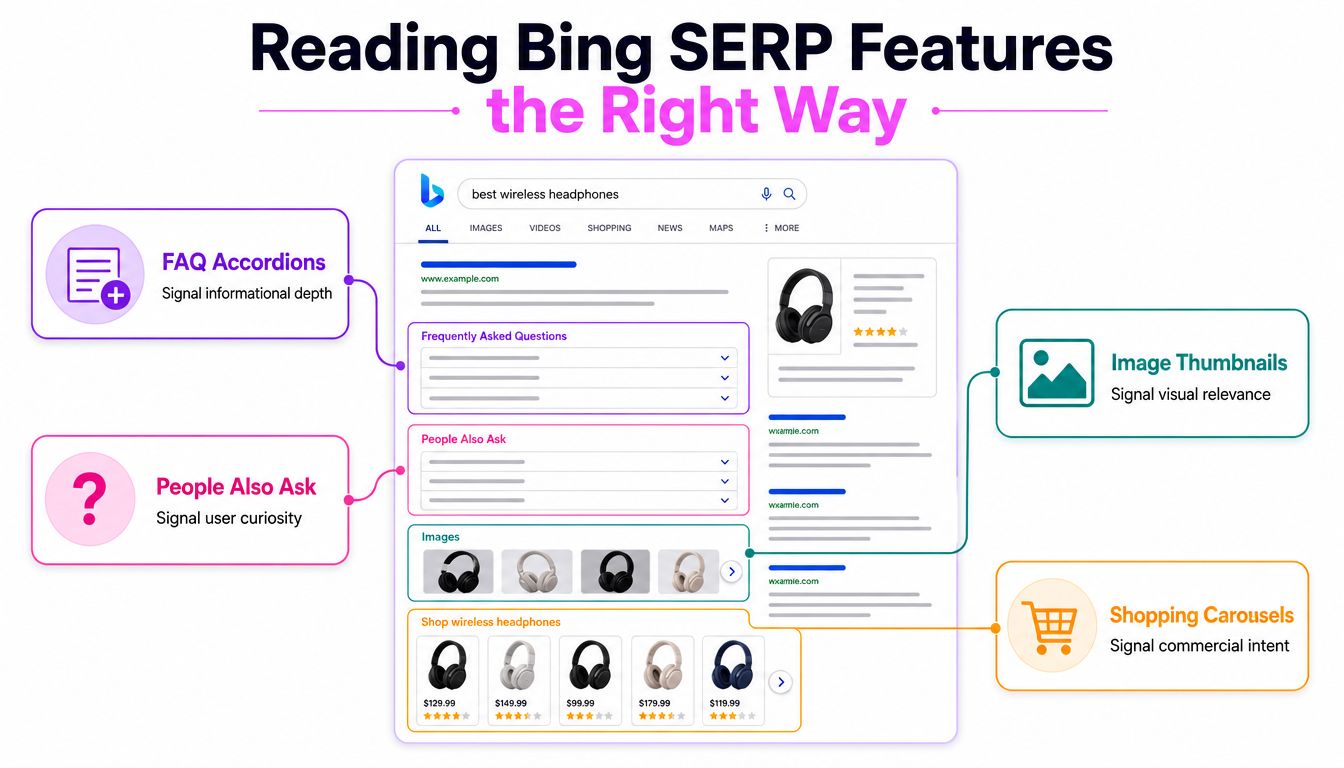
Features are intent evidence
I don't treat a feature as an automatic optimization target. If Bing displays a feature, I examine the pages already earning it and compare their content format, clarity, topical coverage, and markup. The feature is evidence about the result page, not a promise that adding structured data will produce the same placement.
AI-generated stories and Deep Search summaries can compress the visible space available to organic listings. That makes the ranking URL and the feature context important together. A page can hold a strong organic position while receiving less attention because Bing presents more synthesized material above it.
For a broader reference when I'm cataloguing result types, I use this SERP features list. The practical output is an intent note beside the keyword, such as “informational with FAQ” or “commercial with carousel,” rather than a bare position.
My reading rule: The feature mix tells you what Bing thinks the query needs. The ranking URL tells you whether your page meets that need.
Interpreting Volatility and Intent Signals
A one-off rank check is a weak basis for a decision. Independent research into search-result volatility found that location and time had the largest impact on volatility, which is exactly why I avoid treating a single screenshot as the account's stable truth. The search-result volatility research supports a historical workflow rather than isolated checks.
I read movement in layers. First, I compare like with like, using the same device, country, language, and location. Then I look at the direction across a recent window, the spread of positions, competitor replacement, and feature presence. A page that moves from position five to position eight once may need observation. A page that drifts downward across comparable pulls while a competitor takes the previous slot deserves investigation.
A working interpretation table
| Movement type | Threshold | Interpretation |
|---|---|---|
| Isolated change | One unusual snapshot | Treat as noise until repeated under matching settings |
| Short-term fluctuation | Repeated movement without a clear direction | Review volatility and feature churn before editing the page |
| Sustained decline | Directional movement across comparable checks | Inspect indexing, relevance, internal links, and competitors |
| Stable position with new features | Position holds while feature inventory expands | Visibility may still be declining |
| Stable position with URL change | Ranking remains similar but Bing selects another page | Check cannibalization, intent fit, and canonical signals |
I don't use invented universal cutoffs for volatility because the right baseline depends on the query and tracking configuration. Instead, I create rolling summaries from the account's own history. A short window helps identify current direction, while a longer window shows whether the movement is unusual for that query.
Intent signals can change without a position change. If an informational result gains related-question elements or video content, the searcher's path through the page has changed even if the target remains in the same organic slot. That's why I pair position history with feature-presence history.
For live validation, I use a live SERP checker workflow when I need to inspect what appeared at a specific moment. I don't use the result to claim causation. A release followed by a ranking change is a lead for investigation, not proof that the release produced the movement.
Bing SERP Checker vs Bing Webmaster Tools
These tools answer different questions, and using one as a substitute for the other creates avoidable confusion. I use a Bing SERP checker to observe what searchers can encounter, including rankings, competitors, result features, and changes across tracked contexts. I use Bing Webmaster Tools to diagnose whether a specific URL can enter that competition.
| Question | Bing SERP Checker | Bing Webmaster Tools |
|---|---|---|
| What does it inspect? | A keyword result page | A specific URL |
| Main output | Position, URL, competitors, features, timestamp | Crawl, index, HTML, HTTP, canonical, language, and diagnostic details |
| Best use | Visibility and competitive monitoring | Technical and indexing validation |
| Geographic scope | Multiple tracked contexts | URL-level inspection |
| Main limitation | Observes a snapshot, not every ranking signal | Doesn't replace broad keyword and competitor monitoring |
URL Inspection can show whether Bing discovered, crawled, and indexed a page, along with canonical and language declarations, detected links, and technical messages. I start there when a priority URL is missing. A page that isn't indexed can't be evaluated as a normal ranking competitor, so content edits are premature until eligibility is understood.
Indexing still isn't a ranking guarantee. A page may be indexed and rank poorly because its content misses the query intent, stronger pages satisfy the need, authority is limited, or the page only appears outside the location being monitored. The reverse can also happen. A page may rank well while a diagnostic warning remains unresolved, so I don't treat every warning as an explanation for every movement.
Use Webmaster Tools to validate eligibility. Use the SERP checker to measure exposure.
Neither tool proves that changing one title, heading, link, or paragraph caused a ranking movement. I use annotations, comparable snapshots, competitor review, and technical checks to build a stronger explanation.
A Practical Workflow for Bing Rank Tracking
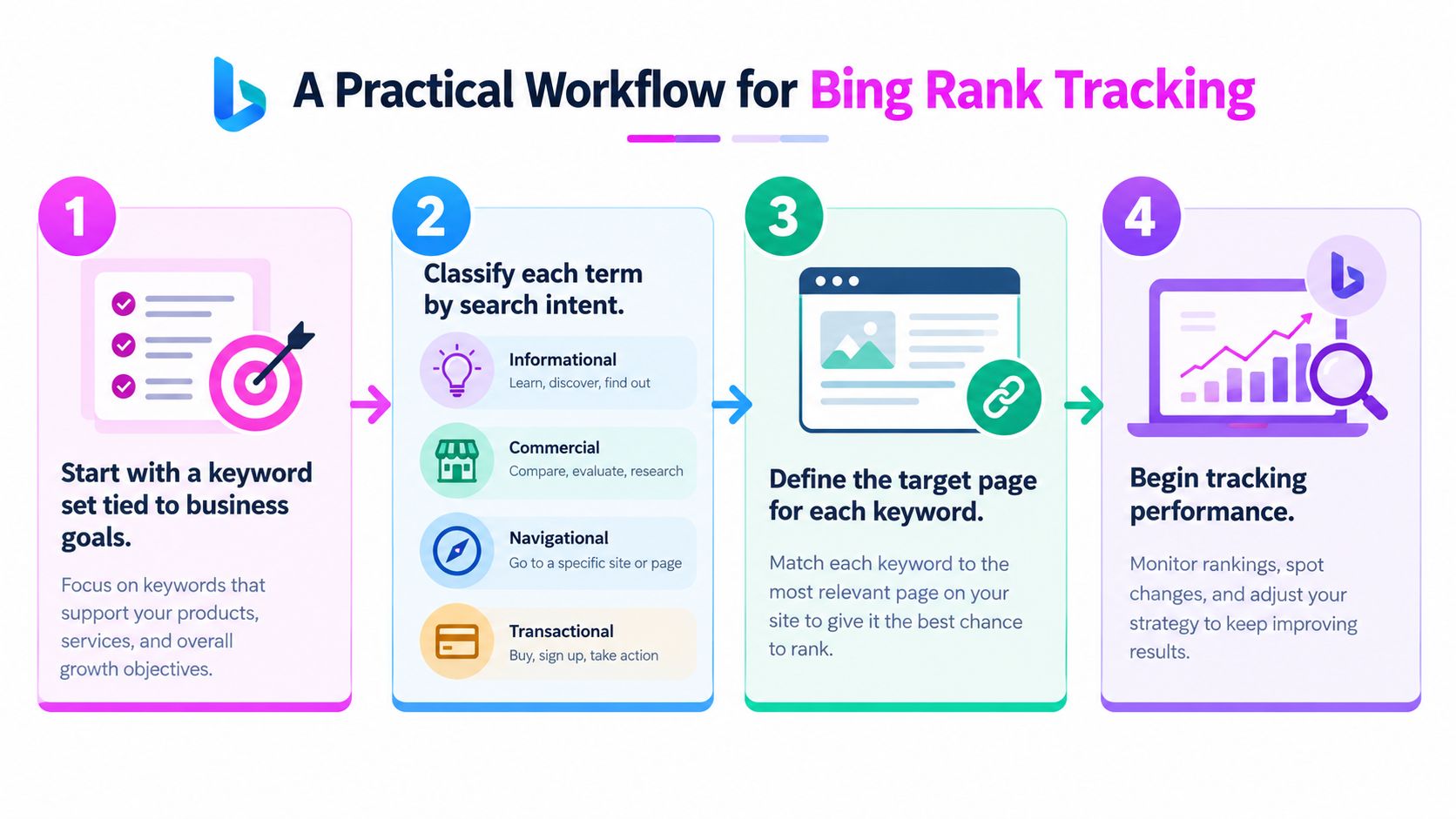
I use a seven-step process because rank tracking works best when it's tied to pages and decisions, not just a large keyword export.
1. Build a business-led keyword set
Start with queries connected to revenue, product education, customer support, and market discovery. Separate informational, commercial, navigational, and transactional terms. Each group needs a page that can satisfy its intent, otherwise the rank report becomes a list of opportunities with no owner.
2. Define the intended ranking page
Map every priority keyword to the page that should rank. If Bing repeatedly selects another URL, don't immediately force the preferred page through internal links. First determine whether the alternate page better matches the query or whether your site has competing pages.
3. Establish a clean baseline
Record the Bing position, ranking URL, competitors, visible features, device, country, language, location, and timestamp before major content, internal-linking, or technical changes. I also annotate the baseline with the page's index status so later comparisons don't confuse ranking loss with eligibility loss.
4. Keep comparable settings consistent
Choose a primary country and language, then hold the device and location steady for comparable checks. Track desktop and mobile separately when the audiences differ or the layouts produce materially different opportunities. Changing settings midstream can create artificial movement in the chart.
5. Pair ranking data with URL diagnostics
Use Bing Webmaster Tools URL Inspection for priority pages. Check crawl access, index status, canonical signals, language declarations, and recent discovery or crawl information. Don't interpret an indexed status as a ranking promise, and don't edit content before ruling out a basic access or eligibility problem.
6. Set monitoring frequency by business value
Check priority keywords frequently enough to catch meaningful changes around launches and technical releases. Review less critical terms less often, and preserve historical snapshots so you can distinguish ordinary fluctuation from sustained drift. I review ranking direction and feature presence together, not as separate reports.
For teams comparing broader software options, this top SEO software for 2026 resource can help frame the trade-off between a conventional dashboard and a more customized data workflow. The right choice depends on whether your team needs fast reporting, deeper integration, or control over how snapshots are stored and queried.
7. Investigate, annotate, and validate
When rankings decline, inspect index status, canonicalization, page relevance, internal links, competing URLs, and Bing-specific crawl issues. Add notes for releases, migrations, link campaigns, seasonal changes, and major SERP feature shifts. Validate improvements across repeated comparable checks before making another edit, because rapid successive changes make the result harder to interpret.
The following video provides a visual introduction to the tracking workflow:
A Bing SERP checker earns its place when it helps answer a concrete question: did the right page appear, for the right audience, in the right context, and alongside which competing result types? That standard produces fewer false alarms than copying Google positions into a second column.
SemDash combines keyword, competitor, backlink, and SERP analysis so you can review Bing visibility alongside historical result changes and intent signals instead of relying on isolated positions. Visit SemDash to examine your tracked queries, compare ranking-page changes, and build a more reliable Bing monitoring workflow.