



You have a keyword export open with a few thousand rows, a difficulty score beside every one, and no clear answer to which twenty deserve the next quarter of your content budget. The head terms look promising until you notice a review site and two competitors own the top five results. The long-tails look worthless until you recognize half of them as the exact questions your sales team answers on every demo call.
The fix isn't a better export. It's a decision order. Map the buying stages first, tag candidates by the page each one needs, read the live results before you commit, group by SERP overlap, score by buying evidence, then run a short sprint that measures citations as carefully as rankings. That order is what separates a keyword research process that produces pipeline from one that produces a spreadsheet nobody opens twice.
Table of Contents
- Map the Buying Stages Your Keywords Must Cover
- How to Pull and Tag Keyword Candidates
- Check the SERP Before You Assign a Page Type
- Group Keywords Without Splitting or Duplicating Pages
- Prioritize by Buying Evidence, Not Search Volume
- Run the First 30-Day Keyword Sprint
Map the Buying Stages Your Keywords Must Cover
Start with a churn analytics product and watch one buyer turn into four different searches. Someone who suspects their trial-to-paid conversion is leaking types "how to reduce customer churn" and lands on a guide. Weeks later they know the category exists and search "churn analytics software." Once a shortlist forms, they want "churn analytics tools compared." By the time procurement joins, the queries are "churn analytics pricing" and a specific integration question about whether the tool connects to their data warehouse.
Four searches, four different jobs, four different pages. Most SaaS keyword lists collapse all of it into the third one.
The four stages one product spans
| Buying stage | Query pattern | Page to build |
|---|---|---|
| Problem-aware | how to reduce customer churn | Educational guide |
| Category | churn analytics software | Category or product page |
| Comparison | churn analytics tools compared | Comparison page |
| Evaluation | churn tool pricing and integrations | Pricing and integration pages |
Read the table as an architecture diagram, not a keyword list. The problem-aware row is where you earn the right to be considered, and it's the row many teams skip because the query never mentions a product. The category row is where you state plainly what you do and who it's for. The comparison row is where honesty converts, since buyers arrive already sold on the category and only need to pick a vendor. The evaluation row is where procurement kills deals, so a pricing page that hides the tiers and an integration page that lists logos without explaining the depth of each connection will cost you the deal your content worked to create.
Pull your seed topics for each row from three places that already hold the buyer's vocabulary: sales call notes, support tickets, and the questions new customers ask during onboarding. Those sources use the customer's phrasing, not your product marketing's. A support ticket that says "why did the alert fire twice" is a better seed for a technical keyword than anything an autosuggest dropdown will hand you.
Search engines remain the foundational discovery channel for this work, particularly before a vendor conversation happens. A 2026 compilation of B2B buyer research reports that 57% of U.S. decision-makers begin their research with search engines, and that 80% of B2B software buyers use Google at some point during purchasing. The same compilation cites another analysis putting 66% of B2B SaaS buyers using search to evaluate solutions before contacting a vendor. That's why the stage map has to cover comparisons, pricing, integrations, and implementation questions, not just the product terms your competitors already own.
Practical rule: If you can't name the page that answers a stage, you don't have a keyword yet. You have a content request.
The gap check that sets your first priority
Walk the four rows and write down the URL that serves each one today. A missing cell outranks every volume number you'll look at this quarter, because traffic sent to a page that can't answer the question converts at the same rate as traffic sent nowhere. The failure I run into most often is a team starting with a head term like "project management software" and skipping the problem-aware queries that feed it, then wondering why the category page gets visits and no trials.
When the stage map is in place, the rest of the workflow builds on it, and it fits inside the wider SEO process for SaaS companies that governs technical health, internal linking, and publishing cadence.
How to Pull and Tag Keyword Candidates
The export is the last step here, not the first. I build the candidate list from the product outward, then use databases to expand and validate, because a list built from an export alone fills up with head terms and misses the evaluation questions that decide deals.
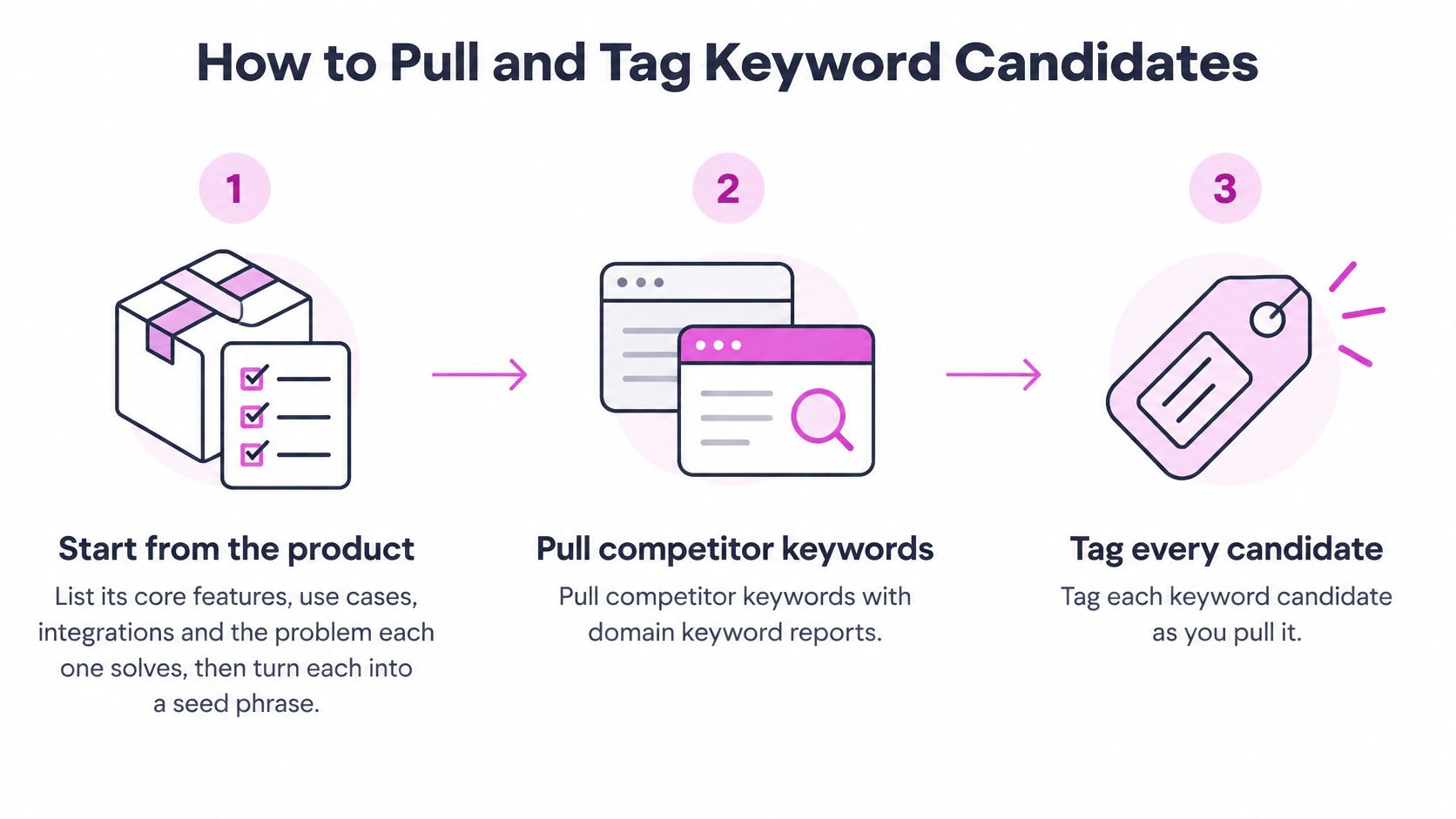
List what the product does. Write down core features, use cases, integrations, and the problem each one solves, then turn each into a seed phrase. This is the only step where your roadmap vocabulary is an asset. The common slip is describing the product in category language only, which produces five seeds and no differentiation.
Pull competitor keywords from domain reports. Enter three or four direct competitors and read the full list of terms they rank for with volume, traffic, and difficulty. Competitors have already validated the demand, so their pages are a shortcut around guesswork. The slip is pulling one competitor, usually the biggest, which skews your list toward their brand and away from your actual segment.
Run a keyword gap report. Compare your domain against those competitors to isolate terms they rank for and you don't. Commercial intent concentrates in that difference. Filter out informational terms you have no page for and no plausible pipeline connection, or the gap report becomes a wish list.
Expand each seed with long-tail, People Also Ask, and People Also Search. These surfaces carry the conversational phrasing buyers type, including the awkward questions nobody writes a landing page for. The slip is dismissing a PAA question because it sounds clumsy. Clumsy phrasing is usually a real buyer's wording, and it's also the phrasing that gets summarized by AI answers.
Pull volume, difficulty, and traffic estimates from one database and stay there. Different tools estimate differently, and mixing sources makes two rows incomparable, which undermines your ability to rank the list later. Write the tool name and pull date in a column so future-you knows what the numbers mean.
Remove duplicates and anything off-target. Cut free-tier queries, wrong-category terms, and jobs your product doesn't do, even when the volume looks tempting. "Free" and "open source" modifiers are the classic trap, since they pull in buyers who will never convert at your price point.
Tag every survivor with its buying stage and page type. Use the four stages from your map, assign the page each candidate needs, and drop anything with no page to send it to. This tag is the single most useful column in the sheet, because it turns a keyword list into a build queue.
Then stop. No rankings, no prioritization, and no content calendar yet. Prioritization only works after the SERP check and the clustering test, and doing it now means redoing it.
For one product area, a usable tagged list usually runs 150 to 300 candidates. Fewer than that suggests you haven't mined support tickets and PAA enough. Many more suggests you're keeping terms that belong to a different product, a different segment, or a different decade of the roadmap.
Check the SERP Before You Assign a Page Type
Consider an API monitoring query where the top ten results split cleanly in half: four product pages from monitoring vendors and six how-to guides about catching downtime early. That split isn't noise. It means the query serves two intents at once, and a single page trying to be both will be mediocre at each. I narrow the term instead, testing "API uptime alerts for small teams", and if the results split again, the keyword goes back to the candidate list with a note rather than onto the calendar.
That discipline matters because organic visibility is concentrated at the top. A 2026 B2B SEO data summary reports that the top five organic results capture 67.6% of B2B search clicks, with another cited analysis placing 69% of clicks in the first five positions. The exact share varies with device mix, query type, and whether ads and features are counted, but the conclusion holds either way: ranking on page one below the dominant results doesn't buy you traffic.
Reading the results before you trust the keyword
Open the live results for every candidate and read the top ten before assigning anything. Classify what's there: product pages, guides, listicles, review sites, documentation. Then compare result types across three or four related queries, and check whether the pattern has held over the past year. A SERP that recently shifted toward review sites is telling you the query turned commercial, which is a signal worth acting on and easy to miss if you only ever look at today's snapshot.
| SERP pattern | What it tells you | Page to build |
|---|---|---|
| Product pages and tool lists dominate | Buyers want to shortlist vendors | Category or product page |
| Guides and definitions dominate | Learners are still defining the problem | Educational guide |
| Review sites dominate | Buyers are comparing vendors | Comparison page with clear criteria |
| Mixed result types with no winner | Intent is split | Narrow the angle or drop the keyword |
When the result types agree, build the page they point to. When they disagree, don't force a compromise page, because a hybrid guide-comparison rarely satisfies either searcher. Also audit for cannibalization before you publish, since two URLs chasing the same intent split authority between them.
Assigning page types from live results is an architecture decision, not a formatting one. Google's guidance on creating helpful, people-first content is explicit that pages built mainly to manipulate rankings don't fit its systems, and a page type chosen against the evidence is exactly that kind of gamble.
Group Keywords Without Splitting or Duplicating Pages
The most expensive duplicate I find isn't a copy-paste error. It's a team publishing "invoice reminder software" and "invoice reminder tool" as two pages, then a third for "automatic invoice reminders", because each phrase looked distinct in the export. Three URLs, one intent, and a split set of internal links, backlinks, and updates that never recovers.
The test I run isn't topical similarity, and it isn't shared words. It's SERP overlap. Pull the ranking URLs for a candidate pair and look for a repeated page pattern. If the same tools keep showing up for both terms, they belong on one primary page with a clear canonical URL. If the top results are different page types, keep them separate even when the subject matches.
For the invoicing product, the software and automatic reminders variants return the same tool pages, so they share one URL. "Invoice reminder template" returns downloadable templates, which is a different job, so that term earns its own page.
The overlap test in practice
Google's SEO starter guide confirms that search engines pick a single canonical URL for each piece of content, and recommends redirects or a canonical tag when multiple URLs carry the same information. That makes cannibalization an implementation problem before it's ever a reporting problem. You can't fix it with a dashboard.
So record the exact ranking URL for every keyword, not just the domain. A domain-level position happily hides the fact that an old blog post is outranking the product page you built for that query, and that hidden conflict is where most self-inflicted ranking losses come from.
Strengthen one page with distinct sections, worked examples, and internal links. Reach for a second URL only when the results prove a different intent exists.
Redirect any legacy duplicate you find, and keep the decision in the sheet so the next person doesn't rebuild it. The variants that legitimately deserve separate pages are the ones where a searcher wants a different artifact: a template, a calculator, a checklist, a migration guide. Everything else is one page doing more work.
Prioritize by Buying Evidence, Not Search Volume
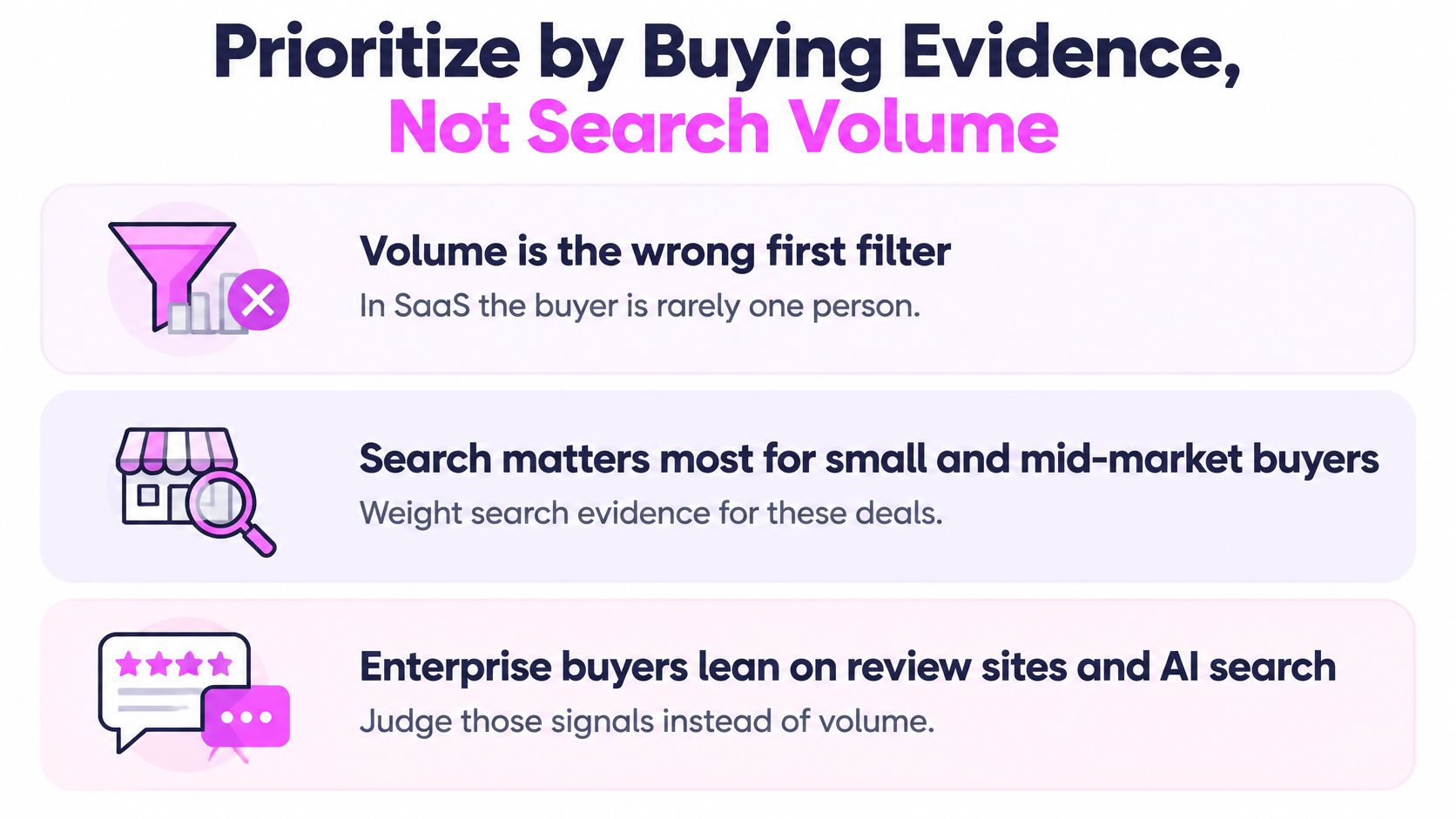
Volume is the wrong first filter for SaaS because the buyer is rarely one person. A term with 2,000 monthly searches that a technical evaluator uses to rule out vendors can be worth more than a 20,000-search head term that attracts students and job seekers, and the export can't tell you which is which.
Segment behavior sharpens the point. G2's 2025 buyer behavior research finds that Google remains a leading source for small and mid-market buyers while enterprise buyers lean more heavily on review sites and AI search, and that nearly two-thirds of software buyers prefer to engage vendor salespeople only later in the journey. Early content therefore has to answer evaluation questions without a rep in the room.
Five signals, one score
Score every candidate from 1 to 5 on five signals and keep the sheet boring enough that you'll repeat it next quarter.
| Signal | What a 5 looks like |
|---|---|
| Buying stage | Searched during early evaluation, before a shortlist exists |
| Buying group | Used by a champion, technical evaluator, or procurement lead |
| Account fit | Matches your core segment and price band |
| Proof needed | Your page can answer the security, migration, or case-study question fully |
| Assisted pipeline | Visitors from this query went on to book a demo or start a trial |
Buying stage asks how early and how influential the query is. Buying group asks which role types it, because covering four roles beats ranking for the same role four times. Account fit keeps you honest about who you serve. Proof needed is a capacity check: a 5 means you have the evidence to publish, a 1 means you'd be writing a page that ends in an apology. Assisted pipeline is the only signal that requires history, so leave it at a neutral score for new terms and let it move once the data arrives.
Here's the contrarian part, and the one worth arguing about with your head of demand gen. Bottom-funnel product terms aren't automatically first. A high-intent informational query that shapes a shortlist before any product term gets searched can score a 4 on buying stage and a 5 on buying group, and beat a product term with triple the volume. Fund the top third of the scored list and measure whether those pages show up in assisted conversions before you expand.
Then split reporting by segment. A keyword that converts for SMB can be dead weight for mid-market, and blending the two produces averages that hide both results. When you decide which numbers go on the dashboard, weight assisted pipeline and buying-group coverage over sessions, which is the approach I'd take in any serious keyword research metrics review.
Run the First 30-Day Keyword Sprint
Pick 20 priority keywords from the scored list, one per planned page, and record five fields for each: page type, ranking URL, whether an AI Overview appears, whether your domain is mentioned, and which exact URL gets cited. Google's documentation on AI features in Search describes AI Overviews as a summary plus links that help people explore, and confirms the same foundational SEO requirements apply: technical eligibility, policy compliance, and people-first content. That's good news, because it means you're auditing citations, not learning a second discipline.

Days 1 to 5. Build the sheet and fill the ranking URL and AI Overview fields for all 20 keywords. Resist adding more keywords. Twenty pages is a quarter of real work.
Days 6 to 10. Log citations and flag every keyword where the cited URL isn't the ranking page. An overview often cites a documentation page, integration guide, or research report instead of the top-ranking result, and that mismatch is where the opportunity sits.
Days 11 to 20. Compare cited pages with the pages producing sign-ups or demos. If a guide earns citations while the product page earns conversions, add internal links and a call to action to the guide without turning it into a sales page. Tools make this faster: SemDash shows which keywords trigger Google's AI to mention a site, including competitors' sites, the precise URLs cited, and the specific page Google sends traffic to for every keyword.
Days 21 to 30. Review results against the original stage map and send any keyword with no matching page or no conversions back to the scoring sheet.
Do this by hand for one round before you buy anything, because the URL-level comparison teaches you how your own topic behaves. There's a short walkthrough of the underlying tracking logic here.
Put the 30-day review date on the calendar before you start, then begin with the first 20 keywords today. The team that runs this sprint twice learns more about its buyers than the team that debates volume thresholds for a quarter.
SemDash pulls the whole workflow into one place: keyword and competitor gap data from a database of more than 6.6 billion keywords, URL-level mapping so you can see which page ranks, and AI Overview citation tracking that shows the pages Google cites in its answers. You can start on the free plan and get moving with SemDash today.