%20(1)-B86R08ZzwhPzS6UZbG3mSxRWPCwGwn.png)


Keyword Search Intent: The SEO Page-Type Decision Guide

Keyword search intent is the underlying goal a searcher has when they type a query into Google. Before you write a single word, do three things: inspect the top 10 SERP results for your target keyword, identify the dominant page type those results share, and match your content’s type, format, and angle to that pattern. Get those three right, and you have the structural foundation for a page that can rank.
- Inspect the SERP first. Open an incognito window, search your keyword, and record what Google actually shows — blog posts, product pages, landing pages, video carousels, local packs.
- Choose the dominant page type. If most of the top results are listicles, that is your format signal. Build a listicle.
- Apply the 3Cs. Match the content type (blog post, product page), format (list, tutorial, comparison), and angle (beginner guide, best-of, quick answer) to what the SERP rewards.
Key Takeaways
Matching keyword search intent to the right page type is the single highest-leverage decision in content SEO — everything else (title tags, CTAs, format) follows from getting that decision right.
| Point | Details |
|---|---|
| Inspect the SERP first | Record page types and SERP features for the top 10 results before assigning intent to any keyword. |
| Use the 70% threshold | If 70% or more of first-page results share a page type, build that type; below that, consider two separate pages. |
| Apply the 3Cs | Assign content type, format, and angle to every keyword brief so writers and editors share a documented standard. |
| Track CTR and position post-rewrite | Measure for 4 weeks after an intent-alignment change, rising CTR and position confirm the fix worked. |
| Semdash for scale | Semdash’s semantic clustering and SERP snapshot history automate the intent-mapping workflow across large keyword sets. |
What is keyword search intent, and what are the main types?
The four primary intent categories — informational, navigational, commercial investigation, and transactional — map directly to what a searcher wants to do. Google’s Search Quality Evaluator Guidelines use a parallel taxonomy: Know, Website, Do, and Visit-in-Person. The table below shows how those frameworks align, with the query modifiers that signal each type.
| SEO Intent Label | Google Rater Label | Example Queries | Common Modifiers | Typical Winning Page Type |
|---|---|---|---|---|
| Informational | Know | “how to fix crawl errors,” “what is anchor text” | how, what, why, guide, tips, tutorial | Blog post, explainer, FAQ page |
| Navigational | Website | “Semdash login,” “Google Search Console” | brand name, “login,” “official site” | Homepage, login page, brand landing page |
| Commercial investigation | Know (with comparison) | “best SEO tools,” “Ahrefs vs. alternatives” | best, top, review, vs., comparison | Roundup, comparison article, review page |
| Transactional | Do | “buy keyword research tool,” “sign up for SEO software” | buy, pricing, free trial, sign up, order | Product page, pricing page, sign-up page |
| Local | Visit-in-Person | “SEO agency near me,” “digital marketing Chicago” | near me, city name, local | Google Business Profile, local landing page |
A few modifiers shift intent in ways that catch teams off guard. The word “best” almost always signals commercial investigation, not transactional — the searcher is still comparing, not buying. Brand names push queries toward navigational. Question words (“how,” “why,” “what”) lock a query into informational territory regardless of the topic’s commercial value. “Near me” or a city name overlays local intent on top of whatever base intent the query carries.
Newer labels like generative intent (queries aimed at AI-synthesized answers) and task intent (multi-step actions like “plan a content calendar”) are worth tracking, but treat them as overlays on the four core types rather than separate categories. A query can be informational and generative at the same time.
Why intent mismatch costs you rankings and revenue
Google’s primary objective is satisfying user intent. Its systems infer intent from query meaning, context, freshness, and localization before deciding which pages to surface — which is why SERP features are not decoration. A shopping grid tells you Google has decided the query is transactional. A featured snippet tells you Google expects a concise, direct answer. Ignoring those signals and publishing a different page type means you are competing against Google’s own interpretation of the query.
The practical consequence shows up in engagement signals. When a searcher lands on a page that does not match what they expected, they leave fast. That pogo-sticking behavior — clicking back to the SERP within seconds — is a reliable proxy for intent mismatch, and Google’s systems use engagement patterns to calibrate rankings over time. A page with strong backlinks but a mismatched format will often plateau below pages that fit the intent cleanly.
Metric signals to watch when testing intent alignment: CTR from Search Console (does your title match what the searcher expected?), bounce rate and session duration in GA4 (are users staying?), conversion rate by landing page segment (are commercial pages converting?), and average position trend after a rewrite (did alignment improve rank?).
AI Overviews have added another layer of pressure for informational queries. When Google synthesizes a direct answer at the top of the SERP, zero-click results become more common, which means informational content now needs both a concise, citable answer and deeper original value to earn the click. Structuring content for AI search visibility is increasingly part of intent optimization, not a separate task.
How to identify the dominant intent for any keyword
This workflow applies to every keyword before you assign it to a page. Run it in order.
-
Search the keyword in incognito. Use a clean browser session to avoid personalization. Record the top 10 organic results: page type (blog post, product page, category page, tool, video), title patterns, and any SERP features present (AI Overview, featured snippet, People Also Ask, shopping grid, video carousel, local pack, image pack).
-
Record title language and common subtopics. Scan the H1s and title tags of the top five results. Note recurring words (“best,” “free,” “how to,” “review,” “vs.”), common subtopics in the table of contents, and the angle each page takes. This tells you what Google’s top performers decided the searcher actually wanted.
-
Read SERP features as intent signals. A featured snippet signals that Google expects a direct, concise answer — informational. A shopping grid signals transactional. A local pack signals local intent. A video carousel signals that visual demonstration matters. SERP features are Google’s interpretation of intent made visible; treat their presence as a requirement to include the matching format on your page.
-
Classify dominant intent by threshold. If a clear majority of the first-page results share a page type, that is your dominant intent. Build that page type. If results split roughly 50/50 between, say, product pages and comparison guides, you are looking at a mixed-intent keyword — see Section 6 for the decision rules.
-
Check People Also Ask questions. PAA boxes reveal the sub-questions Google associates with your keyword. They show you the informational sub-topics that belong in your content even when the primary intent is commercial or transactional.
-
Use a tool for scale. Running this manually for 10 keywords is feasible; for 500, you need SERP analysis at scale. Tools that pull SERP snapshots, track feature presence, and cluster keywords by intent pattern cut the workflow from hours to minutes.
Pro Tip: Save a SERP screenshot with the date when you assign intent to a keyword. Intent shifts over time — a query that was informational two years ago may now return product pages as a category matures. Semdash’s SERP snapshot history lets you catch those shifts before a competitor does.
The SERP reverse-engineering workflow is the most reliable method for assigning intent and page format because it reflects what Google actually rewards, not what you assume the searcher wants.
How to optimize content to match the intent you identified
Once you know the dominant intent, the 3Cs framework makes the decision operational. The 3Cs stand for content type, content format, and content angle.
Content type is the page model: blog post, product page, category page, landing page, tool, or video. This is the highest-leverage decision. Choosing the wrong content format is one of the most common reasons content fails to rank, even when the keyword targeting and backlinks are solid.

Content format is the structure within that type: numbered list, step-by-step tutorial, comparison table, FAQ, long-form guide, or short answer. Format should match how the searcher wants to consume the information. A transactional query wants a product page with specs, pricing, and a clear CTA — not a 3,000-word essay.
Content angle is the positioning: “beginner’s guide,” “quick answer,” “best options for X use case,” “vs. comparison.” The angle tells the searcher why your version of this page type is the right one for their specific situation.
Title and meta templates by intent
Matching your title tag and meta description to intent is the fastest way to improve CTR without touching the page body.
- Informational: “How to [Task]: [Specific Outcome] in [Timeframe]” / Meta: “Learn [topic] with step-by-step instructions. [Key benefit or unique angle].”
- Commercial investigation: “Best [Product/Tool] in [Year]: [Number] Options Compared” / Meta: “Compare [number] [products] on [key criteria]. Find the right fit for [use case].”
- Transactional: “[Product Name]: Pricing, Plans & Free Trial” / Meta: “Start your free trial of [product]. [Key differentiator]. No credit card required.”
- Navigational: “[Brand Name] — [Page Name]” / Meta: “Access your [Brand] [feature/account]. [One-line value prop].”
UX and CTA alignment
For commercial pages, place the primary CTA above the fold and repeat it after the key comparison section. Trust signals — review counts, case study links, security badges — belong near the CTA, not buried at the bottom. For informational pages, a contextual CTA (“See how Semdash automates this step”) placed after the most complex section converts better than a generic banner at the top.
Pro Tip: Add structured data (Article, Product, HowTo, or FAQ schema) to clarify your page type to Google’s systems. Schema does not guarantee a rich result, but it reduces ambiguity when your page sits at the boundary between two intent types.
How to handle mixed intent and local or visual signals
Not every keyword resolves cleanly to one intent. “Project management software” returns both product pages and comparison guides. “How to lose weight fast” returns both informational articles and commercial weight-loss program pages. These are mixed-intent keywords, and the wrong response is to try to satisfy both intents on a single page.
Decision rules for mixed intent:
- If the SERP splits roughly 60/40 or closer between two page types, build two separate pages: one optimized for each intent. When results split between product pages and guides, a two-page approach usually outperforms a single hybrid page.
- If one intent holds 70% or more of the first-page results, optimize for that intent and address the secondary intent with a brief section or internal link.
- If you already have a page ranking in the middle of the pack for a mixed-intent keyword, check whether it is trying to do too much. A page that is 60% guide and 40% product page often ranks below pages that commit fully to one model.
Local intent overlay:
When a query includes a city name, “near me,” or a location modifier, local intent overrides the base intent for most users. Build a dedicated local landing page with the city name in the title, H1, and URL slug. Optimize your Google Business Profile for the same keywords. A generic service page with a city name dropped into the body copy will not compete with a page built specifically for that location.

Visual and video intent:
A video carousel in the SERP means a meaningful share of searchers want to watch, not read. If you are targeting a keyword with a persistent video carousel, embed a relevant video on the page and consider whether a standalone YouTube video targeting the same keyword makes sense. How-to queries with a video carousel almost always benefit from a hybrid page: written steps plus an embedded video.
How to measure whether your content actually satisfies intent
Identifying and optimizing for intent is only half the work. You need to confirm the page is performing as expected — and iterate when it is not.
Primary metrics to track:
| Metric | Tool | What It Tells You | Target Signal |
|---|---|---|---|
| CTR | Google Search Console | Whether your title/meta matches searcher expectation | Rising CTR after a title rewrite |
| Average position | Google Search Console | Whether Google is rewarding the page type | Upward trend over 4 weeks post-rewrite |
| Bounce rate / engagement rate | GA4 | Whether users find what they expected | Engagement rate above 50% for informational pages |
| Session duration | GA4 | Whether content depth matches intent | Longer sessions on guides; shorter on transactional pages |
| Conversion rate | GA4 / CRM | Whether commercial/transactional pages convert | Positive trend after CTA or format change |
Simple experiment template:
Run a controlled intent-alignment test on any page with at least 500 monthly impressions. Keep the URL and body content constant; change only the title tag, meta description, and H1 to better match the dominant intent. Record baseline CTR and average position for two weeks before the change. Measure for four weeks after. Small A/B tests on headings, meta, and CTAs can surface intent-fit improvements within 2–6 weeks for medium-traffic queries.
During audits, record: keyword, current page type, dominant SERP page type, CTR delta, position delta, and recommended action (rewrite title, change page model, split into two pages, no action). That field set gives you a prioritized action list after every audit cycle.
Ready-to-use templates and content outlines by intent
Informational intent
Title: “How to [Task]: [Specific Outcome] ([Year])” Meta: “Step-by-step guide to [task]. [Key benefit]. No [common obstacle] required.” Lead paragraph: State the answer in sentence one. Follow with the three most important things the reader needs to know. End with a one-line preview of what the guide covers. Recommended H2s: What is [topic] / Why it matters / Step-by-step process / Common mistakes / FAQ Media: Screenshots, diagrams, or short embedded video for complex steps.
Commercial investigation intent
Title: “Best [Product Category] in [Year]: [Number] Options for [Use Case]” Meta: “Compare the top [number] [products] on [key criteria]. Updated [month/year].” Lead paragraph: Name the top pick immediately. State the evaluation criteria. Tell the reader who each option suits. Recommended H2s: Quick comparison / Top pick / Best for [use case A] / Best for [use case B] / How we evaluated / FAQ Media: Comparison table, screenshots of UI or product.
Transactional intent
Title: “[Product Name] Pricing & Plans — Start Free” Meta: “[Product] plans from [price range]. [Key differentiator]. Start your free trial today.” Lead paragraph: State what the product does and who it is for. Lead directly to the CTA. No preamble. Recommended H2s: Plans and pricing / What’s included / How to get started / FAQ Media: Pricing table, trust badges, short testimonial block.
Navigational intent
Title: “[Brand Name] — [Page Name or Feature]” Meta: “Access [Brand] [feature]. [One-line value prop].” Lead: One sentence confirming the user is in the right place. Link to the primary action immediately.
Pro Tip: For semantic keyword clustering across a large keyword set, group queries by their dominant intent first, then by subtopic within each intent. This gives you a content architecture where every page has a clear job — and no two pages compete for the same intent slot.
Common mistakes that cause intent mismatch
Recognizing these patterns during an audit saves you from rebuilding pages that were never going to rank.
- Writing a long guide for a transactional query. If the SERP shows product pages and pricing tables, a 2,500-word educational article will not rank. Fix: Convert the page to a product or pricing page. Move the educational content to a separate informational URL if it has its own search demand.
- Using a commercial CTA on an informational page. A “Buy Now” button on a how-to guide signals to users that the page is selling, not helping. Fix: Replace hard CTAs with contextual, low-friction ones (“See how this works in Semdash”).
- Mismatched title tag and page content. A title that says “Best X Tools” but leads to a product page for one tool creates a CTR drop and high bounce rate. Fix: Align the title to what the page actually delivers.
- One page targeting multiple unrelated sub-intents. A single URL ranking for both “what is keyword research” and “keyword research tool pricing” is a split-intent signal. Fix: Separate the page into two URLs, each optimized for one intent. This is the clearest sign you need a re-architecture.
- Ignoring SERP feature signals. Publishing a text-only page when the SERP shows a video carousel or image pack. Fix: Add the matching media format. SERP features reflect Google’s interpretation of intent — treat them as requirements, not suggestions.
- Skipping the PAA box. People Also Ask questions show the sub-intents Google associates with your keyword. Ignoring them means missing the FAQ and subtopic sections that top-ranking pages include. Fix: Add an FAQ section that addresses the top three to five PAA questions for your keyword.
Why intent mapping at scale requires a system, not a checklist
Scaling intent-led content across a team is where most SEO programs stall. The SERP inspection workflow described in this guide works perfectly for 10 keywords. At 500, it breaks down without a repeatable system.
The workflow that holds up at scale looks like this: keyword mapping → SERP review → page-type assignment → brief creation → publish → measure → iterate. Each step needs an owner and a documented output. The SERP review step, in particular, should produce a written record of the dominant intent, the page type decision, and the 3Cs assignment for every keyword. That record becomes the brief’s foundation and the QA checklist when the content comes back for review.
Intent checks belong in editorial QA, not just in keyword research. Before a piece publishes, someone should confirm that the title, H1, page type, and primary CTA all match the intent assignment from the brief. A misaligned title tag is a five-minute fix before publish; it is a ranking problem after.
The 3Cs framework makes this portable. When every brief specifies content type, format, and angle, writers and editors share a common vocabulary for intent decisions. You stop having conversations about whether a page “feels right” and start making decisions against a documented standard. That shift — from intuition to documented criteria — is what separates teams that scale intent mapping from teams that talk about it.
One more thing worth saying plainly: intent shifts. A keyword that returned informational results two years ago may now return product pages as a market matures. Build a quarterly SERP review into your content calendar. Pages that were correctly optimized at launch can drift out of alignment as Google’s interpretation of a query evolves. The AI Mode and core update cycles in 2026 have accelerated those shifts. This is particularly true for informational queries where AI Overviews now absorb a significant share of clicks.
Semdash puts intent analysis inside your keyword workflow
Semdash gives SEO teams a faster path from keyword list to page-type decision. The keyword research tool surfaces SERP snapshots, semantic clusters, and intent signals for any keyword in one interface — so you run the SERP inspection workflow described in this guide without switching between five browser tabs and a spreadsheet.
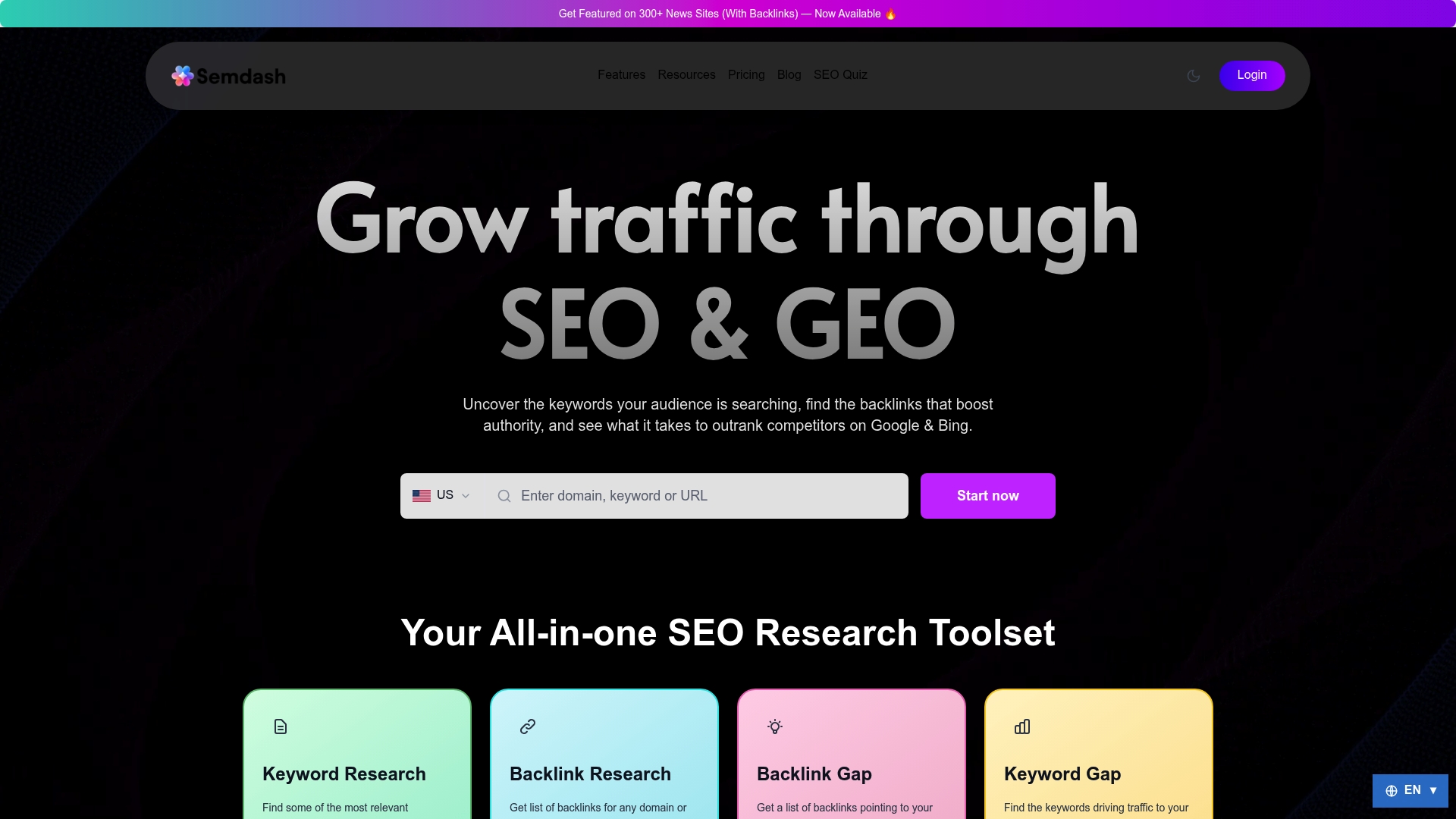
Semantic clustering groups your keyword set by intent automatically, which means page-type assignments happen at the cluster level rather than keyword by keyword. SERP snapshot history lets you track how intent has shifted for a keyword over time, so you catch re-architecture opportunities before a competitor does. AI Overview monitoring flags which of your informational pages are at zero-click risk, giving you a prioritized list of pages to deepen. For teams running intent audits at scale, Semdash’s free tools are a practical starting point before committing to a full plan. Start your intent-led workflow at Semdash.
Sources
- How Search Works: Ranking results — Google
- What is search intent in SEO? The Ultimate Guide — Search Engine Land
- What is search intent? • SEO for beginners • Yoast
- How to Analyze Search Intent (2026): 6-Step Workflow — RankAI
FAQ
What are the 4 types of keyword search intent?
The four types are informational (the searcher wants to learn), navigational (they want a specific website or page), commercial investigation (they are comparing options before buying), and transactional (they are ready to act or purchase). Yoast and Google’s rater guidelines both use this framework as the foundation for intent classification.
What are the 3 C’s of search intent?
The 3Cs are content type (the page model: blog post, product page, landing page), content format (the structure: list, tutorial, comparison table), and content angle (the positioning: beginner guide, best-of, quick answer). Applying all three to a keyword brief ensures the page matches what Google rewards for that query.
How do you determine the intent behind a keyword?
RankAI’s 6-step SERP workflow is the most reliable repeatable method for this process.
What is an example of search intent in practice?
The query “best keyword research tools” shows commercial investigation intent — the SERP returns comparison articles and roundups, not product pages. A team targeting that keyword should build a comparison guide, not a product landing page, because that is the format Google rewards for that query.
How does intent affect SEO rankings?
Google’s systems infer intent before ranking results, so a page that mismatches the dominant intent for a keyword will typically plateau below pages that fit, even with strong backlinks. Engagement signals like pogo-sticking and session duration reinforce or penalize that ranking over time.