


Most guides to Similarweb pricing open with the same advice: take the entry plan, pay annually, let the discount do the work, upgrade later when you need to. I'd argue the opposite order. The annual discount is the easiest number to verify and the least important one, because a plan that's missing a seat or a year of history doesn't get cheaper when you prepay for it. It gets replaced mid-term, usually by a quoted contract that has nothing to do with the card you were comparing.
What sets your spend is a chain: the tier, how many people need a login, how far back the data reaches, how much you pull through exports and the API, and whether the trial converted before your evaluation finished. Every link in that chain has a published number. None of them sit side by side on a pricing card.
So the useful starting point isn't the monthly rate. It's the twelve-month cost of the tier that answers your actual question, plus whatever the limits force you to add.
Table of Contents
- Similarweb Plans and Prices at a Glance
- What Similarweb Really Costs Per Year
- Hidden Costs in Seats, History and Trial Billing
- How to Cancel Without Paying for Another Period
- Pilot and Written Quote Before You Commit
- Which Plan Fits Your Work and What to Do This Week
Similarweb Plans and Prices at a Glance
Six rows cover nearly every buyer, and only four of them carry a public price. The two tiers built for teams, Business and Enterprise, are the ones you cannot cost from this page at all.
| Plan | Monthly billing | Annual billing (per month) | Users and history | What it adds |
|---|---|---|---|---|
| Competitive Intelligence | $199 | $125 | 1 user, 3 months | Traffic and competitor data |
| Competitive Intelligence, SEO and AEO | $399 | $333 | 1 user, 6 months | SEO and AI-search data |
| Competitive Intelligence, SEO, AEO and Ads | $649 | $542 | 1 user, lookback not listed | Advertising intelligence |
| AEO Intelligence (standalone) | $129 | $99 | 1 user, history not published | AI-search visibility only |
| Business | Custom quote | Custom quote | 25 months, multiple users | More users, credits, integrations |
| Enterprise | Custom quote | Custom quote | 37 months, multiple users | Custom package and support |
Competitive Intelligence is the entry point at $199 month to month or $125 on annual billing, for one user with three months of traffic history (Similarweb web packages). That is the tier bought to answer how much traffic a competitor gets and where it comes from.
The SEO and AEO bundle at $399 or $333 doubles the lookback to six months and adds keyword, rank-tracking and AI-citation data. The seat count stays at one. The extra spend buys capability and history depth, so a second analyst means a second subscription.
The Ads tier at $649 or $542 layers advertising intelligence on top: creative, channel mix and spend signals for the advertisers you track. Same single seat.
AEO Intelligence sells on its own at $129 or $99, covering AI-search visibility without the traffic and competitor benchmarking the main plans carry (AI search packages). The product page lists no history window, so confirm the lookback before you build reporting on it.
Business and Enterprise publish no price. The plan pages put Business at 25 months of traffic history and Enterprise at 37 months, both with multiple users and custom credits (sales packages). At that level you are negotiating a contract, and the list price stops being a reference point.
Where Third-Party Listings Drift
GetApp currently lists $335 for the competitive-plus-SEO tier and $540 for the tier that adds ads, each a few dollars off the live page (GetApp listing). A small gap, but enough to break a budget built on the wrong figure. Price the vendor page on the day you sign, not a directory.
The row that matters: pick the tier by the question you need answered. If your question needs more than three months of history, the entry row is already the wrong row, whatever it costs.
If you are benchmarking against SEO-first suites before deciding, the SEO tool evaluation for marketing teams shows how per-seat pricing works elsewhere, which is the structural difference that matters more than the headline number.
What Similarweb Really Costs Per Year
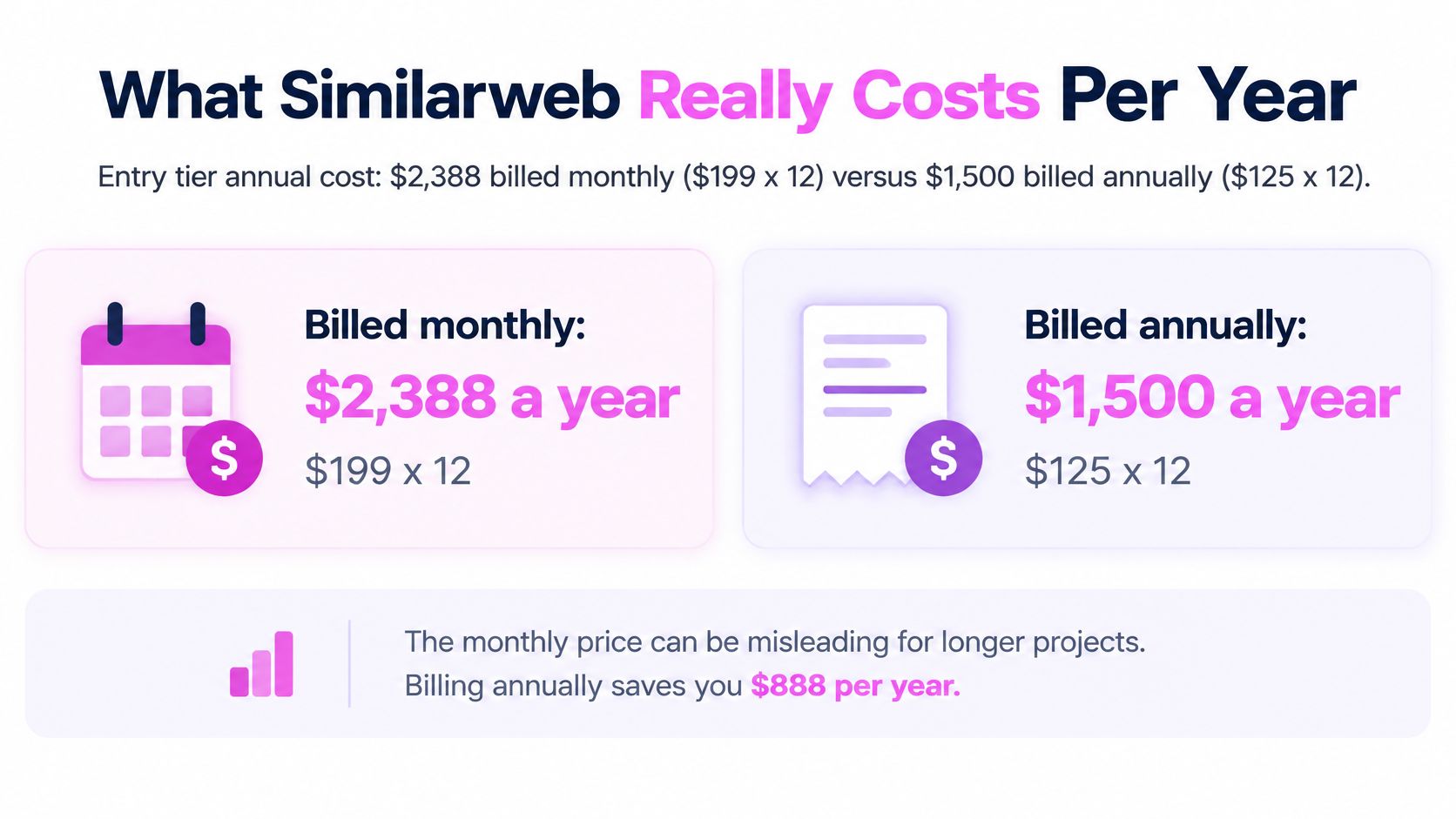
Monthly prices are a rate. Your budget is twelve of them. Start with the entry tier, because it's the one buyers choose most often: at $199 month to month, twelve months costs $2,388, and at the $125 annual rate it costs $1,500 (PricingSaaS Similarweb history). That leaves $888 a year on the table for identical features, limits and data.
Run the same multiplication on the two higher tiers and the answer changes shape.
| Plan | Twelve months billed annually | Yearly saving |
|---|---|---|
| Competitive Intelligence | $1,500 | $888 (about 37%) |
| Competitive Intelligence, SEO and AEO | $3,996 | $792 (about 16.5%) |
| Competitive Intelligence, SEO, AEO and Ads | $6,504 | $1,284 (about 16.5%) |
The middle tier runs $4,788 at $399 a month against $3,996 at $333. The top tier runs $7,788 against $6,504. Both land near half the entry tier's percentage discount, which cuts against the usual "annual is cheaper" advice: the more you spend, the less the billing cycle saves you in percentage terms, even though the dollar saving grows.
The Break-Even Point Decides Your Billing Cycle
Divide the annual price by the monthly rate and you get the month where annual billing starts winning. Entry tier: 7.5 months ($1,500 ÷ $199). Middle tier: 10 months ($3,996 ÷ $399). Top tier: 10 months ($6,504 ÷ $649).
That one calculation should drive the choice. A four-month competitive audit stays cheaper on monthly billing even though each month looks more expensive. A twelve-month retainer is obviously cheaper on annual.
Fix the project length first, then pick the cycle.
Why the Prices in Older Reviews Are Wrong
Similarweb's packaging has moved a long way from single-purpose plans. PricingSaaS reports that the month-to-month Starter price rose from $149 to $199, a jump of about 33.6 percent, that a Professional plan was removed entirely, and that Team pricing sits at $14,000 a year with Business at $35,000 a year. The structure shifted from narrow offers toward bundles where each added data domain pushes the price up.
The spread inside those bundles is wide. Between the cheapest listed package at $1,500 a year and the most extensive at $6,504, the gap is $5,004, a 333.6 percent increase in annual spend. Put differently, the difference alone would cover more than three full years of the entry plan. The takeaway for your budget: a figure quoted in an older review is probably stale.
Here's a walkthrough of the platform if you want to see the interface before committing budget:
Budgeting the rest of your stack matters as much as this line item, and this breakdown of SEO tool pricing shows how other vendors structure their tiers. If paid media sits alongside your research work, compare PPC software tools for 2026 before you decide the advertising tier earns its place.
Hidden Costs in Seats, History and Trial Billing
The plan card is a ceiling, not a bill. It assumes one person, a short lookback window, and a trial period that ends in a charge.
Seats come first. The package summaries list the Competitive Intelligence plan as one user with three months of history, and the SEO and AEO bundle as one user with six months (TierFacts package summary). A second analyst isn't a per-seat line item you can calculate from the page; it's a different commercial arrangement, which means the second login can arrive with a new minimum or an entirely different contract.
History comes next, and it's the limit buyers underestimate. Three months of traffic data can't show you seasonality, can't survive a market shock, and can't support a pre-and-post campaign comparison. When the window is too short, analysts plug the gap with paid exports or archived screenshots, and that cost never appears on the subscription invoice.
The Trial, the Credits and the API
Trial billing terms change between packages and over time, so read them on Similarweb's current checkout page or FAQ before you enter a card rather than assuming the trial is a free look. Set a cancellation reminder well before the end date, because the evaluation becomes a purchase the moment the trial lapses.
A habit worth keeping: put the trial end date in the same calendar as your client deadlines, with a reminder set several days early.
API access is priced as a separate product with its own logic. Similarweb's documentation defines data credits as the billing currency, so you pay for the data returned rather than the number of calls. The REST API caps at 10 requests per second per account and returns 429 Too Many Requests above that, while batch processing handles reports with millions of data points (Similarweb API FAQ). A script that walks a few hundred domains through REST burns credits and hits rate limits at the same time. Cache the responses, use batch extraction, and model API cost separately from the subscription.
A two-person agency shows how this compounds. One analyst buys the SEO and AEO bundle, then a second person needs client access, then a client asks for two years of trend history. Neither request fits the self-service card, and the next conversation is a quote, not an upgrade button.
How to Cancel Without Paying for Another Period
Cancelling isn't a button that stops everything at once. It's a notice with an end date, and the end date is what you're managing.
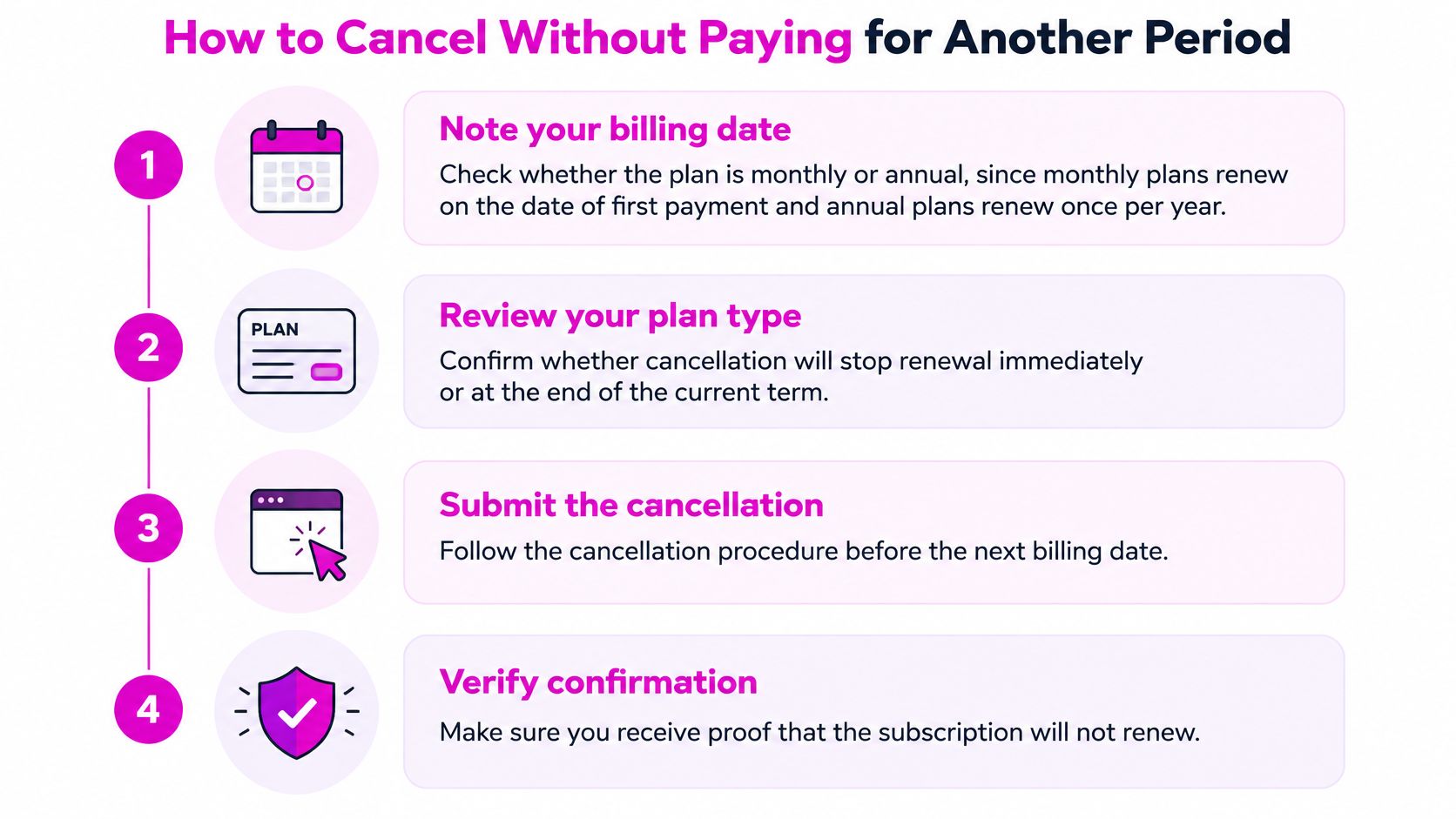
Similarweb's pricing FAQ says you can cancel from the subscription-information page, and access stays live until the current period ends, with the cancellation completing automatically at that point (Similarweb FAQ). That gap between clicking cancel and the period boundary is where avoidable charges live.
The Cancellation Sequence in Order
- Find the renewal date on the subscription page. The subscription-information page is where Similarweb surfaces the plan and the cancel option, so read the active period end there before anything else. Every other step is timed against that date.
- Export before you cancel. Access continues until the period ends and stops there. Pull every report, chart and dataset you'll still need before touching the cancel button, because rebuilding an export later costs more than the subscription did.
- Follow the cancellation route your account shows. Self-service cancellations run through the subscription page. If your account doesn't present a cancel option there, use the route the account provides rather than assuming the button is hidden.
- Save the confirmation. A success screen isn't proof. Keep the email, note the timestamp, and put the actual end date in the calendar rather than the date you clicked.
- On annual plans, know what cancelling does. It stops the next renewal, and access continues until the current period closes. A period that has already started runs to its end date, so the saving only ever applies to the next one.
For consultants running several client accounts, keep one row per account: renewal date, cancellation route, renewal owner, and the last safe date for data export. The finished job is a single sheet listing every renewal you own, so nothing renews because it slipped past you.
The end date is the only date that matters. Everything before it is preparation.
Pilot and Written Quote Before You Commit
Don't negotiate first and test later. Run a two-week pilot on the exact reports your team will share: competitor traffic, SEO visibility, keyword data, and the exports that go into a client deck. During those two weeks, count three things and write the numbers down. How many people needed a login? How many months of history did the trend questions require? Did exports or credits hit a ceiling you didn't expect?
Then turn what the pilot showed you into a written request before accepting any quote. Five lines, no negotiation theatre.
- Seats. How many named logins are included, and what does a second or third one cost on the same contract?
- History. How many months of traffic and SEO data does this quote cover, and is that depth fixed for the term?
- Exports. Which formats, what row or export limits, and are you permitted to share exported data directly with clients?
- API. Credit allocation, rate limits, and what happens at the ceiling. Overage billing is the line that surprises finance.
- Renewal and termination. Notice period, auto-renewal terms, and who is authorised to cancel.
The reason to insist on writing is dull but decisive: a verbal walkthrough on a sales call is easy to agree with and hard to enforce, while a specification is what you point at when a client report needs data you didn't buy. If a vendor won't put seat counts and history depth in writing, that's the answer to a different question.
Rule I apply: no quote gets signed until it answers seats, history, exports, API and renewal in writing. If two of the five are missing, it isn't a quote, it's a conversation.
The common mistake is buying a single-analyst plan and then spreading one login across the team. It works until someone leaves, an access audit happens, or a client asks who viewed their data. Put two quotes side by side on the same five lines and the cheaper one often stops looking cheaper.
Which Plan Fits Your Work and What to Do This Week
Use the table as a lookup, then check the one limit that decides the row.
| Situation | Likely tier | Check before buying |
|---|---|---|
| Solo analyst running short competitor snapshots | Competitive Intelligence, $125 a month annual | Whether three months of history is enough |
| SEO lead tracking keywords and visibility over time | Competitive Intelligence, SEO and AEO, $333 a month annual | Whether six months of history covers the trend window |
| Team that only needs AI-search citation tracking | AEO Intelligence, $99 a month annual | Whether any SEO or traffic data is also needed |
| Research that combines SEO and advertising | Competitive Intelligence, SEO, AEO and Ads, $542 a month annual | Whether ads data is used every week |
| Agency with several clients or seats | Business or Enterprise, custom quote | Seats, history depth, exports and API terms in writing |
The Billing Rule Behind Each Row
For the solo analyst, the pilot question is seasonality. If you'll only ever look at the last quarter, three months is fine and the entry tier earns its place. If you'll compare this quarter to last year, you can't, and no amount of annual discount fixes that.
For the SEO lead, six months is the first real trend window. Test it against the reporting cadence you promise clients: a quarterly review with year-over-year commentary needs more depth than the bundle provides, which pushes you toward a quote rather than the card.
The AI-search-only row is where buyers overpay most often. If citation tracking is the whole requirement, the standalone AEO line is the cheapest way in, and the only question worth asking is whether you also need traffic or SEO data. If you do, the standalone plan won't cover it and you're back in the bundle.
Advertising data only pays for itself if someone opens it every week. Teams that buy the top tier for one quarterly competitive review are paying a premium for a module they don't use, and the honest fix is a cheaper tier plus an occasional export.
Agencies belong on the custom route. Multi-client separation, seat counts, export permissions and API access all sit outside the self-service cards, and those are the terms that decide whether the tool is profitable per client.
When a Cheaper SEO Tool Covers the Work
If your work centers on keyword research, backlink gaps and SERP history rather than cross-channel traffic share, the mid-tier bundle is a lot of money for reports a focused tool covers. SemDash consolidates keyword, backlink and SERP data in one workspace, with the Starter plan at $30 a month when billed for 12 months ($360 a year) and the Business plan at $60 a month on the same terms ($720 a year). If you want the full side-by-side before deciding, this comparison of Similarweb alternatives walks through the trade-offs. And if distribution is part of your workflow, manual directory submissions compared is a useful read alongside the research side.
One Action This Week
Pick a single competitor and a single keyword set, then run the pilot against the exact reports you'll share with a client. Score the tier you think you need on seats, history, exports, API and renewal. That two-week test costs nothing and it settles the annual-versus-monthly question with your own data instead of a discount percentage.
If the traffic benchmarking turns out to be the part you need, Similarweb's entry tier can carry that. If the pilot shows you need keyword, backlink and SERP research instead, SemDash runs those reports from a single workspace, with a free plan and a free trial you can point at the same competitor set before paying anything, and live calls with an SEO specialist if you want a second opinion on the data. Visit SemDash to check the current plans and put the same five questions to it.