%20(1)-B86R08ZzwhPzS6UZbG3mSxRWPCwGwn.png)


People Also Ask Tracking: Tools and Workflow for SEOs

Track People Also Ask by treating question clusters as trackable keywords and collecting question text, source URL, device, location, and timestamp via a SERP-capable platform. That single discipline separates teams who stumble into PAA wins from those who engineer them repeatedly.
Quick setup checklist:
- Pick 15–25 seed questions from your core keyword clusters and add them to a SERP-tracking project
- Configure geographic and device filters to match your actual audience (mobile vs. desktop, city vs. country)
- Export question data weekly with source URL, position, and snippet fields captured
Semdash handles all of this in one interface, with scheduled snapshots and exports built in, so you can skip the spreadsheet gymnastics and get to the analysis.
Key Takeaways
Systematic PAA tracking, built around question clusters with source URL and timestamp fields, is the fastest way to identify and reclaim SERP real estate that competitors are currently holding.
| Point | Details |
|---|---|
| Track clusters, not questions | Group PAA questions by intent cluster and track the whole cluster over time, not isolated queries. |
| Collect the right fields | Every PAA record needs original query, PAA question, position, snippet, source URL, device, location, and timestamp. |
| Answer structure wins PAA | A 40–60 word direct answer under a question heading, followed by layered depth, is the content pattern that earns PAA selection. |
| Match cadence to topic type | Check evergreen topics monthly, competitive clusters weekly, and fast-moving queries daily. |
| Semdash for scalable tracking | Semdash’s SERP tracking with geographic filters, device targeting, and scheduled exports covers the full PAA monitoring workflow in one platform. |
What the People Also Ask box actually is
The People Also Ask (PAA) box is an accordion-style SERP feature that surfaces related questions and short answer snippets pulled directly from web pages. Google displays it on both mobile and desktop, typically between the first and third organic results, though its position shifts based on query type and user behavior.
Three mechanics matter most for tracking:
- Expansion behavior: Clicking any question loads 2–4 additional related questions below it, creating an expanding chain. Mapping these chains is the core of what some practitioners call “Question Gravity” — the idea that question clusters have gravitational pull on each other, and winning one answer increases your visibility across the whole cluster.
- Device and location variation: The questions shown, and the pages selected as answer sources, differ by device type and geographic location. A PAA box for “best project management software” in Chicago may show different questions than the same query run from London on mobile.
- Voice and AI extraction: PAA answers frequently feed voice assistant responses and AI-generated summaries. A page selected as a PAA source is already positioned for AI search visibility — which makes tracking PAA a proxy for tracking your AI answer footprint.
Why PAA tracking belongs in your content strategy
PAA is not a vanity metric. It is a structured signal about what your audience actually wants to know, updated in near-real time by Google’s own query data.
The use cases stack up fast:
- Content discovery: PAA questions surface long-tail intent that keyword tools miss. A question like “does project management software work for remote teams?” rarely appears in a keyword volume report but shows up consistently in PAA for high-volume head terms.
- Long-tail traffic: Many PAA answer sources do not rank on page one organically. PAA selection favors content structure, schema, and page-level authority over strict rank position — meaning a page sitting at position 8 can win a PAA box and pull clicks it would never earn from organic rank alone.
- Voice and AI visibility: As noted above, PAA answers feed voice responses and AI Overviews. Tracking which pages hold PAA positions tells you where your AI-answer footprint is strongest.
- Reputation monitoring: For branded queries, PAA boxes often surface objection-type questions (“Is [brand] worth it?”, “What are [brand] alternatives?”). Tracking these lets you respond with content before competitors do.
- Conversion and objection handling: Bottom-of-funnel PAA questions (“What is the refund policy for X?”, “How long does X take to set up?”) are conversion-stage content opportunities hiding in plain sight.
The metrics to track once you have PAA monitoring running: impressions for question-format queries, clicks, CTR, landing-page bounce rate, and goal completions from those landing pages. On the competitive side, tracking which domains appear as PAA answer sources for your target questions tells you exactly who is eating your potential traffic and what content structure they used to get there. Semdash’s competitor analysis tool surfaces those source domains so you can benchmark and close the gap.
How to track PAA: four approaches compared
Not every team needs the same solution. Here is how the four main approaches stack up:
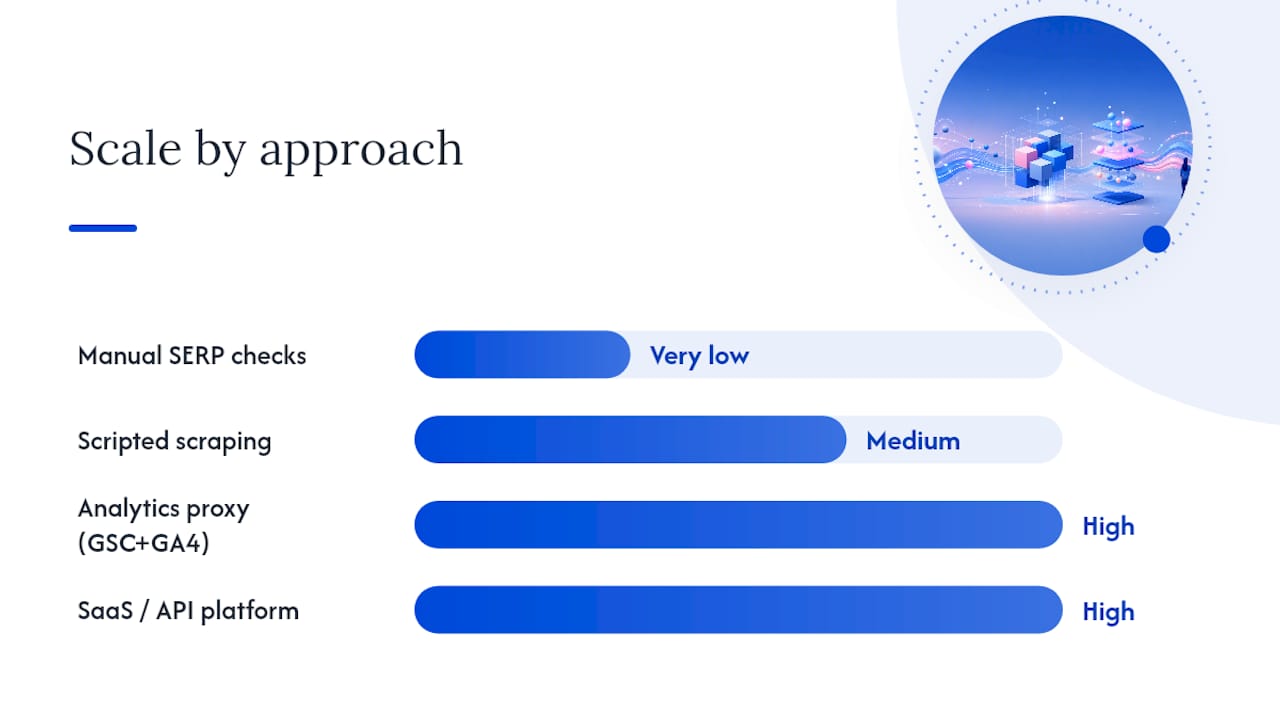
| Approach | Accuracy | Scale | Maintenance | TOS / Legal Risk |
|---|---|---|---|---|
| Manual SERP checks | High (real browser) | Very low | Low | None |
| Scripted scraping | Medium–High | Medium | High | Moderate–High |
| Analytics proxy (GSC + GA4) | Low (indirect) | High | Low | None |
| SaaS / API platform | High | High | Low | None (vendor handles) |
Manual checks work well for discovery and validation on a small keyword list. The problem is expansion chains: capturing the full question cluster requires clicking through each accordion expansion, which is time-consuming and impossible to repeat at scale consistently.
Scripted scraping gives you automation but introduces Google’s Terms of Service risk and requires ongoing maintenance as SERP layouts change. It also struggles with device and location simulation unless you invest in proxy infrastructure.
Analytics proxies (covered in detail in the next section) use GSC and GA4 to infer PAA impact from question-format query data. They are free and scalable but indirect — you cannot confirm a click came from a PAA box versus an organic result.
SaaS platforms are the right call once your keyword list exceeds roughly 50–100 questions. They handle device simulation, geographic targeting, scheduled snapshots, and structured exports without TOS exposure.
Decision checklist — pick your approach:
- Fewer than 50 questions and no localization needs → start manual, add GSC proxy
- 50–500 questions or multiple locations → SaaS platform with export capability
- 500+ questions or API integration into a data warehouse → SaaS with API access
- Need site-specific PAA (from FAQ schema) → device-accurate screenshot archiving via a SERP tool
Pro Tip: Start manual for your first 10–15 questions to understand what the PAA box looks like for your specific niche and device type. That hands-on pass will make your platform configuration far more accurate when you scale up.
Step-by-step setup for PAA monitoring in a platform
The following workflow uses Semdash as the reference platform, but the field-level logic applies to any SERP-capable tracking tool.
Step 1: Build your question keyword list
Pull your seed keywords into Semdash’s keyword research module. Filter for question-format queries (who, what, where, when, why, how, is, does, can) and export the list. Add your own known PAA questions from manual SERP checks. Target 15–100 questions per content cluster to start.
Step 2: Configure your project settings
- Set geographic targeting to the city or country your audience is concentrated in
- Select device type: run separate projects for mobile and desktop if your traffic split is significant
- Set language to match your content’s primary language
Step 3: Define the data fields to collect
A complete PAA record includes: original query, PAA question text, question position in the accordion, answer snippet, source URL, source domain, device type, location, and timestamp. Every field matters. Without source URL, you cannot identify who is winning. Without timestamp, you cannot measure change over time.
Step 4: Schedule your refresh cadence
Set automated snapshots based on topic volatility (see the workflow section below for cadence guidance). Semdash allows scheduled exports so you can pull structured CSVs without manual intervention.
Step 5: Validate data quality
Pull a sample export after the first run and check:
- Are question positions populated for all rows?
- Are source URLs present and resolving?
- Do device and location fields match your project settings?
- Are timestamps in UTC or a consistent timezone?
Step 6: Archive screenshots for site-specific PAA
For pages with FAQ schema, capture device-accurate SERP screenshots at each refresh interval. Site-specific PAA entries (where your own page appears as both question and answer source) are dynamic and can disappear without warning. Screenshots are your audit trail.

Pro Tip: Store screenshot archives in a dated folder structure (YYYY/MM/DD) alongside your CSV exports. When a PAA win disappears after a content update, you will want to compare the pre-update screenshot to the current SERP to identify exactly what changed.
Measuring PAA impact in GA4 and Google Search Console
Google Search Console and GA4 do not label clicks as “PAA-driven” — there is no direct attribution. What you can do is build a strong proxy using question-format query data.
Step-by-step correlation method:
- Open GSC Performance report and filter queries by question words (how, what, why, where, when, does, is, can). Export the full dataset with impressions, clicks, CTR, and average position.
- Cross-reference those queries against your PAA tracking export. Any query appearing in both datasets is a candidate for PAA-driven traffic.
- In GA4, filter sessions by the landing pages that rank for those question queries. Use the Landing Page + Session Source dimension to isolate organic traffic.
- Compare bounce rate and goal completion rate for question-query landing pages versus your site average. A lower bounce rate on question-query pages often signals that PAA-driven visitors arrived with high intent and found a direct answer.
GA4 and GSC limitations to plan around:
- No native PAA label on any click or impression
- GSC data is sampled for high-volume sites and delayed by 2–3 days
- GA4 attribution defaults to last-click, which may credit a later session rather than the PAA entry
- Personalization means two users searching the same query may see different PAA boxes
Reporting checklist for PAA-correlated traffic:
| Metric | Source | What it tells you |
|---|---|---|
| Impressions (question queries) | GSC | PAA box visibility for your pages |
| Clicks (question queries) | GSC | Estimated PAA-driven entry traffic |
| CTR (question queries) | GSC | Answer quality signal |
| Bounce rate (question landing pages) | GA4 | Intent match quality |
| Goal completions (question landing pages) | GA4 | Conversion contribution |
For GA4 implementation and GTM event tracking on question-query landing pages, Parent Technology’s GA4 setup guide covers the event configuration needed to capture these sessions accurately.
How to write answers that win PAA boxes
Structure matters more than word count here, but word count still matters. The content pattern that consistently earns PAA selection is a direct answer first, followed by layered depth.
The answer-first pattern:
- Open with a one-sentence direct answer to the question, placed immediately after an H2 or H3 heading that mirrors the question text
- Follow with 40–60 words of supporting context — enough to satisfy the snippet without burying the answer
- Add 150–300 words of layered depth below the short answer for readers who want more
The 40–60 word rule: Google’s PAA snippets are short. An answer that runs 200 words before reaching the point will not be selected. Write the direct answer in the first two sentences, then expand. This structure serves both the algorithm and the reader — they both want the answer fast.
On-page rules that increase selection likelihood:
- Use the exact question (or a close variant) as the H2 or H3 heading above the answer block
- Place the short answer in the first paragraph under that heading, not buried in a list or table
- Add FAQ schema markup using valid JSON-LD and test it with Google’s Rich Results Test before publishing
- Link internally from the answer block to a deeper resource on the same topic — this strengthens page-level authority and gives Google a signal about topical depth
What not to do:
- Do not write a 300-word preamble before answering the question
- Do not use a table or bullet list as the primary answer format — Google pulls prose snippets, not table cells
- Do not copy the PAA question verbatim as your only heading and then answer a slightly different question in the body
For broader content optimization on-page, the heading-to-answer alignment principle applies across all SERP features, not just PAA.
Building a repeatable PAA tracking workflow
A PAA tracking program that runs once and gets forgotten produces no value. The goal is a scheduled, alerting-driven system that flags changes before they become missed opportunities.
Sample schedule by use case:
- Monthly — evergreen topics (how-to guides, definitional content, stable product categories). Pull exports, compare source URL changes, update answer blocks where competitors have displaced you.
- Weekly — competitive or pricing topics, product comparison queries, high-conversion question clusters. Review new questions appearing in the accordion, check if your pages are still the answer source, flag any new competitor domains appearing.
- Daily — fast-moving news queries, reputation-sensitive branded questions, product launch periods. Set automated alerts for any change in PAA source domain for your priority questions.
KPIs to track across your PAA program:
- Number of PAA appearances by question cluster (tracked in your platform export)
- Impressions and clicks for question-format queries (GSC)
- PAA CTR versus organic CTR for the same queries
- Pages currently winning PAA boxes (count and percentage of target list)
- Conversions from question-query landing pages (GA4)
Export and alert workflow:
- Schedule automated CSV exports from your platform at each cadence interval
- Build a difference report in Google Sheets or your BI tool: compare source URL column week-over-week and flag any row where the domain changed
- Set a content refresh trigger: if a competitor domain appears as the PAA source for three or more questions in a cluster, that cluster goes into the next sprint’s content update queue
- Archive all exports with timestamps — monitoring cadence by use case only works if you have historical data to compare against
Tracking PAA with Semdash: a worked example
Goal: Identify which PAA questions in a SaaS content cluster were being answered by competitor pages, then reclaim those positions with restructured content.
Setup:
- Loaded 47 question-format queries into a Semdash SERP tracking project
- Configured for US, desktop and mobile, English
- Scheduled weekly exports with source URL, snippet, and position fields
Sample findings after four weeks:
After the first export, 31 of 47 tracked questions showed a competitor domain as the PAA answer source. Of those 31, 19 had answer snippets under 55 words — meaning the competitor pages were winning purely on answer structure, not on domain authority or organic rank.
Changes implemented:
- Rewrote answer blocks on 12 priority pages using the 40–60 word direct-answer format
- Added FAQ schema to 8 of those pages
- Added internal links from each answer block to a deeper cluster resource
Observed results (8 weeks post-update):
Replication checklist:
- Build a question list of 30–50 queries from your top content cluster
- Set up a Semdash project with weekly exports, source URL field enabled
- Run for 2–4 weeks to establish a baseline
- Identify questions where a competitor domain holds the PAA answer
- Rewrite those answer blocks: direct answer first, 40–60 words, H2/H3 question heading, FAQ schema
- Re-export after 6–8 weeks and compare source URL and GSC metrics
Common mistakes that undermine PAA tracking
Even well-resourced teams make the same errors. Here is where the effort tends to leak:
- Tracking question text without source URLs. The question text alone tells you what Google is asking. The source URL tells you who is winning and why. Without it, you cannot benchmark or act.
- Ignoring localization. PAA boxes vary by city, country, and language. A tracking project set to a national level will miss local intent variations that matter enormously for multi-location businesses.
- Copying questions verbatim without adding value. Matching the question heading is necessary but not sufficient. Pages that win PAA consistently answer the question more directly and with more supporting depth than the current winner — not just with the same words rearranged.
- Overfitting to the 40–60 word target. The word count is a guideline, not a hard rule. Some PAA answers are 30 words; some run to 80. Write the clearest possible answer, then trim. Do not pad to hit a number or cut to the point of losing meaning.
- Checking PAA manually at scale. Manual checks are fine for 10–20 questions. Beyond that, the expansion chain problem makes consistent data collection nearly impossible. Move to a platform before your list grows past what one person can check in an hour.
- Scraping without considering Google’s Terms of Service. Scripted scraping at scale violates Google’s ToS and risks IP blocks that corrupt your data. Use a SaaS platform or official API access where possible.
- Not archiving historical data. PAA boxes change. Without timestamped exports and screenshots, you cannot prove a win, diagnose a loss, or demonstrate ROI to a client.
For teams that want external support operationalizing these workflows, CloudSprout’s SEO services offer consulting on PAA and SERP-feature tracking programs.
Key actions to implement this week
People Also Ask tracking delivers compounding returns when it becomes a routine part of content operations, not a one-time audit.
Five immediate actions:
- Pull 15 question-format queries from your top content cluster using Semdash’s keyword research tool and check their current PAA source domains manually
- Set up a SERP tracking project with source URL, device, location, and timestamp fields enabled
- Add answer blocks to your three highest-traffic pages that currently lack a direct 40–60 word answer under a question heading
- Schedule a quarterly PAA audit for evergreen content and a weekly export for competitive clusters
- Create a PAA KPI tab in your reporting dashboard: impressions, clicks, CTR, and pages winning PAA
For teams with limited bandwidth: Start with the GSC proxy method — filter question queries, export monthly, and track CTR trends. No platform required to start.
For teams with tooling budget: Configure a full Semdash project with weekly exports and a difference report in Google Sheets.
The PAA tracking gap most SEOs are leaving open
Most SEO teams treat People Also Ask as a content inspiration tool — they glance at the questions, jot down a few ideas, and move on. That is leaving a measurable traffic and visibility gap open for competitors to fill.
The teams that consistently win PAA boxes are not necessarily the ones with the highest domain authority or the biggest content budgets. They are the ones who track PAA systematically: they know which questions they own, which ones a competitor holds, and exactly what content change caused a position to shift. That level of operational clarity is what separates a PAA strategy from a PAA habit.
The investment is not large. A well-configured tracking project in Semdash, a weekly export, and a simple difference report in Google Sheets is enough to run a professional PAA monitoring program for most content teams. The returns — incremental impressions, higher CTR on question queries, and AI-answer visibility — compound over time in a way that one-time optimizations never do.
The maintenance expectation is real, though. PAA boxes change as Google’s understanding of query intent evolves. A page that holds a PAA position today may lose it after a competitor restructures their answer block. Quarterly content audits tied to your PAA export data are the minimum to stay ahead of that churn.
Semdash makes PAA tracking part of your regular SEO workflow
Most PAA tracking setups require stitching together three or four tools and a lot of manual spreadsheet work. Semdash consolidates the core workflow: SERP and PAA collection, geographic and device filters, scheduled snapshot exports, and question-cluster analysis in a single interface. You get the source URL, snippet, position, and timestamp fields that a complete PAA record requires, without building a custom scraping stack or managing proxy infrastructure.
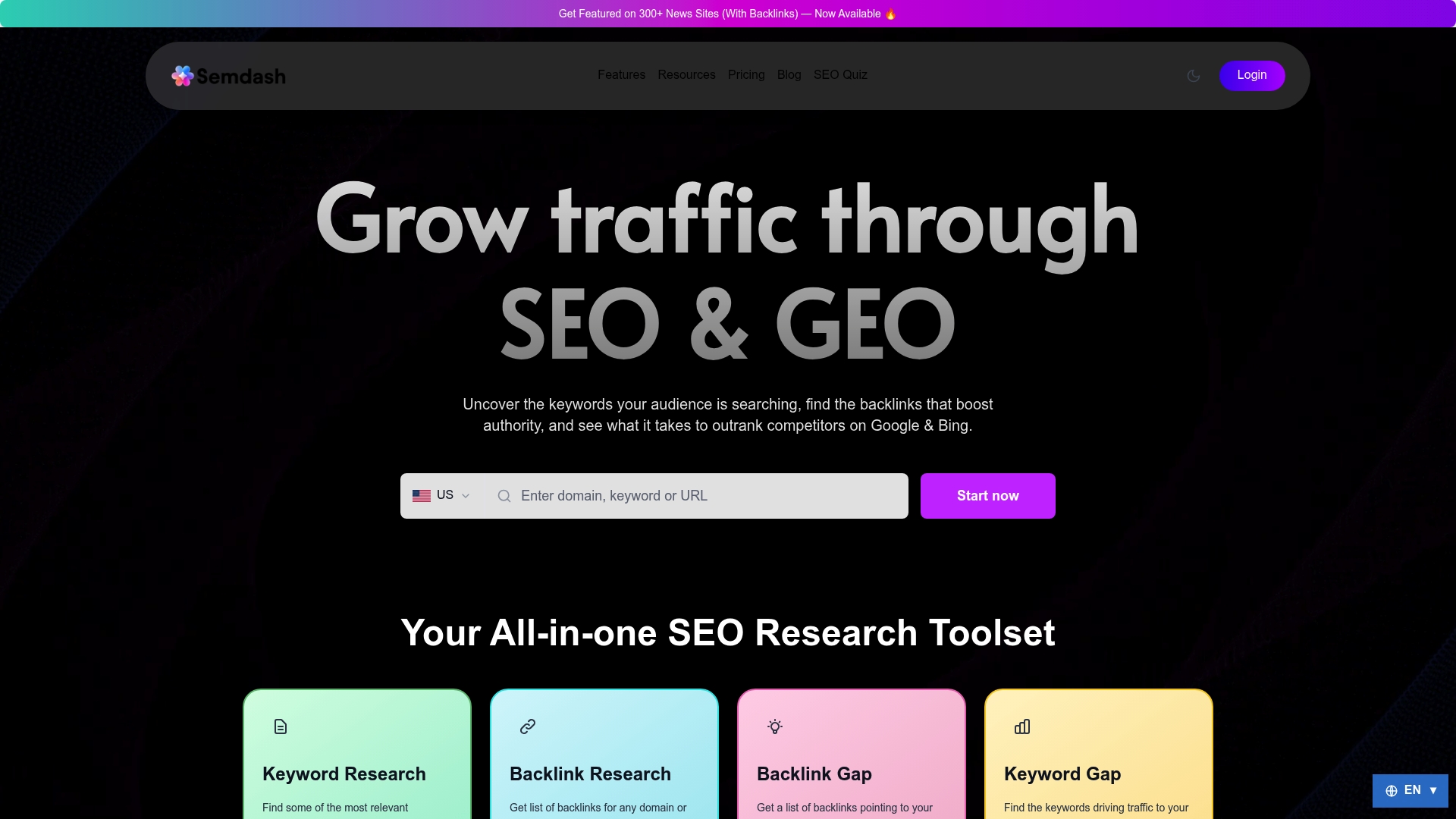
For teams already using Semdash for keyword research and competitor analysis, adding PAA tracking is a project configuration, not a new tool purchase. The keyword research module surfaces question-format queries alongside standard keywords, so your PAA list and your content calendar stay in sync. If you are evaluating where to start, the free tools give you a hands-on look at the SERP data before committing to a plan.
Sources
The following resources informed this guide and are worth bookmarking for ongoing PAA work:
- People Also Ask SEO: Own Question Ecosystems, Not Just Answers
- How to Track People Also Ask (PAA) Including Site-Specific PAA with the MobileMoxie SERPerator - MobileMoxie Blog
- How to Track People Also Ask Data: 2026 Complete Guide – TalorData
FAQ
Where do People Also Ask questions come from?
Google generates PAA questions algorithmically from search query patterns and user behavior. They reflect what people commonly search for after or alongside the original query, updated dynamically as search trends shift.
How do I track which pages are winning PAA boxes?
Export PAA data from a SERP tracking platform like Semdash with the source URL field enabled. That field shows exactly which page Google selected as the answer source for each question, so you can benchmark competitors and measure your own wins over time.
How do I see what questions appear in People Also Ask for my keywords?
Search your target keywords in Google and manually expand the PAA accordion, or use a SERP tracking tool to pull PAA questions at scale across a full keyword list with device and location filters applied.
What does “People Also Search For” mean compared to PAA?
“People Also Search For” is a separate SERP feature that suggests related search queries, typically appearing after you click a result and return to the SERP. PAA shows questions with direct answer snippets pulled from web pages. They serve different intents: PAA answers a question; “People Also Search For” suggests a next search.
How often should I refresh my PAA tracking data?
Cadence depends on topic type: monthly for stable evergreen content, weekly for competitive or pricing queries, and daily for fast-moving news or reputation-sensitive branded questions.