%20(1)-B86R08ZzwhPzS6UZbG3mSxRWPCwGwn.png)


The biggest SEO suite isn't automatically the best SEO software for a small business. I've seen teams pay for broad dashboards, export huge keyword lists, and still struggle to decide which page to build next or which link opportunity deserves an email. The useful question is narrower: which SEO bottleneck are you trying to remove?
I evaluate tools by the jobs I'd run, competitor keyword and ranking-URL discovery, content planning, link acquisition, SERP monitoring, reporting, and visibility in AI-generated answers. A good platform turns those jobs into decisions quickly. A poor fit gives you more data to sort.
That matters in a cost-constrained market. A 2024 small-business search marketing survey found that 84% of small businesses bought third-party tools or software for at least part of their search strategy, while 23% spent less than $1,000 per month on SEO and 46% spent less than $5,000 per month. I've included seven tools, using SemDash as the practical benchmark for URL-level competitor research, backlink recovery, clustering, and AI Overviews tracking. For broader context, this comparison of competitor monitoring tools is useful when your main problem is keeping up with rival activity rather than planning content.
Table of Contents
- 1. SemDash
- 2. Semrush
- 3. Ahrefs
- 4. SE Ranking
- 5. Mangools
- 6. SpyFu
- 7. Serpstat
- Top 7 SEO Tools for Small Businesses, Comparison
- Choose the Workflow You'll Actually Run
1. SemDash
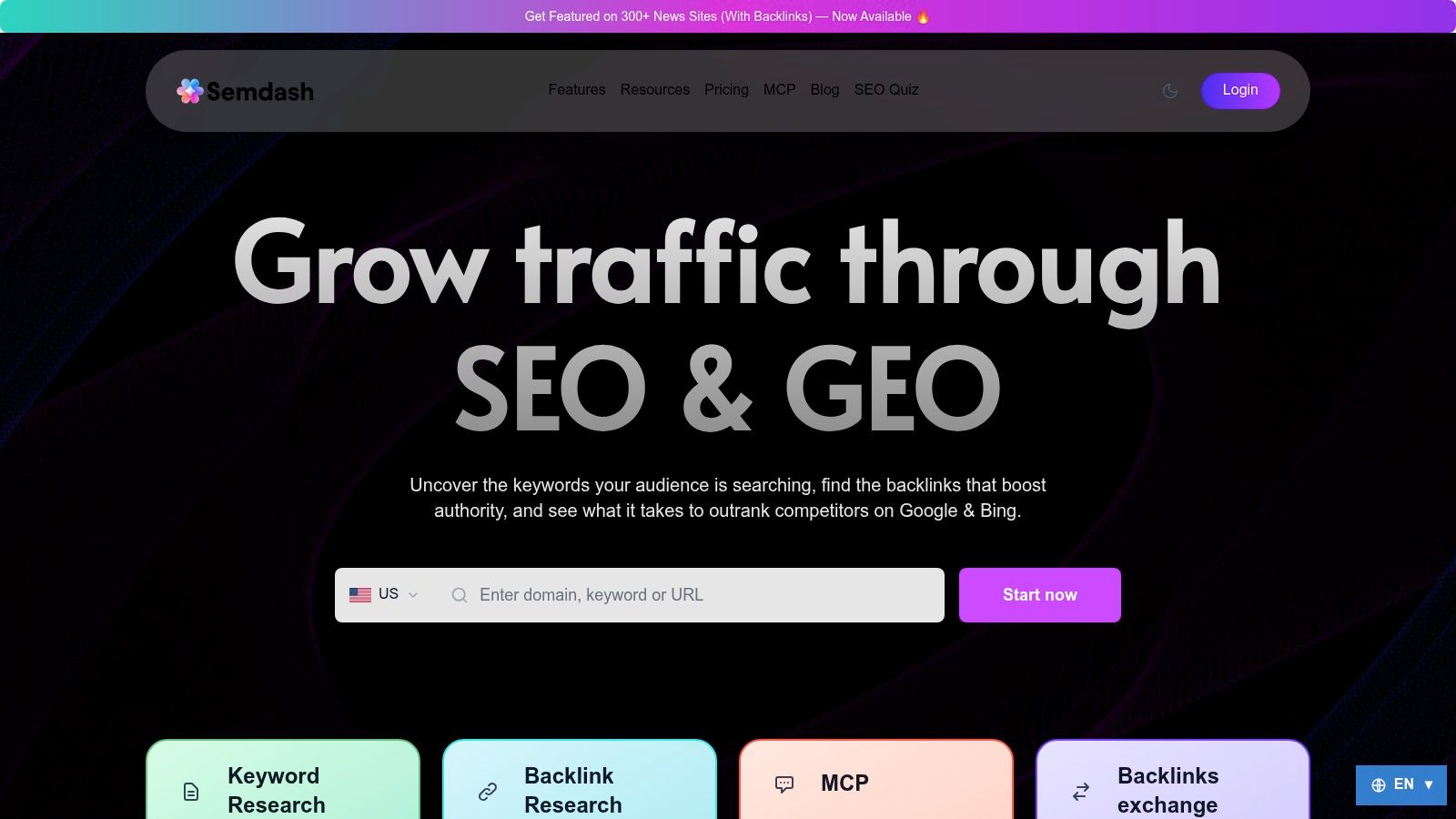
SemDash fits a small team that needs to turn competitor research into a page brief, outreach list, or ranking task without adopting an enterprise-style workflow. I use it as a practical benchmark because its workflow connects competitor discovery, content planning, link acquisition, SERP monitoring, reporting inputs, and AI-search visibility. The strongest differentiator is URL-level mapping. Rather than stopping at a competitor's ranking keyword, SemDash shows the page receiving that visibility, so the analysis starts with a concrete asset instead of a broad domain report.
SemDash reports a 6.6 billion keyword database, a 2.7 trillion backlink index, and 600 million SERPs. Product material describes those figures as refreshed regularly or updated monthly. The scale matters only when it shortens the path to a decision. Domain Keywords, Keyword Gap, Top Pages, Traffic Share, and competitor-domain reports help connect a rival domain with specific pages, queries, search intent, and workable priorities.
Practical rule: Export only competitor terms attached to pages you can improve, replace, or build better. A large keyword file is not a content plan.
Where SemDash earns its place
The content workflow keeps research close to execution. Long-tail suggestions, People Also Ask and People Also Search ideas, live-SERP intent classification, AI-assisted briefs, and keyword clustering turn scattered queries into page-level topics. Clustering helps when several similar terms could create cannibalization. Assigning one strong page to a coherent cluster is usually more useful than publishing several thin articles that compete with one another.
The backlink workflow supports both acquisition and recovery. Backlink Research, Backlink Gap, anchor analysis, referring-domain discovery, unlinked-mention detection, and broken-link recovery give a small team several ways to build authority. Reclaiming a broken or unlinked reference can require less effort than starting cold outreach, especially when the business already has mentions or useful assets that others have cited.
SemDash also tracks AI Overviews, including keywords that trigger domain mentions and the exact URLs Google cites. That adds a second reporting question: which pages are being used as evidence in an answer, not only which pages rank in conventional results? The MCP integration can provide Claude or ChatGPT with live SemDash data for natural-language analysis. The interface supports English, German, Polish, and Spanish. The company also offers a free trial or starter experience with access to more than 20 tools, according to its website.
The trade-off is focus. SemDash is not positioned as a full enterprise suite, so teams needing large-scale bulk analysis across many domains may find some capabilities limited. Detailed pricing tiers are not listed in the supplied product material, although the platform promotes free access and presents itself as a budget-conscious alternative. Before committing, test the limits for keywords, backlinks, projects, and exports against the workflow you plan to run.
Best for: Small businesses, solopreneurs, agencies, content teams, and growth marketers that need competitor reverse-engineering, content clustering, backlink gap analysis, authority recovery, and AI Overviews visibility in one workflow.
Pros
- URL-level competitor research: See the pages attached to ranking queries, not only domain-level totals.
- Connected content planning: Combine gaps, SERP intent, PAA ideas, briefs, and clustering.
- Backlink recovery: Find unlinked mentions and broken links alongside new referring-domain opportunities.
- AI-search visibility: Review domain mentions and cited URLs in AI Overviews.
- Accessible workflow: The interface is supported by a YouTube channel, SEO Academy, roadmap, and live calls.
Cons
- Less enterprise orientation: Large teams may need broader bulk analysis and governance controls.
- Pricing requires verification: Confirm current limits and tiers before upgrading.
- Raw keyword coverage may differ: Some users describe fewer keyword hits than larger competitors such as Ahrefs.
Use SemDash when the priority is converting competitor data into specific pages, queries, and link actions.
2. Semrush
Semrush fits a small business that wants one broad platform and expects its SEO process to become more advanced. I'd choose it when the workflow includes keyword research, competitor analysis, backlink review, technical auditing, rank tracking, and client or stakeholder reporting, rather than a single narrow task.
Its strength is breadth with guided workflows. Keyword and market research can feed content planning, Site Audit can identify technical problems, and Position Tracking can monitor rankings across locations and devices. The plan notes also highlight daily rank updates and mobile data, which is useful when a local or mobile-heavy business needs more than an occasional snapshot.
Strong reporting, substantial depth
Semrush's reporting options and white-label add-ons make it practical for consultants and small agencies. I've found that reporting tools only save time when the dashboard reflects decisions the client understands. A report full of authority metrics isn't as useful as one showing which pages gained visibility, which queries remain close to page one, and what action follows.
Semrush has also expanded into AI-search monitoring. Its AI visibility tools track brand and prompt visibility across AI Overviews and language-model experiences, giving teams a way to compare classic rankings with emerging answer visibility. That's relevant because independent SMB reporting in WordStream's 2026 website trends report found that 72% of small businesses described their SEO performance as very or somewhat effective, while only 6% reported no SEO challenges. The implication is practical: teams generally don't need another dashboard for its own sake. They need a platform that reduces the remaining operational friction.
Semrush's downside is complexity and total cost. Extra users, reporting add-ons, and AI features can raise the bill, and a new user may spend too much time learning the interface before producing a useful brief. I'd avoid buying it solely for basic rank tracking. If you're comparing alternatives, this guide to the best Semrush alternatives gives the decision more context.
Best for: Growing small businesses and agencies that want broad SEO, competitive intelligence, technical auditing, rank tracking, and reporting in one ecosystem.
Pros
- Broad workflow coverage: Keyword, backlink, market, audit, rank, and reporting functions work together.
- Scaling path: The platform suits a team that expects more projects and stakeholders.
- AI visibility: Adds monitoring beyond traditional blue-link rankings.
- Reporting options: White-label capabilities support recurring client communication.
Cons
- Busy interface: First-time users can struggle to find the shortest route to an answer.
- Add-on exposure: Extra seats and modules can increase total spend.
- Potential overbuy: A very small local operator may use only a fraction of the platform.
Visit Semrush when breadth and future expansion matter more than a minimal tool stack.
3. Ahrefs
Ahrefs is the choice I'd make for a small business where competitor research and link intelligence drive the SEO plan. Its Site Explorer and Keywords Explorer workflows are built for investigating how rival domains earn visibility, which pages attract links, and where content gaps exist. The platform is data-heavy, so it rewards users who already know how to turn a competitor report into a publishing or outreach decision.
The link side remains the main attraction. I use competitor backlink research to separate useful prospects from impressive-looking noise. A referring domain can be relevant, authoritative, and realistic to approach, or it can be irrelevant to the business. Ahrefs gives a strong environment for making that distinction through backlink analysis, anchor information, and competitor comparisons.
Deep data with a deliberate learning curve
Ahrefs also includes Rank Tracker and Site Audit, with crawl and tracking capacity that scales by plan. Its growing AI and brand-prompt features provide a way to investigate whether a business appears in language-model answers, not just conventional search results. That wider view matters for companies whose buyers ask comparison, recommendation, or category questions in conversational tools.
The cost structure requires discipline. The entry plan has weekly updates and lower credits, so a team expecting frequent monitoring should check whether the update schedule matches its workflow. Ahrefs offers a limited free option rather than a conventional free trial, and reporting is an add-on in the supplied plan notes. Those constraints don't make it a poor choice, but they do make plan selection important.
I'd also avoid treating every keyword estimate as a forecast. Search tools model demand and competition. They don't know whether your business can produce the best answer, earn trust, satisfy local intent, or convert the visitor. Use Ahrefs to identify candidates, then validate them against your own Search Console data, sales questions, and existing page performance.
For teams weighing alternatives, this guide to the best Ahrefs alternatives is a useful comparison point.
Best for: Small businesses, e-commerce teams, and SaaS marketers that need deep competitor, keyword, backlink, and site-audit research.
Pros
- Strong link intelligence: Useful for finding competitor link sources and outreach prospects.
- Competitive depth: Site Explorer and Keywords Explorer support detailed reverse-engineering.
- Historical context: Higher tiers provide longer historical windows.
- Growing AI coverage: Brand Radar-style functionality extends visibility research into AI answers.
Cons
- Weekly entry-level updates: That may be too slow for teams monitoring volatile rankings.
- Credits scale with price: Heavy research can make limits noticeable.
- Reporting is separate: Teams needing consolidated dashboards should account for the add-on.
Visit Ahrefs if link data and competitive depth are the center of your SEO process.
4. SE Ranking
SE Ranking is the practical middle ground for a small business that needs an all-in-one platform without the density of a larger enterprise suite. Its interface is straightforward, and the feature set covers rank tracking, keyword research, competitor analysis, site auditing, and reporting integrations. I'd put it on the shortlist when cost control matters but a business still wants more than a simple keyword tool.
Rank tracking is its clearest operational strength. The platform monitors Google, Bing, and other search environments, while the AI Search Toolkit adds tracking for AI Overviews and language-model prompts. That lets a team maintain one recurring visibility process instead of checking different tools whenever search behavior changes.
Useful integrations for lean teams
The integrations are important for small businesses because reporting often becomes the hidden time cost. SE Ranking connects with Looker Studio, Google Analytics, Google Search Console, and Matomo, allowing a marketer to combine search visibility with first-party performance data. I'd use those connections to answer a business question, such as whether a page that gained rankings also generated meaningful engagement or leads, rather than presenting rankings as the outcome.
SE Ranking also offers a 14-day free trial without a card, according to the supplied product notes. That gives a small team a reasonable testing window for checking project limits, location settings, reporting needs, and audit usefulness before paying. Extra keywords and seats are available as flexible add-ons, which can be helpful when a business grows unevenly.
The compromises are predictable. Historical depth and some automations are reserved for higher tiers, and API access is a separate paid package. If your workflow depends on extensive historical comparisons or automated data extraction, check those limits early. For a single business site, however, the simpler interface can be an advantage because the team is more likely to use the tool consistently.
Best for: Small businesses and agencies seeking balanced features, accessible reporting integrations, and controlled expansion.
Pros
- Balanced coverage: Traditional SEO and AI-search monitoring sit in the same platform.
- Reporting connections: Looker Studio, Analytics, Search Console, and Matomo support practical dashboards.
- Low-friction evaluation: The trial doesn't require a card.
- Flexible limits: Add-ons can accommodate changing keyword or seat requirements.
Cons
- Tiered history: Deeper historical data may require an upgrade.
- Paid API package: Automated extraction adds another purchasing decision.
- Less data depth: Premium competitors may provide richer datasets for difficult markets.
Visit SE Ranking when you want a capable all-in-one tool with a relatively approachable operating model.
5. Mangools
Mangools works best when the person responsible for SEO isn't a full-time SEO specialist. I'd recommend it to a local service business, blogger, or small site owner who needs keyword ideas, basic SERP analysis, rank tracking, and backlink prospecting without learning a dense enterprise interface.
The toolkit separates those jobs into clear products. KWFinder handles long-tail discovery and difficulty scoring, SERPChecker helps inspect the search results, SERPWatcher monitors rankings, LinkMiner supports backlink prospecting, and SiteProfiler provides domain-level context. That separation makes the workflow easy to teach. A business owner can find a query, inspect the pages ranking for it, add it to a tracking list, and investigate links without navigating a large research environment.
Simplicity is the feature
Mangools' clean interface is useful when adoption is the biggest risk. A complex platform that nobody opens is less valuable than a lighter platform used every week. I'd use it for a focused routine: collect realistic long-tail topics, inspect search intent, track priority terms, and review competitor links for relevant outreach ideas.
The trade-off is depth. Mangools isn't designed to compete with the largest keyword and backlink datasets, and its advanced automation is more limited. Rank tracking can also be less frequent on lower plans, making it better for trend awareness than rapid response to ranking changes. That's fine for a small site publishing steadily, but it's a limitation for an agency managing many volatile projects.
Mangools offers transparent plans and a 48-hour money-back policy, according to the supplied product notes. I'd still test the daily research limits before subscribing. The critical question isn't whether the dashboard looks friendly. It's whether the allowed searches and tracked keywords cover the actual weekly workflow.
Best for: Beginners, solo marketers, bloggers, and small websites that value ease of use over maximum dataset depth.
Pros
- Short learning curve: Non-specialists can begin useful keyword research quickly.
- Clear tool separation: Each product has an obvious job.
- Core SEO coverage: Keyword discovery, SERP checks, rank tracking, and backlink prospecting are included.
- Transparent purchasing: Plans and the money-back policy are easier to evaluate.
Cons
- Limited scale: Larger sites may outgrow the keyword and link depth.
- Fewer automations: Agencies may need additional systems for advanced workflows.
- Update cadence matters: Lower plans may not suit teams that need frequent ranking checks.
Visit Mangools when usability is more important than a massive all-in-one feature count.
6. SpyFu
SpyFu is a reconnaissance tool first. I'd choose it when the immediate task is understanding competitors' organic and Google Ads strategies, building prospecting lists, or comparing domains without paying for a broad platform that the team won't fully use.
Its domain and keyword research includes long historical views of advertising and SEO activity, while Kombat compares domains to expose shared terms and gaps. That makes it useful at the beginning of a campaign. I can investigate what competitors have repeatedly targeted, identify terms shared by several domains, and separate one-off ranking noise from patterns that deserve closer review.
Useful for discovery, not blind forecasting
SpyFu's prospecting lists also connect research to outreach. A marketer can use competitor and domain data to assemble potential contacts or linking sites, then qualify each prospect manually. I wouldn't send outreach based on a raw export. Relevance, editorial fit, business relationship, and the quality of the target page still matter more than a row in a spreadsheet.
The platform also includes rank tracking and site-audit modules, with an optional pay-as-you-go API. Its low yearly pricing options, 30-day money-back guarantee, and easy cancellation are listed in the supplied product notes. Those purchasing terms can make it attractive for a small business that wants to test competitive intelligence without a long commitment.
SpyFu's main weakness is data consistency across tools. Some users report differences in keyword-volume accuracy compared with other platforms, and the basic plan has smaller export, row, and tracking limits. I'd use its estimates directionally and cross-check important opportunities in Search Console, live SERPs, or a second platform before investing heavily in a page.
Best for: Small businesses that prioritize competitor reconnaissance, historical SEO and advertising research, prospecting, and lightweight reporting.
Pros
- Competitive focus: Kombat makes domain overlap and gaps easy to investigate.
- Historical research: Organic and advertising history adds useful context.
- Prospecting support: Research can feed outreach-list creation.
- Low commitment: The supplied plan notes include a money-back guarantee and easy cancellation.
Cons
- Estimate variation: Keyword-volume figures may differ from other platforms.
- Basic-plan limits: Exports, rows, and tracked terms can restrict active workflows.
- Less complete as a core system: Teams needing deep technical, content, and AI visibility workflows may need another tool.
Visit SpyFu when competitor intelligence is the job, not an endless all-in-one dashboard.
7. Serpstat
Serpstat suits small businesses and agencies that need to manage multiple projects while keeping quotas and expansion paths visible. It combines keyword research, competitor analysis, backlink analysis, site auditing, clustering, and rank tracking. The modular structure makes it easier to budget around the workflows you run.
I'd use Serpstat when the work spans several domains and the team needs repeatable project handling. Top-100 rank tracking and generous export rows on higher plans can support recurring reporting, while clustering helps organize keyword sets into page-level targets. The platform also offers an LLM Brand Monitor, giving teams a way to investigate AI visibility alongside conventional rankings.
Budget control with upgrade gates
Serpstat's annual pricing and multi-year discounts are attractive for a business willing to commit after testing. Higher tiers offer unlimited projects, which can change the economics for a small agency or consultant managing several clients. Clear quotas also make it easier to forecast usage instead of discovering limits only after a research process is established.
The trade-off is that advanced functions sit behind upper tiers. White-label reporting and higher API credits require more investment, and the interface may need onboarding for a first-time user. I'd map the workflow before buying: how many domains need tracking, how many keywords require regular checks, whether exports are central to reporting, and whether the LLM monitor is part of the monthly process or merely an interesting extra.
Serpstat is not the lightest tool here, but it can be a sensible fit when project count matters more than the shortest possible learning curve. It gives a growing team room to standardize research and reporting without immediately moving to an enterprise-oriented platform.
Best for: Agencies, consultants, and small businesses managing multiple projects with clear quota and budget requirements.
Pros
- Multi-project orientation: Higher tiers support broad project management.
- Integrated workflows: Research, auditing, clustering, backlinks, and rank tracking connect.
- Budget visibility: Quotas and annual options support planning.
- AI expansion: LLM Brand Monitor adds emerging visibility analysis.
Cons
- Tiered advanced features: White-label and API capabilities require upper plans.
- Onboarding required: New users may need time to understand the interface.
- Potential overbuy: A single small site may not benefit from its multi-project strengths.
Visit Serpstat when project volume and predictable quotas matter more than a beginner-first interface.
Top 7 SEO Tools for Small Businesses, Comparison
| Tool | Implementation complexity 🔄 | Resource requirements ⚡ | Expected outcomes ⭐📊 | Ideal use cases 💡 | Key advantages ⭐ |
|---|---|---|---|---|---|
| SemDash | Low–Medium, cloud UI, quick onboarding, focused workflows | Moderate, affordable SaaS tiers; some advanced bulk features limited | High, precise URL-level keyword & backlink signals for fast action ✅ | SEOs, agencies, content teams needing competitor reverse-engineering and link recovery | Massive fresh datasets (6.6B keywords, 2.7T backlinks), AI briefs, URL-level mapping |
| Semrush | Medium–High, feature-rich, steeper learning curve 🔄 | High, tiered pricing; add-ons/users increase cost ⚡ | Very high, end-to-end visibility, reporting and guided workflows ⭐📊 | Small→mid teams scaling SEO, agencies needing white-label reports | All-in-one toolkit, strong market recognition, extensive integrations |
| Ahrefs | Medium, intuitive but data-dense tools | High, pricier plans for full datasets and larger crawl quotas ⚡ | Very high, deep backlink/keyword insights and reliable site audits ⭐📊 | Teams requiring deep link analysis, historical data and robust audits | Industry-leading backlink index, large crawl/history windows |
| SE Ranking | Low, straightforward UI, easy onboarding 🔄 | Low–Moderate, cost-effective with flexible add-ons ⚡ | Good, dependable rank tracking, audits and GEO tracking ⭐📊 | SMBs/agencies focused on cost control and local/GEO tracking | Strong value, 14-day free trial, solid integrations (Looker Studio, GA, GSC) |
| Mangools | Very Low, minimal learning curve, simple interface 🔄 | Low, affordable plans, limited enterprise data ⚡ | Moderate, core keyword discovery and rank tracking for small sites ⭐📊 | Bloggers, solo marketers, small websites needing fast results | Clean UI, KWFinder long-tail focus, transparent pricing |
| SpyFu | Low, focused on competitive recon, easy to use 🔄 | Low, very low yearly pricing and generous exports on higher tiers ⚡ | Moderate, extensive historical ad/SEO data for competitive insights ⭐📊 | SMBs seeking competitor ad/SEO history, prospecting and outreach lists | Long ad/SEO history, Kombat domain comparisons, cost-effective |
| Serpstat | Medium, modular feature set, some onboarding needed 🔄 | Low–Moderate, attractive annual pricing and quotas ⚡ | Good, strong rank tracking, audits and clustering for the price ⭐📊 | Agencies/businesses needing many projects on a budget | Budget-friendly annual plans, generous exports on higher tiers, modular limits |
Choose the Workflow You'll Actually Run
There isn't one universal winner for the best SEO software for small business. The right choice depends on what your team will do every week, not on how many modules appear in the navigation.
I'd choose SemDash when the main bottleneck is fast competitor reverse-engineering, URL-level content planning, backlink-gap discovery, authority recovery, clustering, or AI Overviews citation tracking. Its practical advantage is the connection between discovery and execution. You can identify a competitor page, inspect the queries behind it, group related terms, review the links supporting it, and decide whether your next move is a new page, a refresh, an outreach campaign, or a recovery task.
Choose Semrush when you want a broad suite with strong reporting and a clear path from small-team workflows to more complex operations. Choose Ahrefs when backlink depth, competitive research, and historical analysis are more important than a simplified interface. These tools make sense when you'll use their breadth consistently.
For more specific constraints, the distinction is clearer:
- SE Ranking is the balanced choice for accessible all-in-one SEO, integrations, and controlled expansion.
- Mangools is the simplest option for a non-specialist who needs dependable keyword and rank workflows.
- SpyFu is strongest for competitor intelligence, historical advertising research, and prospecting.
- Serpstat fits agencies or teams managing multiple projects with defined quotas and upgrade paths.
A cloud model is usually the practical default for a small business. One independent market report estimated cloud-based SEO products represented 85.2% of revenue share in 2025, while SMEs represented 41.6% of market value and were projected to grow at an 18.4% CAGR through 2034. Those figures are from the SEO software market report, but the implementation lesson is simpler: avoid setup-heavy software unless it solves a problem your team already has.
The best platform is the one that turns a ranking report into a page brief, a link prospect, or a measurable fix.
Start your first week with one business goal. Analyze a small set of relevant competitors, identify the target URLs and queries, turn those findings into a page or link plan, and connect the work to Search Console and analytics where possible. Then test the chosen tool against that workflow before paying for unused limits or add-ons.
For content teams, the same discipline applies to content repurposing workflows. Don't create more formats until the original page has a clear purpose, audience, and measurement plan.
SemDash combines competitor keyword discovery, URL-level page analysis, backlink-gap research, link recovery, clustering, SERP history, and AI Overviews citation tracking in one cloud workspace. Visit SemDash to test whether its workflow gives you faster, more actionable SEO decisions before you commit to a larger suite.