%20(1)-B86R08ZzwhPzS6UZbG3mSxRWPCwGwn.png)


How to Find and Fix Keyword Cannibalization on Your Site

Keyword cannibalization happens when two or more pages on the same domain target the same keyword and the same search intent, splitting ranking signals so neither page performs as well as one strong page would. The fastest way to check for it right now is to run a site:yourdomain.com "your keyword" search in Google or filter a query in Google Search Console to see how many URLs show up for it.
- If one page dominates, you’re likely fine.
- If two or three pages trade positions or all sit stuck on page two, you’ve got overlap to fix.
After a proper fix, you should see a single page consolidate the rankings and gradually climb higher than either page managed alone, a pattern Search Engine Land documents as the typical outcome of resolved cannibalization.
Key Takeaways
Keyword cannibalization drops rankings, splits backlinks, and increasingly costs pages their AI citations, but a documented Keep-or-Cut audit resolves it and prevents it from recurring.
| Point | Details |
|---|---|
| Diagnose with real filters | Use Search Console query filters and a site: search to spot multiple URLs competing for one term. |
| Watch for AI citation loss | AI Overviews cluster near-duplicate pages and cite only one, often the outdated version. |
| Apply Keep-or-Cut deliberately | Merge with a 301 redirect, keep and differentiate, or noindex, based on whether the pages serve distinct intent. |
| Give fixes time | Wait 4 to 12 weeks after a redirect or merge before judging whether rankings recovered. |
| Log every decision | A recorded keyword map and audit log stop the same overlap from reappearing next quarter. |
| Use one tool for detection and tracking | Semdash combines keyword mapping, semantic clustering, and AI Overview tracking to catch overlap early. |
What Is Keyword Cannibalization, Exactly?
Exact-match keyword cannibalization is the narrow case: two URLs are both optimized for the identical keyword phrase, same tense, same modifier, same everything. You wrote “best running shoes for flat feet” on one page and, eighteen months later, forgot and wrote it again on another.
Content cannibalization, sometimes called intent cannibalization, is broader and sneakier. Two pages use different keywords but answer the same underlying question, so Google (and increasingly, AI answer engines) treats them as competitors anyway. A page titled “how to lower cortisol” and one titled “reduce stress hormones naturally” can cannibalize each other even though the keyword strings don’t match, because the searcher’s need is identical.
Not every overlap is a problem, though. Multiple pages can legitimately rank for related terms when:
- They serve genuinely different intents (a “buy” page and a “how it works” page for the same product).
- One is a branded query and the other is generic.
- One is a supporting or glossary page that funnels traffic to a pillar page rather than competing with it.
The distinction matters because forcing a merge on pages that serve different audiences can actually hurt relevance instead of helping it.
Why Cannibalization Actually Costs You Rankings
Split signals mean split authority. When two pages target the same query, the links, clicks, and engagement that would have concentrated on one URL get divided between them, and Search Engine Land’s breakdown of the issue ties this directly to diluted ranking power and fragmented internal link equity. Google has to guess which page you actually want ranked, and it often guesses wrong, rotating between the two, or worse, ranking a weaker page while a stronger one sits buried.
The backlink problem compounds this. If external sites link to both competing pages, you’ve split your backlink profile across two URLs instead of consolidating it behind one, which weakens the domain authority signal either page could have built alone. Internal anchor text gets diluted the same way: when half your internal links point to Page A and half to Page B for the same topic, you’re telling search engines the topic has two owners instead of one.
There’s also a crawl and indexing cost. Bots spend budget crawling near-duplicate pages instead of new content, and Google’s systems sometimes flag the pages as duplicates, which can suppress both from search results entirely.
The newest wrinkle is AI citations. AI Overviews and chatbot answer engines cluster near-duplicate pages and pick a single representative to cite, according to Similarweb’s analysis of AI-era cannibalization. If your competing pages get clustered, the AI system might cite your outdated 2022 version instead of the updated page you actually want surfaced, because it never sees the newer one as the “main” source.
- Ranking dilution across multiple weak positions instead of one strong one.
- Backlinks split between competing URLs, weakening both.
- Wasted crawl budget on near-duplicate content.
- AI systems picking the wrong (often outdated) page as the cited source.
How Do You Find Cannibalized Keywords and Pages?
Diagnosing cannibalization is mostly detective work with tools you probably already have opened. Here’s the order that catches the most issues with the least wasted effort.
Step 1: Filter Google Search Console by query. Open the Performance report, click into a specific query, then add the “Pages” dimension. If you see two or more URLs both pulling impressions for that query, especially if both sit in positions 8 through 20, that’s your clearest signal. A single strong page usually holds one dominant position; multiple mediocre positions for the same query is the fingerprint of cannibalization.
Step 2: Run a quick site: search. Type site:yourdomain.com "your target keyword" into Google and scan the results. This won’t catch intent-level overlap where keywords differ, but it’s the fastest gut check for exact-match duplication, and it takes about ten seconds per keyword.
Step 3: Check historic rankings in a rank tracker. Look for pages that swapped positions over time, one climbing while the other falls, then reversing a few weeks later. That seesaw pattern almost always means Google is testing which of your own pages deserves the spot, which is a sign neither page has a clean claim to it. Some competitive keyword analysis workflows build this kind of positional volatility check directly into regular audits, since it surfaces cannibalization faster than manual spot checks.
Step 4: Build a content-intent map. List every page on the topic, regardless of its target keyword, and note the actual question it answers. This catches the cases site: searches and query filters miss, where two pages use entirely different keywords but satisfy the same searcher need. A spreadsheet with columns for URL, primary keyword, and “actual question answered” usually surfaces the overlap within minutes.
Once you’ve flagged candidates, run a few technical checks before assuming it’s a content problem:
- Confirm both pages are actually indexed (a noindexed page isn’t cannibalizing anything).
- Check for a rogue canonical tag pointing the wrong direction.
- Rule out hreflang misconfiguration if you run multiple language or regional versions, since those sometimes masquerade as cannibalization when they’re really an international targeting issue.
Pro Tip: Sort your Search Console query list by impressions, not clicks, before you start hunting. High-impression, low-click queries are where cannibalization hides best, because the pages are getting seen but readers (and Google) can’t tell which one to trust.
Fixing It: The Keep-or-Cut Framework
Once you’ve confirmed cannibalization, resist the urge to fix everything at once. Work through each flagged pair with a simple three-way decision.
- Merge (cut one) when both pages cover the same intent with no meaningfully unique angle. Combine the strongest sections from both into the page with better traffic or backlinks, then 301-redirect the loser to the winner.
- Keep and differentiate when the pages could serve distinct intents but currently overlap because they were written too similarly. Rewrite each to target a clearly separate angle, then update titles, headers, and internal links to reflect the split.
- Keep but remove from index when you need the page live for a specific reason (a legacy landing page tied to a campaign, for instance) but don’t want it competing in search. Use a noindex tag rather than deleting it outright.
When merging, prioritize the page with the stronger backlink and traffic history as the survivor. Backlinko’s guidance on cannibalization fixes recommends folding the weaker page’s best content into that stronger URL, then redirecting, so you’re not starting the ranking climb from zero.
The mechanics of the redirect matter more than most teams realize:
- Use a 301 (permanent) redirect, not a 302, so link equity actually transfers.
- Redirect to the specific page covering that content, not a blanket homepage redirect.
- Update every internal link that pointed to the old URL to point directly to the winner instead of relying on the redirect to carry the weight.
Choosing between canonical tags, noindex, and redirects depends on how much content overlap exists. Ahrefs’ framework for cannibalization fixes lays this out clearly: use a canonical tag when the overlap is minor and you want to consolidate ranking signals without removing a page from the index entirely; use noindex when the page needs to stay live for users but shouldn’t compete in search; use a 301 redirect when the page has no future reason to exist on its own.
Once you’ve made the change, clean up internal linking immediately. Every internal link that used to split between the two pages should now point to the single winner, and your anchor text across the site should consistently use language that reinforces that page’s target keyword.
- Audit internal links pointing to both URLs.
- Redirect or update each one to the surviving page.
- Standardize anchor text so it’s not sending mixed signals.
Pro Tip: Don’t declare victory after a week. Give Google 4 to 12 weeks to fully process a consolidation before judging results, and track unified clicks, impressions, and position in Search Console alongside whether the redirected page’s backlinks are actually crediting the survivor.
Preventing Cannibalization Before It Starts
Fixing existing overlap is a one-time project. Preventing new overlap is an ongoing habit, and it’s the difference between doing this audit once a year versus once a quarter forever.
The foundation is a living keyword-to-URL map, a single spreadsheet or database that records which page owns which primary keyword. Every content brief should start by checking this map first. If a keyword’s already assigned to a page, the writer either builds onto that existing page or picks a genuinely different angle, never a duplicate target.
A short pre-publish checklist catches most new cases before they go live:
- Run the target keyword through a
site:search to confirm no existing page already owns it. - Cross-check the keyword map for a conflicting assignment.
- Decide the canonical URL for this topic before writing, not after.
- Plan internal links from related pages to point at the new page’s specific angle, not a generic homepage link.
Set a recurring audit cadence, quarterly for active blogs, twice a year for smaller sites, and add a trigger-based review any time you publish more than a handful of related posts in a short window, since that’s when overlap sneaks in fastest. Yoast’s prevention guidance backs this up directly: regular audits paired with pre-publish site searches catch most new conflicts before they ever hurt rankings. Teams that skip the keyword map tend to rediscover the same three overlapping pages every single audit cycle.
Pro Tip: Assign one person as the “keyword map owner.” Shared spreadsheets nobody’s responsible for updating go stale within a month, and a stale map is worse than no map because everyone trusts it anyway.
A Same-Day Audit Checklist You Can Run Now
A minimal, reproducible audit doesn’t require a big tool stack, just a spreadsheet and forty-five minutes.
- Pull your top 50 queries by impressions from Search Console and flag any with 2+ ranking URLs.
- List every competing URL pair in a tracking sheet.
- Apply the Keep-or-Cut decision to each pair.
- Implement the change (merge, canonical, noindex, or redirect).
- Set a monitoring checkpoint for four weeks out and another at twelve weeks.
Save your findings in a log with these columns so you can measure impact later and avoid re-litigating the same page pair next quarter:
| Field | What to Record |
|---|---|
| Target keyword | The exact query or intent cluster in question |
| Competing URLs | All pages currently ranking or indexed for it |
| Decision | Merge, keep and differentiate, or noindex |
| Date implemented | When the redirect, canonical, or edit went live |
| KPI check date | 4 week and 12 week follow up dates for position and clicks |
Documented decisions matter more than they sound. Teams that keep a clear audit trail of past Keep-or-Cut calls avoid re-introducing the same overlapping pages months later, a pattern Similarweb’s cannibalization analysis points to as a common failure mode when audits aren’t logged anywhere permanent.
What Most Audits Get Wrong About Merging
Merging fails most often when teams treat it as a copy-paste exercise instead of a rewrite. Stitching two articles together without reconciling their structure, tone, and heading hierarchy usually produces a bloated page that satisfies neither original intent, and Google notices the seams even when you don’t.
Ranking movement after a clean consolidation isn’t instant. Expect four to six weeks before you see any real signal, and often longer if the pages had a long history of competing. Sites that panic and reverse a merge after two weeks because rankings dipped are almost always giving up right before the recovery curve turns upward.
The tactical habit worth stealing from hands-on audits: before merging anything, screenshot both pages’ current rankings and backlink counts. It’s the only way to prove the fix worked later, and it stops the inevitable argument about whether the “old page was actually fine.”
Detect Overlap Before It Costs You Rankings
Manually cross-referencing Search Console exports against a rank tracker works, but it’s slow, and slow audits get skipped when deadlines pile up. Semdash was built to close that gap: it maps which pages are already ranking for a given keyword cluster, groups near-duplicate topics through semantic clustering so overlap surfaces automatically, and tracks whether your pages show up in AI Overview citations over time.
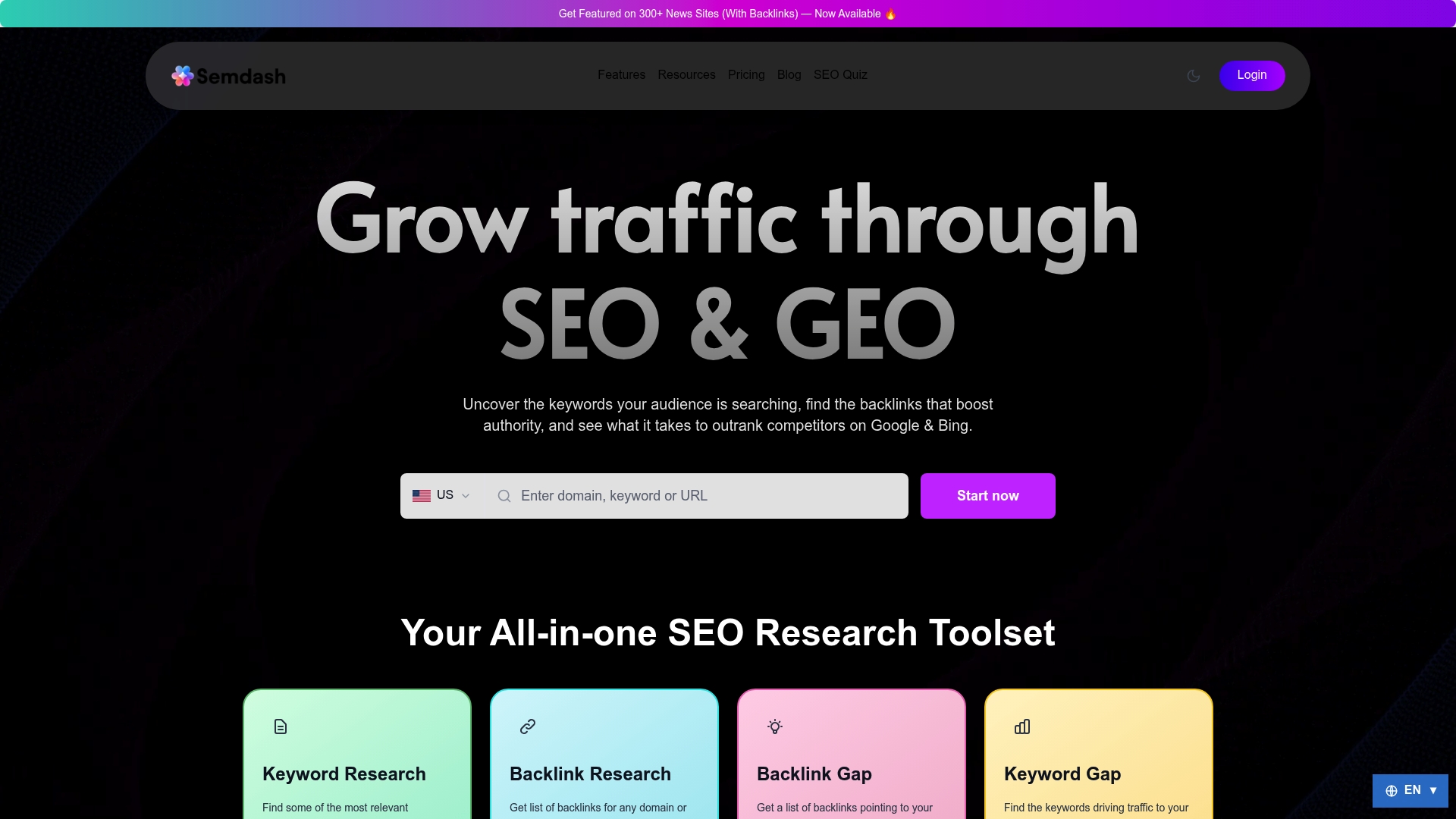
That combination matters specifically for cannibalization work, because you need to see keyword overlap, ranking history, and AI citation exposure in one place rather than stitching together three separate tools. Start with the keyword research tool to map which URLs are already competing for your priority terms, then layer in competition analysis to see how those overlaps stack up against rival domains. If you want to test the workflow before committing, Semdash’s free tools let you run a quick overlap check today.
Sources
- Fix Keyword Cannibalization: Identify & Resolve SEO Issues — Search Engine Land
- How To Fix and avoid Keyword Cannibalization | Similarweb
- Keyword and content cannibalization: how to identify and fix it — Yoast
FAQ
How Do You Fix Keyword Cannibalization?
Apply the Keep-or-Cut framework: merge overlapping pages with a 301 redirect to the strongest URL, differentiate pages that serve distinct intents, or noindex pages you need live but don’t want competing in search.

What Is an Example of Keyword Cannibalization?
A blog with a page titled “email marketing tips” and another titled “best practices for email marketing” both targeting the same audience and query is a classic case; readers and Google can’t tell which page deserves the top spot, so both underperform.
What Is a Simple Example of Content Cannibalization More Broadly?
Two pages with different keywords, like “reduce stress at work” and “manage workplace anxiety,” can still cannibalize each other if they answer the exact same underlying question, since intent overlap counts even without matching keywords.
How Do You Check for Keyword Cannibalization?
Filter a query in Google Search Console with the “Pages” dimension added to see if multiple URLs compete for it, run a site:yourdomain.com "keyword" search for a quick manual check, and watch rank-tracker history for pages that swap positions over time. Tools like Semdash’s keyword research platform can also flag overlapping targets across your full site during a routine audit.