%20(1)-B86R08ZzwhPzS6UZbG3mSxRWPCwGwn.png)


Keyword Clustering for SEO: Semdash Workflow to Stop Cannibalization

Keyword clustering groups keywords that share search intent or SERP overlap so you can target them with a single, stronger page instead of ten thin ones. Some tools can run both SERP-aware and semantic clustering in the same workflow and export the results straight into briefs.
TL;DR:
- Clustering keywords reduces internal competition and boosts page authority by consolidating similar search intents into fewer, more comprehensive pages.
- SERP-based clustering offers the highest accuracy for intent matching, while semantic and pattern-matching methods are better suited for initial or large-scale organization.
- Running multiple passes with different overlap thresholds, and manually validating edge cases, ensures more precise and actionable keyword groups.
- Regularly auditing clusters based on ranking shifts or new content helps maintain relevant and effective grouping over time.
- Using integrated tools that combine research, clustering, and export capabilities streamlines SEO workflows and improves consistency across projects.
What Keyword Clustering Is and Why It Matters for SEO
Keyword clustering is the practice of grouping keywords that share intent or ranking behavior, so instead of writing a separate page for “best running shoes for flat feet” and “flat feet running shoe recommendations,” you recognize they’re the same searcher problem and build one page that wins both. The standard technical definition, per the general framework laid out on Wikipedia, compares the top ranking pages for each keyword and groups terms that share enough of those results.
Skip clustering and you end up with the most common self-inflicted SEO wound: cannibalization, where two or more of your own pages compete for the same query and Google can’t decide which one deserves the ranking. Clustering fixes that at the planning stage, before a single word gets written.
The benefits compound once you commit to the process:
- Fewer cannibalized pages because overlapping keywords get consolidated into one target instead of split across several URLs.
- Stronger topical authority since consolidated pages carry more depth, more internal links, and more ranking signal than a dozen shallow ones.
- Better content efficiency because your writers produce fewer, denser pages instead of churning out near-duplicates that dilute each other.
- Cleaner internal linking since every cluster gives you a natural pillar-to-supporting-page structure to link against.
Here’s what that looks like on paper. Say you’re building a page around “email marketing software.” Your cluster might include “best email marketing software,” “email marketing tools for small business,” and “email marketing platform comparison” as the primary group, with “email automation software” and “drip campaign tools” pulled in as secondary terms that support the same page without needing their own URL. One page, five keywords, zero internal competition.
SERP-Based vs. Semantic vs. Pattern-Based Clustering
Every keyword clustering tool on the market uses one of three underlying methods, and picking the wrong one for your goal is the most common reason clusters come out messy.
SERP-based clustering looks at the actual pages ranking for each keyword and groups terms whose top-10 results overlap significantly. This is the most intent-accurate method because it mirrors what Google itself has already decided about the relationship between two queries, and comparisons across clustering approaches consistently show SERP-based methods reduce cannibalization risk better than string-matching or NLP-only approaches. If two keywords pull the same ten URLs, Google effectively already thinks they’re the same topic, whether or not the words look similar.
Semantic or NLP clustering groups keywords based on meaning and topical similarity using language models rather than live SERP data. It’s fast, it scales to huge keyword lists, and it’s genuinely useful for early-stage brainstorming or content ideation. Its weakness is precision: two terms can be semantically close and still deserve separate pages if Google treats them as different intents.
Pattern or phrase-matching clustering groups keywords that share literal words or substrings, like bucketing everything containing “running shoes” together. It’s the simplest and cheapest method to run, but it merges plenty of keywords that only look related. “Running shoes for beginners” and “running shoes review” share a phrase and almost nothing else in intent.
A practical decision guide:
- Use SERP-based clustering when precision matters and you’re mapping keywords to actual content decisions.
- Use semantic clustering when you’re working with a massive keyword export and just need a first-pass structure.
- Use pattern matching only as a quick filter before a more rigorous method, never as your final clustering logic.
The strongest workflows don’t pick one and stop. They run semantic clustering to build the initial topic hierarchy, then apply SERP-based clustering inside each topic group to nail down which keywords truly belong on the same page.
How Do You Cluster Keywords Step by Step?
This is the repeatable process. Run it the same way every time and your clusters stay consistent across projects, which matters when you’re comparing performance later.
Step 1: Assemble and normalize your keyword sources
Pull keywords from every source that reflects real demand: Google Search Console queries, your analytics data, internal site search terms, and exports from a keyword research tool. Normalize everything into one sheet, strip duplicates, and remove keywords with zero search volume or clearly irrelevant intent before you cluster anything. Clustering garbage in gives you garbage clusters out, no matter how good the algorithm is.
Step 2: Choose your method and set the clustering level
Decide whether you’re running SERP-based, semantic, or a hybrid pass, then set your URL overlap threshold. The general starting point is around 30% overlap, meaning two keywords need to share roughly three of the top ten ranking URLs to land in the same cluster. Tighten the threshold for broad, competitive topics where you want narrower, more defensible clusters. Loosen it for niche or long-tail sets where you’d otherwise end up with dozens of one-keyword “clusters” that don’t consolidate anything.
Pro Tip: If you’re clustering a large list, run it in two passes. Do a loose, coarse pass first to identify top-level topic groups, then re-run each group individually with a tighter threshold to carve out precise sub-clusters. It’s slower than one pass, but it catches nuance a single run misses.
Step 3: Run the clustering and inspect the outliers
Once the tool outputs clusters, don’t accept them blind. Scan for the edge cases: keywords sitting alone that probably belong somewhere, or clusters that look too large to realistically serve on one page. Pay attention to SERP feature mismatches too. If one keyword triggers a shopping carousel and another in the same cluster triggers a FAQ box, they may share URLs but not intent, and separating them is usually the safer call.
Step 4: Label clusters with intent and priority
For every surviving cluster, assign a primary keyword (highest volume or most representative), a handful of secondary keywords, an intent label (informational, commercial, transactional, navigational), and a priority score based on volume and competition. This labeling step is what turns a spreadsheet of grouped terms into something an editorial team can actually act on.
Step 5: Map clusters to pages
Decide which clusters become pillar pages (broad, high-volume hub content) and which become supporting pages that link up to the pillar. Write a one-page content brief per cluster: target URL, primary and secondary keywords, search intent, and the internal links that should point to and from it.
Step 6: Implement, link, and track
Hand the briefs to writers, build the internal linking structure so supporting pages funnel authority to the pillar, and set a tracking cadence for each cluster as a unit rather than tracking individual keywords in isolation.
Which Tools and Workflow Features Actually Matter?
Not every clustering tool is built the same way, and the feature gaps show up fast once you’re running real projects instead of test lists. Before you commit to a workflow, check for a handful of non-negotiables.
A capable clustering tool should offer:
- Live SERP sampling rather than stale cached data, since rankings shift and your clusters should reflect current reality.
- An adjustable URL overlap setting so you can tighten or loosen the clustering level per project instead of being locked into one default.
- CSV import and export for moving keyword lists in and clustered output back out into your editorial system.
- Direct export to briefs so a finished cluster doesn’t require manual reformatting before a writer can use it.
- A credit or subscription model that scales with usage, since clustering ten keywords and clustering ten thousand are very different jobs.
The workflow pattern that works for most editorial teams: keywords flow in as a CSV, get clustered and labeled, and flow back out as briefs, mindmaps, or content calendar entries that a writer or strategist can pick up without needing to touch the clustering tool at all. That handoff step is where a lot of teams lose time, since exportable artifacts like CSVs and briefs are what actually prevent errors during the transition from research to writing.
Semdash builds this loop into one interface rather than splitting it across separate keyword research and clustering tools. It runs semantic keyword clustering alongside integrated keyword and SERP analysis, so you can move from raw keyword list to labeled cluster to exportable brief without switching platforms. That matters most for agencies and in-house teams juggling multiple sites, where re-exporting and reformatting between tools eats hours every week.
| Workflow stage | What to look for | Why it matters |
|---|---|---|
| Keyword collection | CSV import from multiple sources | Combines Search Console, analytics, and research exports into one clustering pass |
| Clustering | Adjustable URL overlap threshold | Lets you tighten for competitive topics, loosen for niche ones |
| Validation | Visible SERP data per cluster | Confirms intent match instead of trusting the algorithm blind |
| Output | Export to brief or CSV | Speeds handoff to writers without manual reformatting |
How Do You Audit Clusters and Know When to Re-Cluster?
Clustering isn’t a one-time project. Search results shift, competitors publish new content, and a cluster that made sense in January can be stale by summer. Auditing at the cluster level, not the individual keyword level, gives you a far more honest read on performance.
Track these KPIs per cluster rather than per keyword:
- Cluster-level visibility, meaning the combined ranking strength across every keyword the page targets.
- Organic clicks and impressions aggregated for the page, so you see the real traffic contribution instead of one keyword’s isolated number.
- Rank spread across the cluster, which flags a page that’s ranking well for its primary term but falling flat on the secondary ones it was supposed to cover.
- Cannibalization signals, meaning any sign that a different page on your own site is now competing for keywords inside the same cluster.
Reviewing cluster-level metrics instead of single-keyword rank tracking gives a clearer picture of whether one page is genuinely serving every keyword it was built for, since a single rank number can hide a page that’s winning on volume but losing on relevance for half its assigned terms.
A monthly review works for most sites; move to biweekly if you’re in a fast-moving vertical or actively publishing new content against existing clusters. Watch for three trigger signals that mean it’s time to re-cluster rather than just tweak: a visible SERP shift where the ranking pages for your cluster’s keywords have changed meaningfully, a competitor publishing content that splits what used to be one intent into two, or your own content update changing what the page actually covers. Any of those three is a sign the cluster boundaries you set months ago no longer match reality.
Semdash Resources for Hands-On Clustering Practice
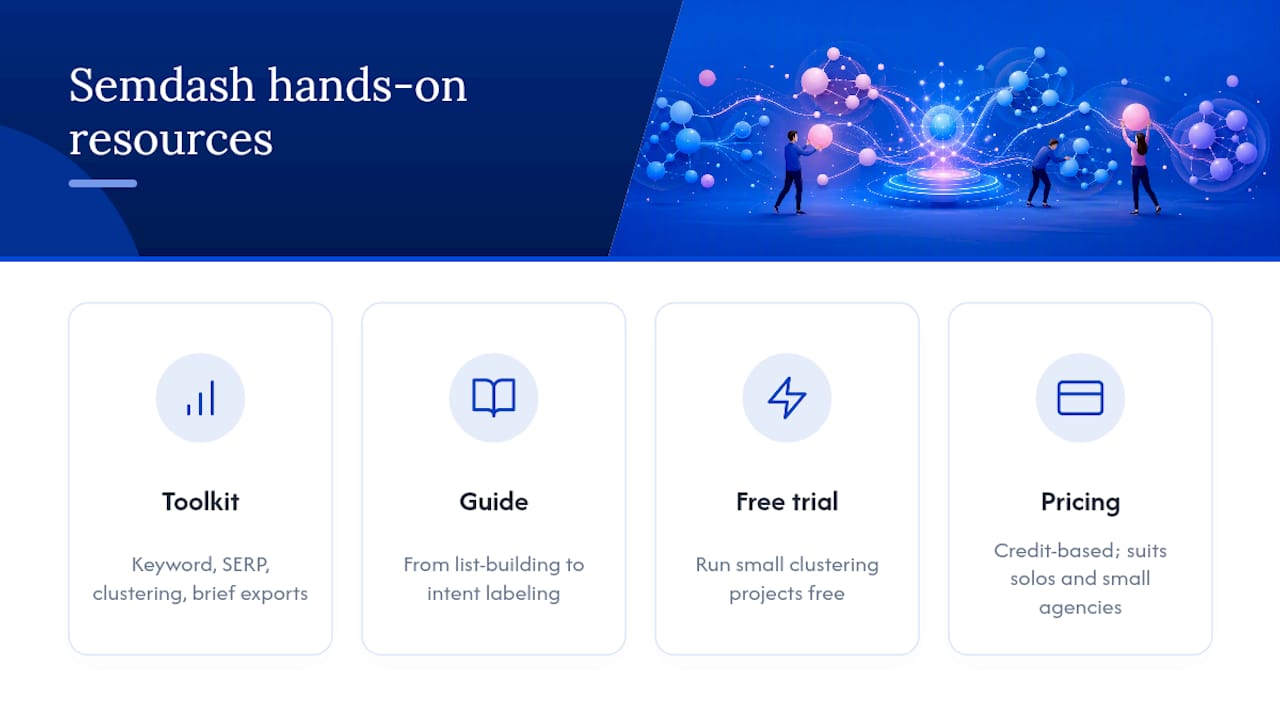
Semdash brings keyword and SERP analysis, semantic clustering, and content brief exports into one interface, which matters if you’re tired of stitching together a research tool, a clustering tool, and a separate export step for every project. The platform’s step-by-step guide to semantic keyword research walks through how clustering fits into a broader research process, from initial list-building through intent labeling.
If you want to test the workflow before committing budget, Semdash’s free SEO tools let you run a smaller clustering project hands-on, which is the fastest way to see whether a tool’s default overlap threshold actually matches how your niche behaves.
The credit-based pricing model tends to suit solo consultants and small agencies best, since you’re not locked into a flat monthly seat cost regardless of how many clustering projects you actually run in a given month. Teams managing several client sites can scale credit usage up or down project by project instead of paying for capacity they don’t use.
What SEO Teams Get Wrong About Clustering
The mistake I see most often is treating clustering as a one-and-done spreadsheet exercise. Teams run the tool once, accept every cluster at face value, and never revisit the default overlap threshold no matter how odd the results look for a particular niche. Literal string matching is the other trap: two keywords sharing a phrase get lumped together even when their SERPs, and their intent, don’t match at all.
The practitioners who get real value from clustering treat it as iterative. They sample a handful of clusters manually before trusting the whole batch, they tighten or loosen the threshold per project rather than using one setting forever, and they export clusters straight into briefs instead of retyping labels by hand.
A quick checklist worth keeping on hand:
- Validate at least 10% of clusters manually before mapping any to pages.
- Adjust the overlap threshold per project, never assume the default fits every niche.
- Re-check clusters quarterly, or sooner if you notice ranking volatility.
— Leonid
Run Your Next Clustering Project on Semdash
Semdash handles every stage of the workflow described above inside one platform, so you’re not exporting a keyword list from one tool, clustering it in another, and manually rebuilding briefs in a third. It pairs keyword research with semantic clustering and SERP data in the same interface, which means the overlap threshold you tune and the cluster you validate turn directly into a brief without a reformatting step in between.
For agencies managing several client sites or in-house teams running clustering projects every month, that consolidation is the real cost saver: one credit-based subscription instead of separate tools for research, clustering, and export. Start by pulling a keyword list into the keyword research tool and running a clustering pass on a single topic you already suspect is cannibalized. You’ll see the overlap and the fix in the same session.
FAQ
What Is the Best Keyword Clustering Tool?
There’s no single best tool for every team, but the strongest options combine live SERP-based clustering with an adjustable overlap threshold and direct export to briefs. Semdash covers all three in one interface, which is worth checking against your current stack if you’re stitching together separate research and clustering tools.
How Can I Cluster Keywords for SEO?
Validate the edge clusters manually, label each one with intent and priority, then map each surviving cluster to a single page.
What Are the Four Types of Keywords?
Keywords are generally grouped into four intent categories: informational (looking for an answer), navigational (looking for a specific site or brand), commercial investigation (comparing options before buying), and transactional (ready to buy or convert). Clustering by intent typically respects these four categories even when the exact wording of the keywords varies widely.
Can I Use ChatGPT for Keyword Research?
ChatGPT and similar language models can help brainstorm keyword variations and group terms by apparent topic, which makes them useful for early-stage semantic clustering. They can’t see live SERP data, though, so they can’t confirm whether Google actually treats two keywords as the same intent, which is why a SERP-based validation step still matters before you finalize clusters.